

Reseña de MediaShout: Ventajas, Desventajas, Características y Precios
MediaShout destaca por sus sólidas funciones diseñadas para iglesias, ofreciendo una solución integral que sobresale en el espacio de software de presentaciones gratuito.

Revisamos herramientas de manera independiente, y las comisiones ayudan a financiar nuestras pruebas. Consulta nuestra política de transparencia, nuestra metodología o sugiere una herramienta.
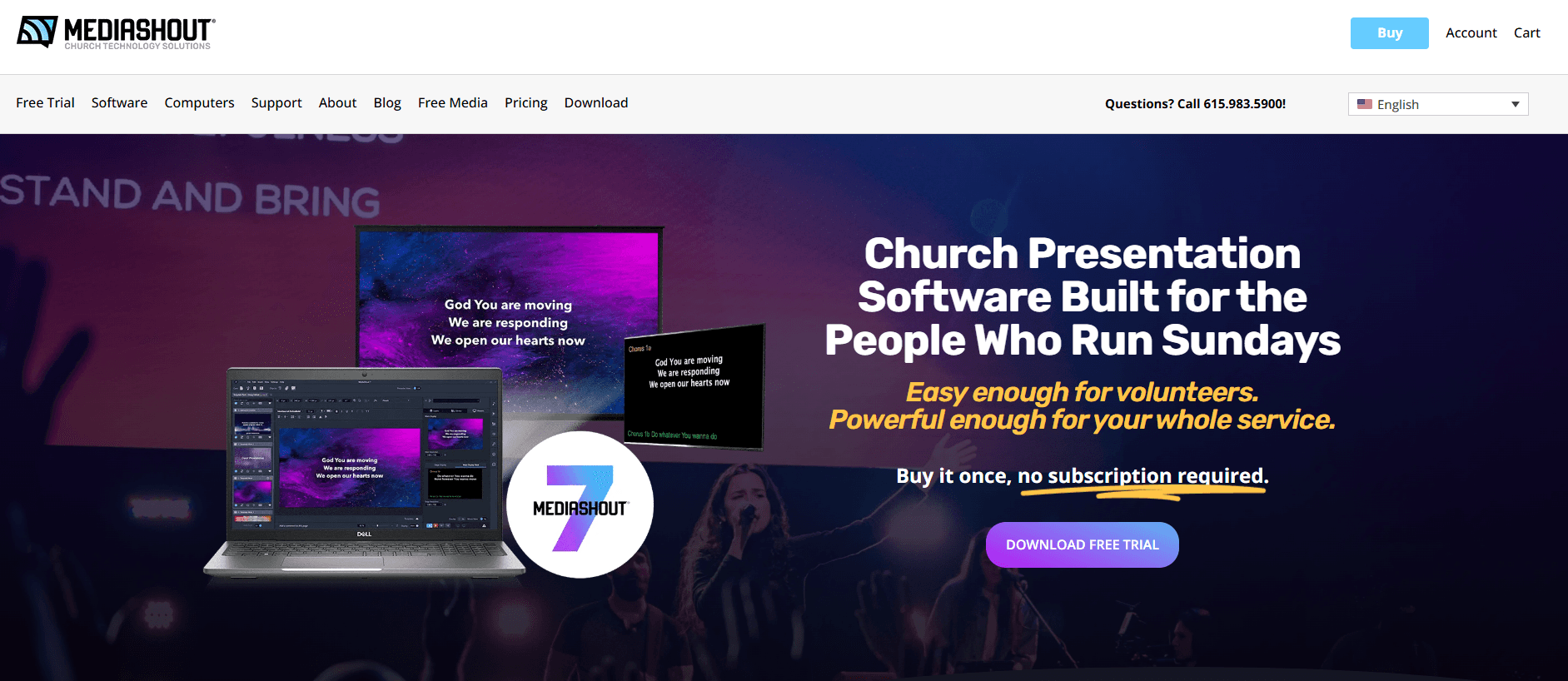
MediaShout is a free church presentation software built for displaying lyrics, scripture, announcements, and media during worship services. It's worth considering if your church needs a capable presentation tool without the licensing cost of something like ProPresenter, which requires a paid subscription to access core features. MediaShout's free tier gives smaller or budget-limited congregations a purpose-built worship display tool they can start using without any financial commitment upfront.
MediaShout Evaluation Summary
3.7/5
- From $599 one-time
- Free trial + free demo available
Por qué confiar en nuestras recomendaciones de software
6,700+
Reviews
20
Industry experts
16+
Evaluation factors
14
Years
Nuestro equipo lleva probando y evaluando software desde 2012. Como líderes eclesiásticos, sabemos lo difícil —y lo importante— que es elegir el software adecuado.
Para esta guía, evaluamos las herramientas mediante pruebas prácticas e investigación independiente, puntuando las herramientas según nuestros criterios de selección.
Nuestras reseñas reflejan nuestro criterio editorial humano, no un discurso de ventas.
MediaShout Overview
In my opinion, MediaShout is a solid choice for churches looking for a reliable worship presentation software. It offers a good range of features and excellent customer support, which is crucial for busy worship teams. While it may not be the cheapest option, its ease of use and responsive support make it a worthwhile investment. Compared to other providers, it excels in user interface but may lack some advanced integrations. MediaShout is best suited for churches that need straightforward software with robust support, but it might not be the best fit for those seeking extensive customization or integrations.
Pros
- You'll find the interface intuitive and easy to navigate.
- Customer support is responsive and helpful for your team.
- It offers seamless scripture and lyric integration for your presentations.
Cons
- Your team might find onboarding a bit time-consuming.
- Advanced features can be complex for new users.
- It may lack some customization options your team desires.
Is MediaShout Right For Your Needs?
Who Would be a Good Fit for MediaShout?
MediaShout is ideal for small to mid-sized churches and worship teams that need a user-friendly presentation tool. Its intuitive interface and seamless scripture integration make it perfect for teams that want a straightforward way to enhance their worship services. If your team values responsive customer support and easy navigation, MediaShout is a solid choice.
- Small ChurchesMediaShout's easy-to-use interface helps your team present engaging services without a steep learning curve.
- Worship LeadersYou can easily integrate song lyrics and scripture, enhancing your worship experience.
- Volunteer TeamsIts intuitive design ensures that even volunteers with little tech experience can manage presentations smoothly.
- Youth MinistriesYou can create dynamic presentations that resonate with younger audiences using MediaShout's multimedia capabilities.
- Media CoordinatorsThe software supports seamless integration of multimedia elements, making your job much easier.
- Religious EventsMediaShout's scripture integration and easy customization make it perfect for special religious events.
Who Would be a Bad Fit for MediaShout?
MediaShout might not suit large churches or organizations with complex presentation needs due to its limited customization options. If your team requires advanced integrations or extensive feature sets, MediaShout could fall short. Those looking for cloud-based solutions or needing quick onboarding might find the software's setup time and complexity a hurdle.
- Large ChurchesYour team might find MediaShout lacking in customization and advanced features for large-scale presentations.
- Tech-Savvy TeamsIf you need advanced integrations, MediaShout's offerings might not meet your expectations.
- Event PlannersMediaShout's complexity in advanced features might slow down your fast-paced work environment.
- Corporate SettingsYou might find the interface too limited for corporate presentation needs.
- Tech StartupsYour team may require more innovative and cutting-edge presentation tools than MediaShout provides.
- Remote TeamsMediaShout's lack of cloud capabilities can hinder collaboration for remote work environments.
Cómo Probamos y Puntuamos Herramientas
Hemos pasado años creando, refinando y mejorando nuestro sistema de prueba y puntuación de software. La rúbrica está diseñada para captar las particularidades de la selección de software y lo que hace que una herramienta sea efectiva, centrándose en los aspectos críticos del proceso de toma de decisiones. A continuación, puedes ver exactamente cómo funcionan nuestras pruebas y puntuaciones en siete criterios. Nos permite proporcionar una evaluación imparcial del software basada en la funcionalidad principal, características destacadas, facilidad de uso, incorporación, soporte al cliente, integraciones, reseñas de clientes y relación calidad-precio.
Funcionalidad principal (25% de la puntuación final)
El punto de partida de nuestra evaluación es siempre la funcionalidad principal de la herramienta. ¿Tiene las funciones y características básicas que un usuario esperaría ver? ¿Alguna de esas funciones principales está bloqueada en planes de precios superiores? En esencia, esperamos que una herramienta se mantenga frente a las capacidades mínimas de sus competidores.
Características destacadas (25% de la puntuación final)
A continuación, evaluamos características poco comunes que van más allá de la funcionalidad principal típicamente encontrada en herramientas de su tipo. Una puntuación alta refleja funciones especializadas o únicas que hacen que el producto sea más rápido, eficiente o que aporte valor adicional al usuario. También evaluamos lo fácil que es integrarse con otras herramientas habitualmente presentes en la infraestructura tecnológica, para ampliar la funcionalidad y utilidad del software. Las herramientas que ofrecen muchas integraciones nativas, conexiones con terceros y acceso API para crear integraciones personalizadas obtienen la mejor puntuación.
Facilidad de uso (10% de la puntuación final)
Consideramos qué tan rápido y fácil es ejecutar las tareas definidas en la funcionalidad principal utilizando la herramienta. El software con alta puntuación está bien diseñado, es intuitivo de usar, ofrece aplicaciones móviles, proporciona plantillas y hace que tareas relativamente complejas parezcan simples.
Incorporación (10% de la puntuación final)
Sabemos lo importante que es la rápida adopción por parte del equipo en una nueva plataforma, por lo que evaluamos lo fácil que es aprender y usar una herramienta con una formación mínima. Evaluamos lo rápido que un miembro del equipo puede configurarse y comenzar a usar la herramienta sin experiencia previa. Las soluciones mejor puntuadas indican que se requiere poco o ningún soporte.
Soporte al cliente (10% de la puntuación final)
Revisamos lo rápido y fácil que es obtener ayuda por teléfono, chat en vivo o base de conocimiento. Las herramientas y empresas que brindan soporte en tiempo real obtienen la mejor puntuación, mientras que los chatbots obtienen la peor.
Reseñas de clientes (10% de la puntuación final)
Más allá de nuestras propias pruebas y evaluaciones, consideramos la puntuación neta del promotor de clientes actuales y anteriores. Revisamos la probabilidad de que elegirían nuevamente la herramienta para la funcionalidad principal. Un software de alta puntuación refleja una puntuación neta del promotor elevada por parte de sus clientes actuales o pasados.
Relación calidad-precio (10% de la puntuación final)
Por último, en consideración del resto de los criterios, revisamos el precio promedio de los planes de nivel inicial frente a las funciones principales y consideramos el valor de los otros criterios de evaluación. El software que ofrece más, por menos, obtendrá una mejor puntuación.
Core Features
Scripture Integration
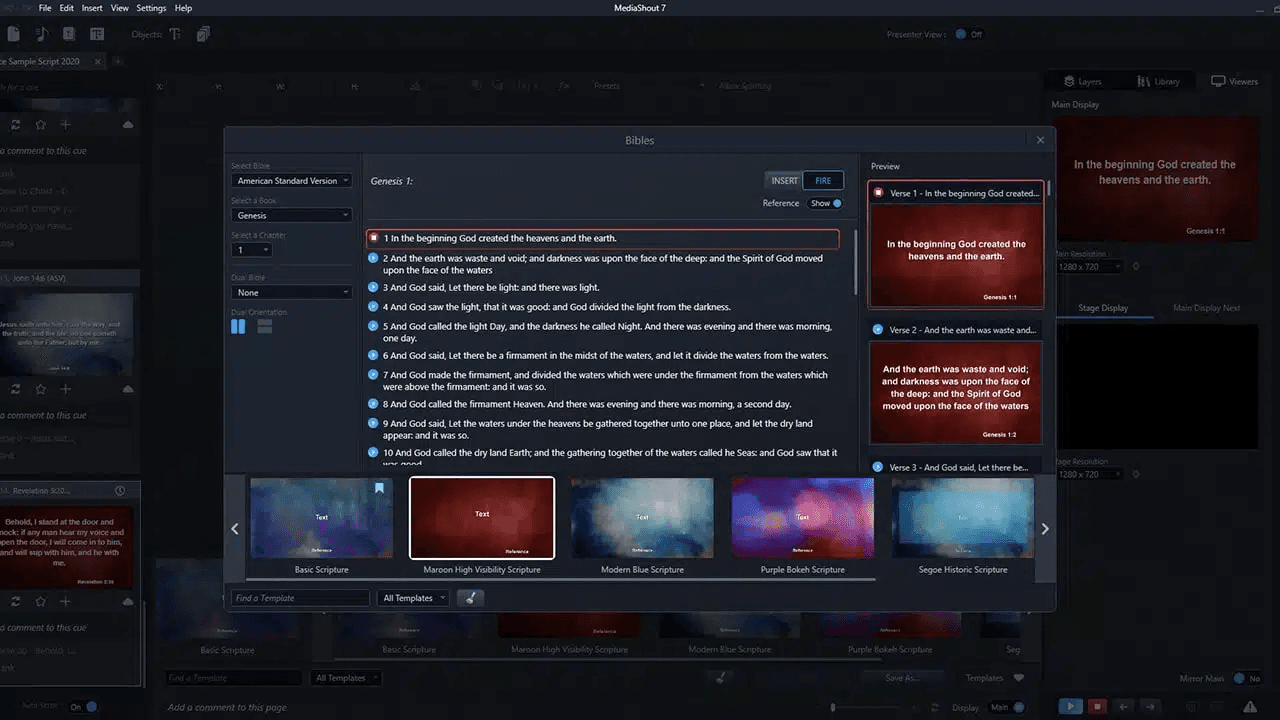
You can easily insert bible verses and full scripture passages directly into your presentations. This feature helps your team keep services focused and spiritually engaging.
Lyric Display
MediaShout lets you display song lyrics for worship songs seamlessly via Song Select support. Your congregation can follow along without missing a beat.
Multimedia Support
You can incorporate videos and audio files, along with images, and PowerPoint files, to enhance your presentations. This adds a dynamic element to your worship services.
Slide Templates
Choose from various slide templates — with drag-and-drop formatting — to create professional-looking presentations quickly. It saves your team time and effort in design.
Customizable Fonts
You can adjust font styles and sizes to match your church's brand. This personalization helps maintain a consistent look.
Dual-Screen Support
MediaShout supports dual-screen setups, allowing you to manage what the audience sees separately from the presenter view. This control ensures smooth service flow.
Ease of Use
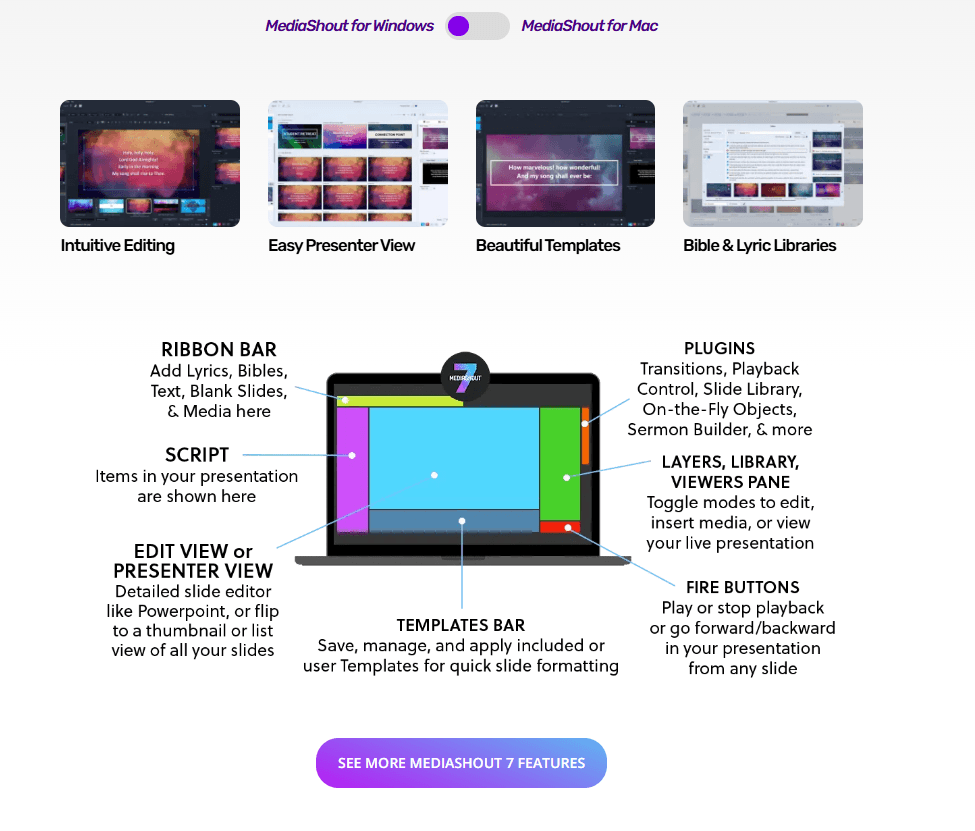
MediaShout's user-friendly interface makes it easy for your team to create and manage presentations. Its intuitive design ensures even those with minimal tech experience can navigate the software effectively. The dual-screen support and customizable templates simplify your work, allowing for efficient service planning. While some advanced features might take time to master, the overall usability remains straightforward, making it a reliable choice for churches looking for an accessible presentation tool.
Integrations
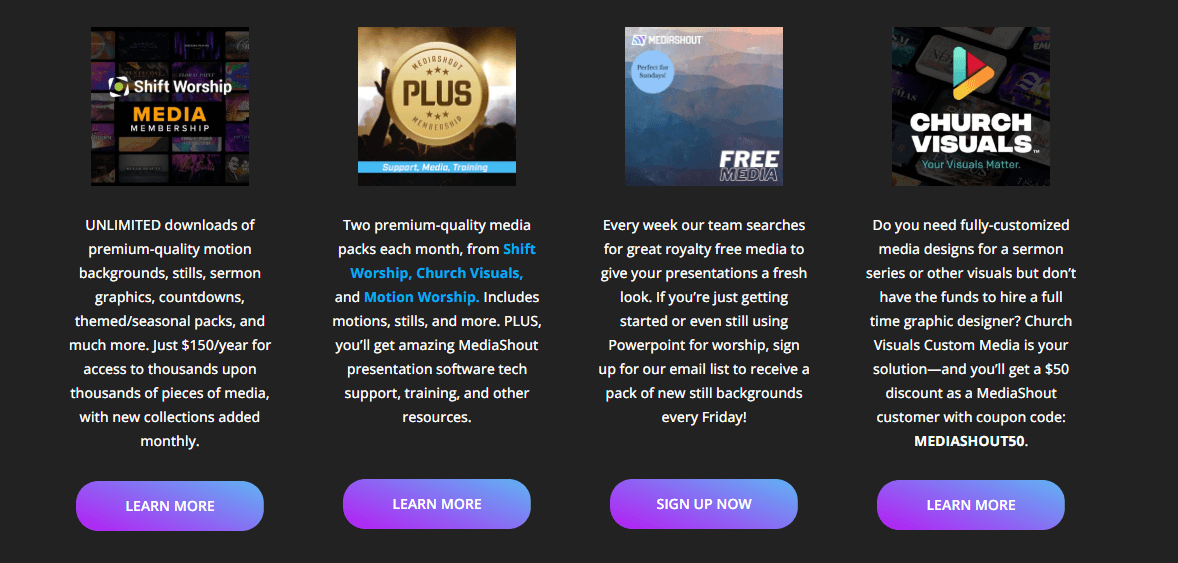
MediaShout focuses on built-in worship tools rather than third-party app integrations. It includes integrated Bible translations, song lyric libraries (SongSelect support), and optional worship media libraries for backgrounds and graphics, all available directly within the software.
MediaShout Specs
- API: Yes
- Calendar Management: Yes
- Contact Management: Yes
- Dashboards: Yes
- Data Export: Yes
- Data Import: Yes
- Document Management: Yes
- External Integrations: Yes
- Multi-User: Yes
- Notifications: Yes
- Payment Gateway Integration: Yes
- Scheduling: Yes
- Workflow Management: Yes


