

Apple Keynote Review: Pros, Cons, Features and Pricing Guide
I break down how Apple Keynote stacks up for church presentations—sleek visuals and smooth delivery, but you'll want to know its quirks before making it your go-to worship tool.

We review tools independently, and commissions help fund our testing. See our transparency policy, our methodology, or suggest a tool.
Apple Keynote is a church presentation software for churches that want to build sermon slides and service graphics using Apple's native design tools. If your team already runs on Mac or iPad, it's a compelling free alternative to subscription-based tools like ProPresenter. You get polished, design-forward presentations without the cost or complexity of purpose-built church software.
Apple Keynote Evaluation Summary
4.4/5
- Free
Why Trust Our Software Recommendations
6,700+
Reviews
20
Industry experts
16+
Evaluation factors
14
Years
Our team has been testing and reviewing software since 2012. As church leaders ourselves, we know how difficult—and important—it is to choose the right software.
For this guide, we evaluated tools using hands-on testing and independent research, scoring tools using our selection criteria.
Our reviews reflect our human editorial judgment, not a sales pitch.
Apple Keynote Overview
I think Apple Keynote stands out for churches wanting beautiful, modern presentations without the usual cost, since it’s free for Mac users. Its clean interface, intuitive design tools, and reliable performance set it apart, though I find its integration options and advanced worship-specific functions more limited than some. If you’re choosing for a Mac-based environment that values visual polish and quick onboarding, Keynote is a smart pick. For example, small- or mid-sized churches with simple media and text needs might be inclined to use Keynote, but larger teams wanting live integrations might look elsewhere for their slideshow needs.
Pros
- Provides high-quality templates for sermon and announcement slides
- Supports wireless presenting with iPhone, Apple Watch, or iPad as a remote
- Free for all Apple device users with no ongoing fees
Cons
- Only available on Apple devices, limiting Windows compatibility
- No built-in scripture database or worship planning tools
- Limited multimedia format support compared to specialized solutions
Is Apple Keynote Right For Your Needs?
Who Would be a Good Fit for Apple Keynote?
Apple Keynote is a strong fit for church teams that already work within the Apple ecosystem and value clean, modern visuals without a steep learning curve. Ministries that don’t need advanced worship planning or scripture database features will appreciate Keynote’s focus on design, team collaboration, and ease of use. Its no-cost pricing makes it especially appealing for smaller churches, portable congregations, and volunteer-led ministries.
- Small CongregationsKeynote’s simple interface and cost-free access help small churches deliver professional slides with minimal technical support.
- Volunteer-Led TeamsEasy training and online help resources mean volunteers can run presentations confidently, even if they’re new to tech.
- Youth MinistryCreative slide themes, animations, and media make youth group events and messages visually engaging.
- Mobile ChurchesRemote control with iPad or iPhone lets churches that move between locations stay flexible and wireless.
- Teaching PastorsTeaching pastors can benefit from dual-screen presenter tools for notetaking and seamless slide transitions during sermon delivery.
- Creative Arts DepartmentsVisual storytelling features, drawing tools, and media embedding suit teams focused on creative worship and announcements.
Who Would be a Bad Fit for Apple Keynote?
Apple Keynote isn’t ideal for every church context, particularly those needing specialized integrations or advanced feature sets. Churches on Windows platforms, multi-site organizations, or worship teams that rely on structured service planning tools may find Keynote limiting. If your church requires deeper scripture functionality or advanced audio/video controls, you’ll want a different solution.
- Windows-Only ChurchesKeynote only runs on Mac, iPhone, or iPad, so Windows-based churches can’t use it.
- Large Multi-Site CampusesWithout multi-campus management or central control features, Keynote can’t easily support synchronized services across locations.
- AV Production TeamsKeynote lacks broadcasting tools, advanced audio routing, and multi-screen configuration needed by dedicated AV setups.
- Scripture-Focused MinistriesNo built-in scripture look-up, formatting, or song lyric automation means it’s less suited for scripture-heavy churches.
- Outreach and Livestream TeamsThere’s no native livestreaming or integrated lower thirds support, making it less useful for broadcast-focused ministries.
- Worship Planning StaffYou won’t find song scheduling, volunteer management, or planning center tools that some worship teams count on.
How We Test & Score Tools
We’ve spent years building, refining, and improving our software testing and scoring system. The rubric is designed to capture the nuances of software selection and what makes a tool effective, focusing on critical aspects of the decision-making process.
Below, you can see exactly how our testing and scoring works across seven criteria. It allows us to provide an unbiased evaluation of the software based on core functionality, standout features, ease of use, onboarding, customer support, integrations, customer reviews, and value for money.
Core Functionality (25% of final scoring)
The starting point of our evaluation is always the core functionality of the tool. Does it have the basic features and functions that a user would expect to see? Are any of those core features locked to higher-tiered pricing plans? At its core, we expect a tool to stand up against the baseline capabilities of its competitors.
Standout Features (25% of final scoring)
Next, we evaluate uncommon standout features that go above and beyond the core functionality typically found in tools of its kind. A high score reflects specialized or unique features that make the product faster, more efficient, or offer additional value to the user.
We also evaluate how easy it is to integrate with other tools typically found in the tech stack to expand the functionality and utility of the software. Tools offering plentiful native integrations, 3rd party connections, and API access to build custom integrations score best.
Ease of Use (10% of final scoring)
We consider how quick and easy it is to execute the tasks defined in the core functionality using the tool. High scoring software is well designed, intuitive to use, offers mobile apps, provides templates, and makes relatively complex tasks seem simple.
Onboarding (10% of final scoring)
We know how important rapid team adoption is for a new platform, so we evaluate how easy it is to learn and use a tool with minimal training. We evaluate how quickly a team member can get set up and start using the tool with no experience. High scoring solutions indicate little or no support is required.
Customer Support (10% of final scoring)
We review how quick and easy it is to get unstuck and find help by phone, live chat, or knowledge base. Tools and companies that provide real-time support score best, while chatbots score worst.
Customer Reviews (10% of final scoring)
Beyond our own testing and evaluation, we consider the net promoter score from current and past customers. We review their likelihood, given the option, to choose the tool again for the core functionality. A high scoring software reflects a high net promoter score from current or past customers.
Value for Money (10% of final scoring)
Lastly, in consideration of all the other criteria, we review the average price of entry level plans against the core features and consider the value of the other evaluation criteria. Software that delivers more, for less, will score higher.
Core Features
Slide Themes and Templates
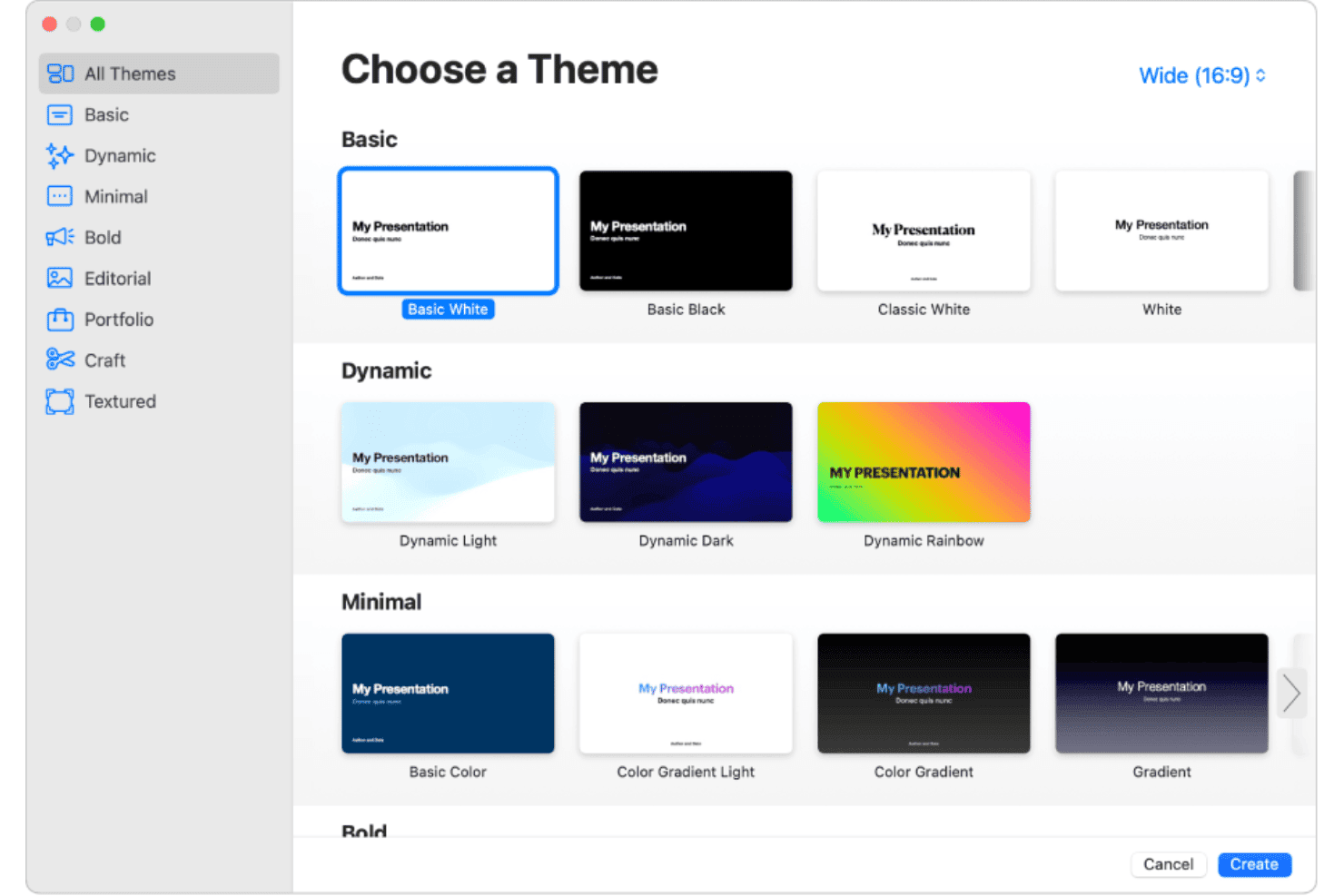
Choose from a range of modern, customizable templates for worship, announcements, and teaching. These templates let you build polished presentations quickly with consistent style.
Magic Move
Animate text, scripture, or graphics with smooth transitions and effects using Magic Move. These help create dynamic, visually engaging worship experiences.
Presenter Display
Use dual-screen presenter view to track notes, timers, and slide previews. This keeps speakers organized and focused during services.
Media Embedding
Drag and drop images, video, and audio clips directly into slides. You can play scripture readings or background music without switching tools.
Collaboration Tools
Share presentations online and collaborate in real time with your team. Multiple staff or volunteers can edit and comment simultaneously.
Remote Control Support
Control slides wirelessly from an iPhone or iPad during worship. This lets pastors or tech teams advance slides from anywhere in the sanctuary.
Standout Features
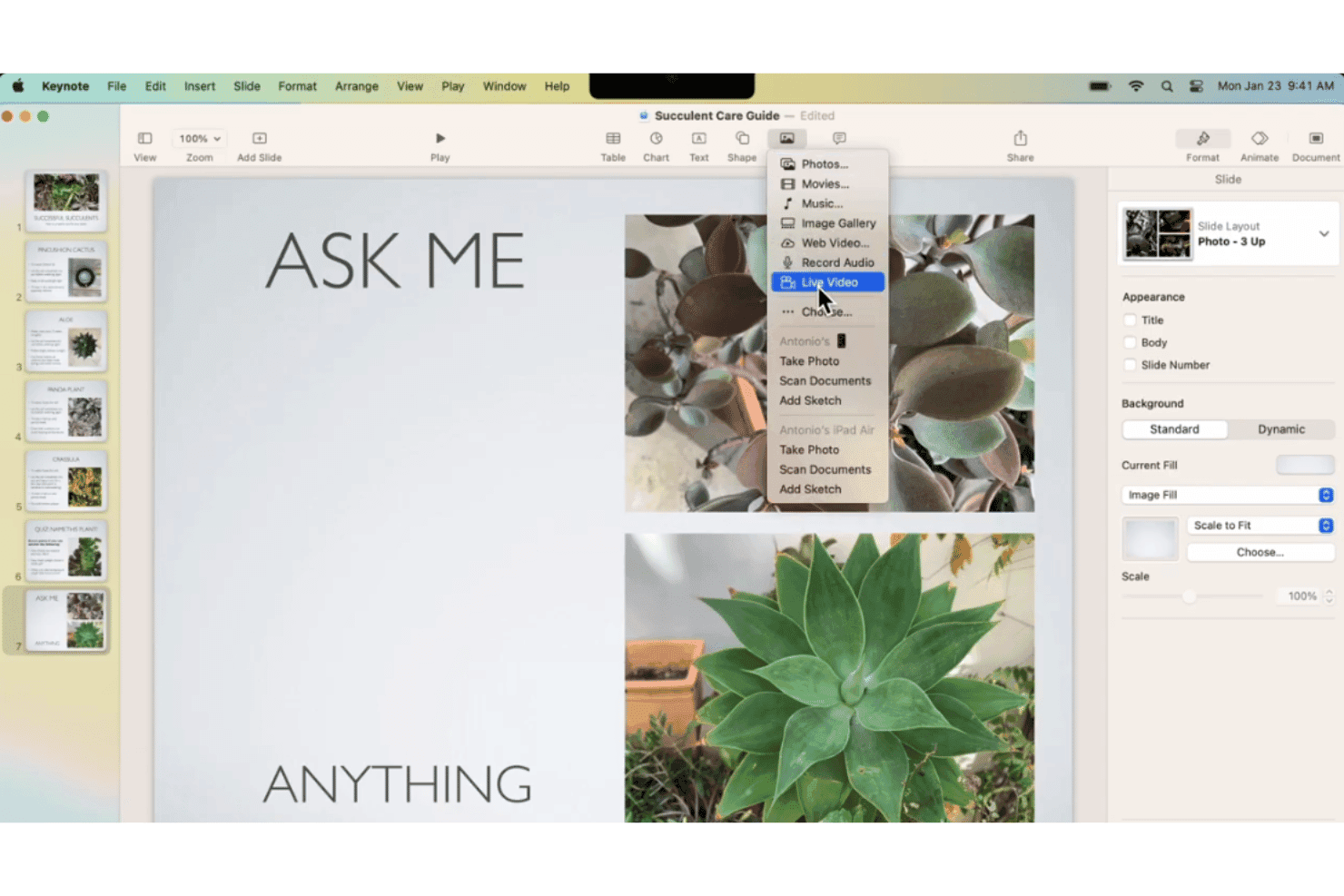
Live Video Integration
Insert and resize live video feeds directly onto any slide. This feature makes it easy to highlight pastors, worship leaders, or remote speakers during a service.
Freeform Drawing Tools
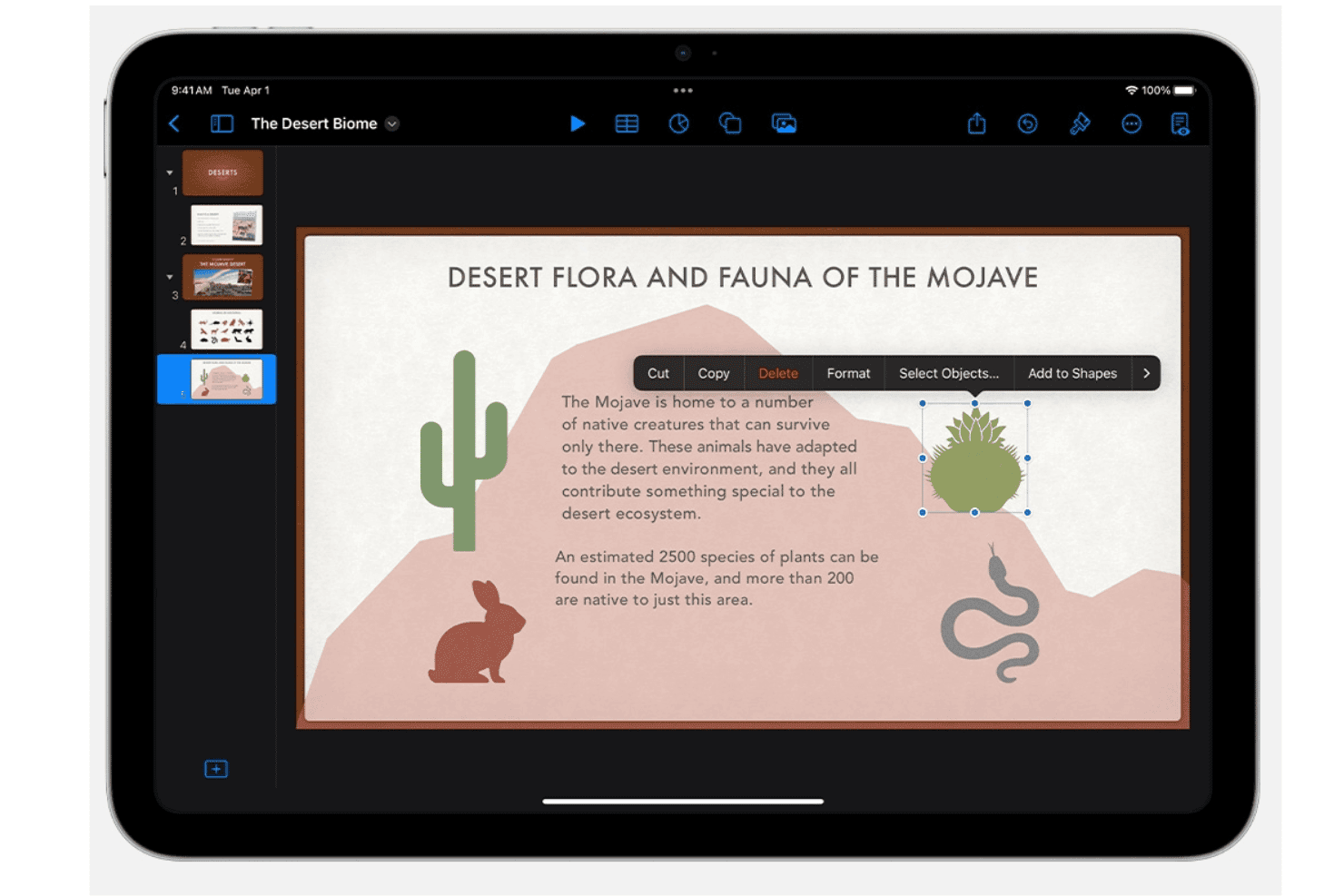
Create hand-drawn annotations or highlight Bible passages using an Apple Pencil or touch device. This adds a personal, interactive touch to sermons and teaching moments.
Ease of Use
Apple Keynote feels intuitive for most church leaders, with familiar drag-and-drop editing, uncluttered menus, and clear presenter tools. I find that the built-in templates and animations simplify creating attention-grabbing worship slides, and users often praise how easy it is to train new volunteers or pastors to operate Keynote for Sunday services.
Onboarding
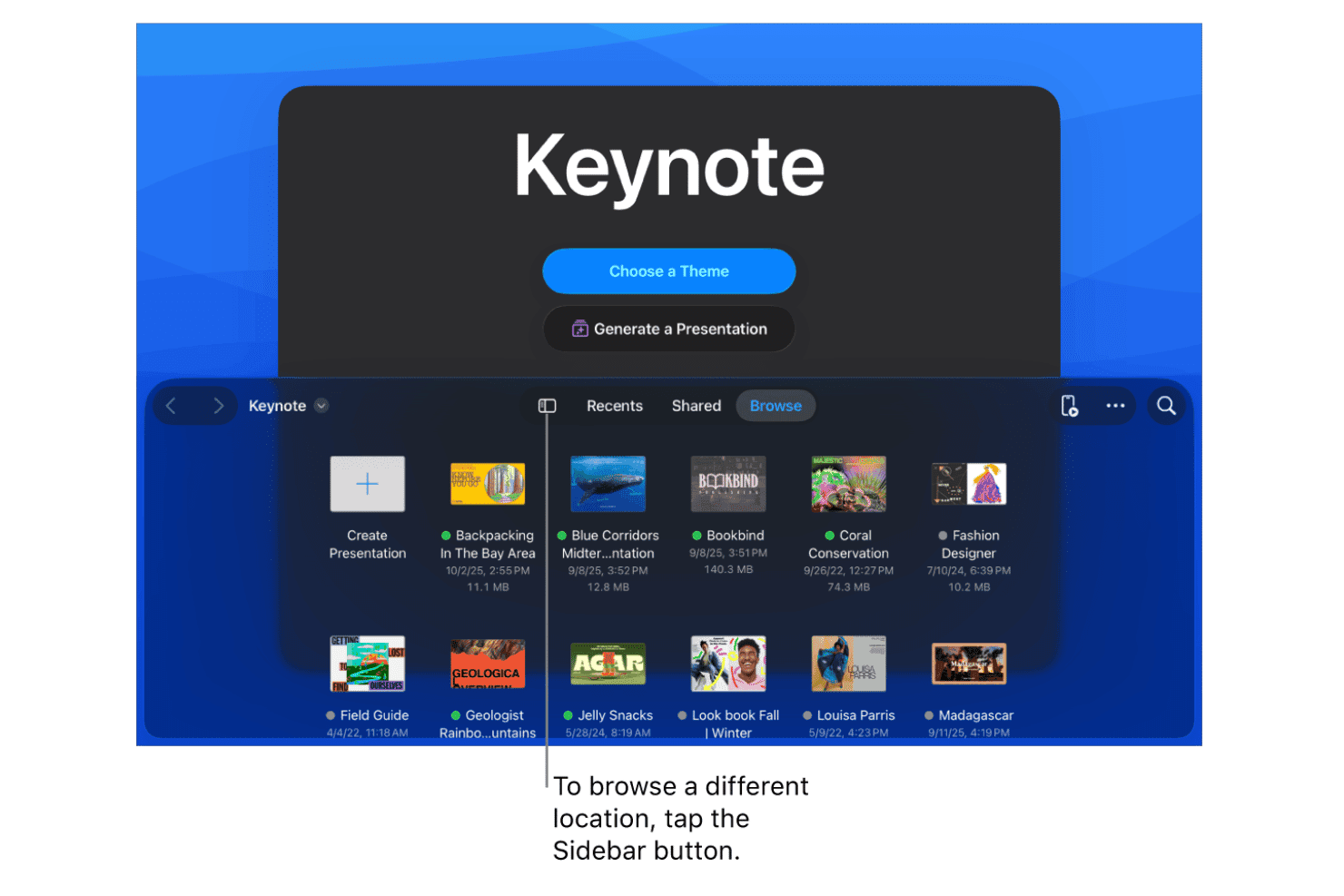
New users get up to speed fast thanks to Keynote’s simple start guides, video tutorials, and step-by-step walkthroughs. I’ve seen church teams mention in reviews how the Apple support community and detailed help docs make solving common setup questions quick—even for those without much tech experience.
Customer Support
Apple Keynote users have access to Apple’s global support team, online chat, and a large community forum. Many reviewers appreciate the depth of searchable resources and how easy it is to find answers or connect with real support when technical issues or presentation questions come up.
Integrations
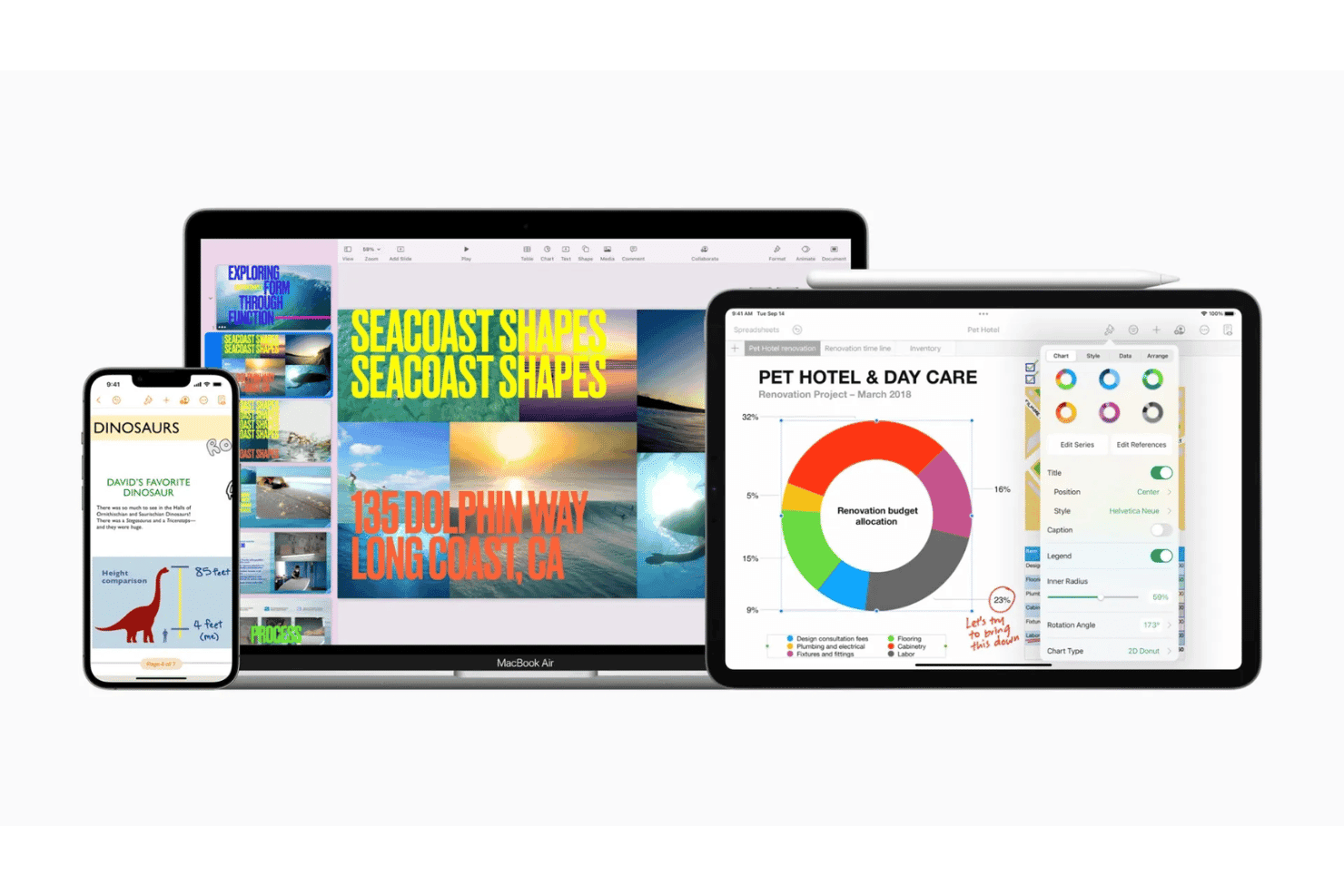
Apple Keynote integrates with iCloud, Apple Photos, Apple Music, iMovie, Numbers, Pages, AirPlay, iPad, iPhone, and Mac.
Keynote does not offer a public API or built-in connections with third-party integration tools.
Value for Money
Apple Keynote delivers strong value because it’s completely free for all Apple users, making it especially attractive for churches with tight budgets. Many reviewers celebrate not facing subscriptions or one-time fees while still accessing professional-grade presentation tools.
- Free: Full-featured access for all Mac, iPhone, and iPad users with no additional cost.
Apple Keynote Specs
- API: Yes
- Calendar Management: Yes
- Contact Management: Yes
- Dashboards: Yes
- Data Export: Yes
- Data Import: Yes
- Document Management: Yes
- External Integrations: Yes
- Multi-User: Yes
- Notifications: Yes
- Payment Gateway Integration: Yes
- Scheduling: Yes
- Workflow Management: Yes
Apple Keynote FAQs
Apple Keynote Company Overview & History
Apple Keynote is developed by Apple Inc., headquartered in Cupertino, California, with a global workforce of over 160,000 employees. Keynote was first introduced as Apple’s flagship presentation software and comes free with every new Mac, iPhone, and iPad. Apple is recognized for its innovative devices, as well as companion apps like Pages and Numbers. Used by creative professionals, businesses, and educators worldwide, Apple remains one of the world’s most valuable technology companies and is publicly traded under the ticker symbol AAPL.
Apple Keynote Major Milestones
- 2003: Apple Keynote launched as a presentation tool for Mac.
- 2005: Keynote became part of the iWork productivity suite.
- 2010: Keynote app released for iPad.
- 2013: Apple began offering Keynote for free with new Apple devices.
- 2020: Apple introduced real-time collaboration and new animations to Keynote.