


Recensione di GoFundMe: Pro, Contro, Caratteristiche e Prezzi Spiegati


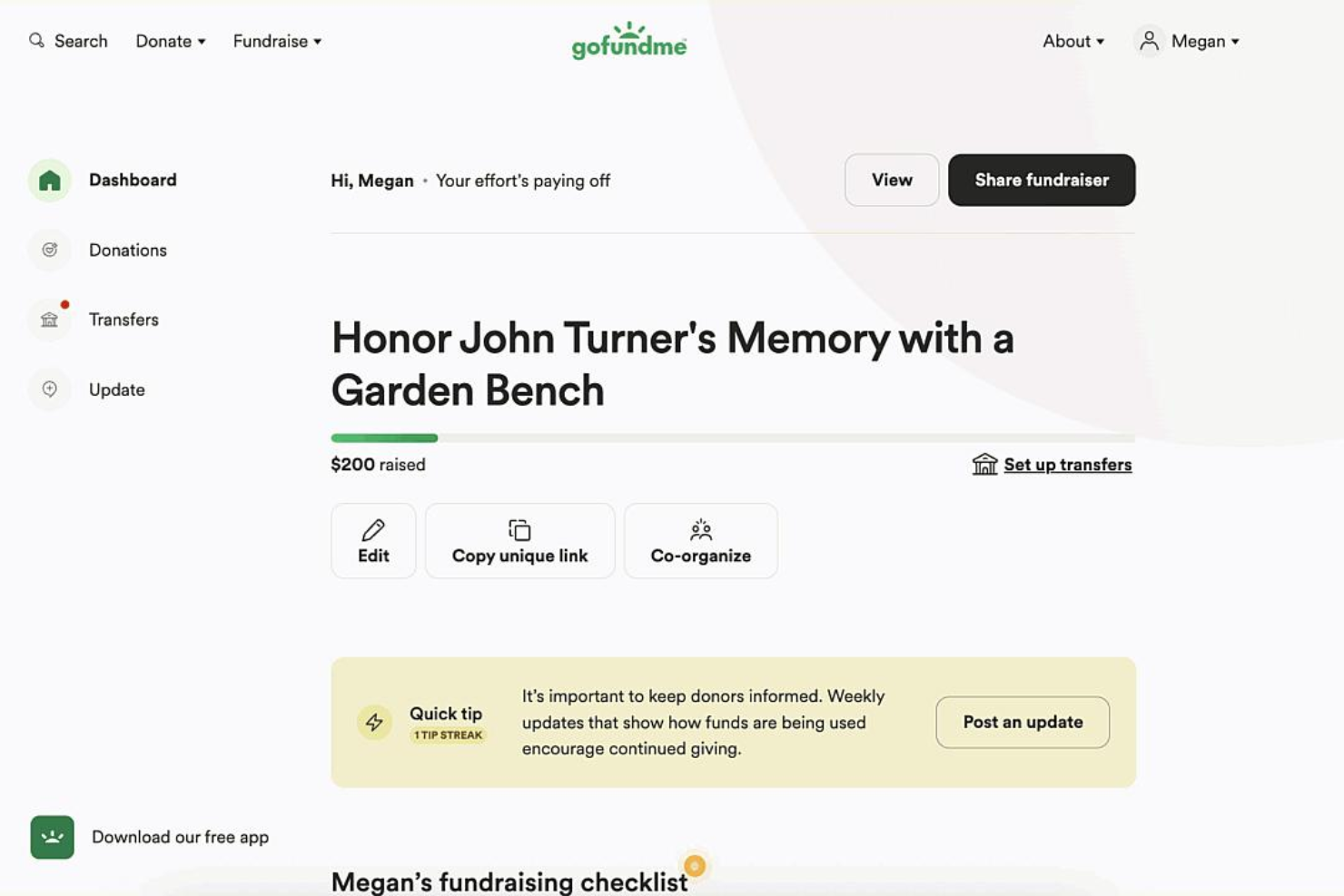
GoFundMe is a free donation software built around crowdfunding campaigns, making it a natural fit for churches running one-time fundraisers, mission trip collections, or emergency relief drives. I'd choose it over other tools like Fundly if reaching donors outside your congregation matters. GoFundMe's name recognition and built-in social sharing tend to pull in contributions from people who've never attended your church before.
GoFundMe Evaluation Summary
- From 2.9% + $0.30 per transaction
- Free plan available
Perché fidarsi dei nostri consigli sui software
Il nostro team testa e recensisce software dal 2012. In quanto leader ecclesiastici noi stessi, sappiamo quanto sia difficile — e importante — scegliere il software giusto.
Per questa guida, abbiamo valutato gli strumenti attraverso test pratici e ricerche indipendenti, assegnando un punteggio agli strumenti in base ai nostri criteri di selezione.
Le nostre recensioni riflettono il nostro giudizio editoriale umano, non un discorso di vendita.
GoFundMe Overview
When judging GoFundMe as a donation software and crowdfunding platform, its intuitive interface, quick onboarding, and strong brand recognition make it easy for churches to launch campaigns and reach a wide audience. While its pricing and limited donor management features may not suit those seeking deep integrations or advanced reporting functionality, GoFundMe excels for leaders prioritizing simplicity and public visibility. If you’re selecting a platform for one-time projects, urgent needs, or community-driven giving, GoFundMe’s ease of use and support resources set it apart from more complex solutions.
pros
-
Recognized brand increases donor trust and campaign visibility
-
Fast campaign setup for urgent or one-time fundraising needs
-
Social sharing tools help campaigns reach wider audiences
cons
-
Lacks advanced donor management and reporting features
-
Transaction fees are higher than some donation platforms
-
Limited options for recurring or church-specific giving needs
-

AskMyChurch
Visit Website -
ChMeetings
Visit WebsiteThis rating combines scores from multiple user review sites to reflect overall customer sentiment about the product.4.9 -
Subsplash
Visit WebsiteThis rating combines scores from multiple user review sites to reflect overall customer sentiment about the product.4.5





Come Testiamo e Valutiamo gli Strumenti
Abbiamo trascorso anni a costruire, perfezionare e migliorare il nostro sistema di test e valutazione dei software. Il nostro metodo è progettato per cogliere tutte le sfumature della selezione software e ciò che rende uno strumento efficace, concentrandosi sugli aspetti critici del processo decisionale. Qui sotto puoi vedere esattamente come funzionano i nostri test e valutazioni in base a sette criteri. Questo ci permette di offrire una valutazione imparziale dei software considerando funzionalità di base, caratteristiche distintive, facilità d’uso, onboarding, supporto clienti, integrazioni, recensioni dei clienti e rapporto qualità-prezzo.
Funzionalità di Base (25% del punteggio finale)
Il punto di partenza della nostra valutazione è sempre la funzionalità di base dello strumento. Dispone delle funzionalità e caratteristiche essenziali che un utente si aspetterebbe di trovare? Alcune di queste funzioni di base sono limitate a piani con prezzi superiori? In sostanza, ci aspettiamo che uno strumento sia all’altezza delle capacità minime offerte dai concorrenti.
Caratteristiche Distintive (25% del punteggio finale)
Successivamente analizziamo le caratteristiche distintive che vanno oltre la funzionalità base tipica degli strumenti di questa tipologia. Un punteggio alto riflette funzioni specializzate o uniche che rendono il prodotto più veloce, efficiente o offrono valore aggiunto all’utente. Valutiamo anche quanto sia semplice integrare altri strumenti comunemente presenti nello stack tecnologico per espandere la funzionalità e l’utilità del software. Gli strumenti che offrono numerose integrazioni native, connessioni di terze parti e accesso API per creare integrazioni personalizzate ottengono il punteggio migliore.
Facilità d’Uso (10% del punteggio finale)
Consideriamo quanto sia veloce e facile eseguire i compiti principali definiti usando lo strumento. I software con punteggi elevati sono ben progettati, intuitivi, offrono app mobili, mettono a disposizione modelli e rendono semplici anche i compiti più complessi.
Onboarding (10% del punteggio finale)
Sappiamo quanto sia importante adottare rapidamente una nuova piattaforma, quindi valutiamo quanto sia semplice imparare e utilizzare uno strumento con il minimo training. Esaminiamo quanto rapidamente un membro del team possa essere operativo senza esperienza precedente. Le soluzioni con punteggio alto richiedono poco o nessun supporto.
Supporto Clienti (10% del punteggio finale)
Valutiamo quanto sia rapido e semplice risolvere i problemi e ottenere assistenza tramite telefono, chat dal vivo o knowledge base. Gli strumenti e le aziende che forniscono supporto in tempo reale ottengono il punteggio migliore, mentre i chatbot ottengono la valutazione più bassa.
Recensioni dei Clienti (10% del punteggio finale)
Oltre ai nostri test e valutazioni, prendiamo in considerazione il net promoter score di clienti attuali e passati. Esaminiamo la loro propensione, data la scelta, a selezionare nuovamente lo strumento per le funzioni principali. Un software con punteggio alto riflette un net promoter score elevato da parte dei clienti attuali o precedenti.
Rapporto Qualità-Prezzo (10% del punteggio finale)
Infine, considerando tutti gli altri criteri, esaminiamo il prezzo medio dei piani base rispetto alle funzionalità principali e valutiamo il valore degli altri indicatori. I software che offrono di più, a meno, ottengono un punteggio superiore.
Core Features
Campaign Creation Wizard
Guided prompts help you set up a fundraiser, add details, and set goals in minutes.
Storytelling Tools
Customizable story sections let you share your cause with photos, updates, and compelling narratives.
Social Sharing Dashboard
Built-in tools make it easy to share your campaign link across social media and email.
Secure Fund Disbursement
Funds are transferred directly to your bank account or a designated beneficiary with secure processing.
Donor Management Dashboard
Track donations, send thank-yous, and manage campaign updates from a single dashboard.
Trust & Safety Support
A dedicated team monitors campaigns for fraud and provides resources to protect both organizers and donors.
Ease of Use
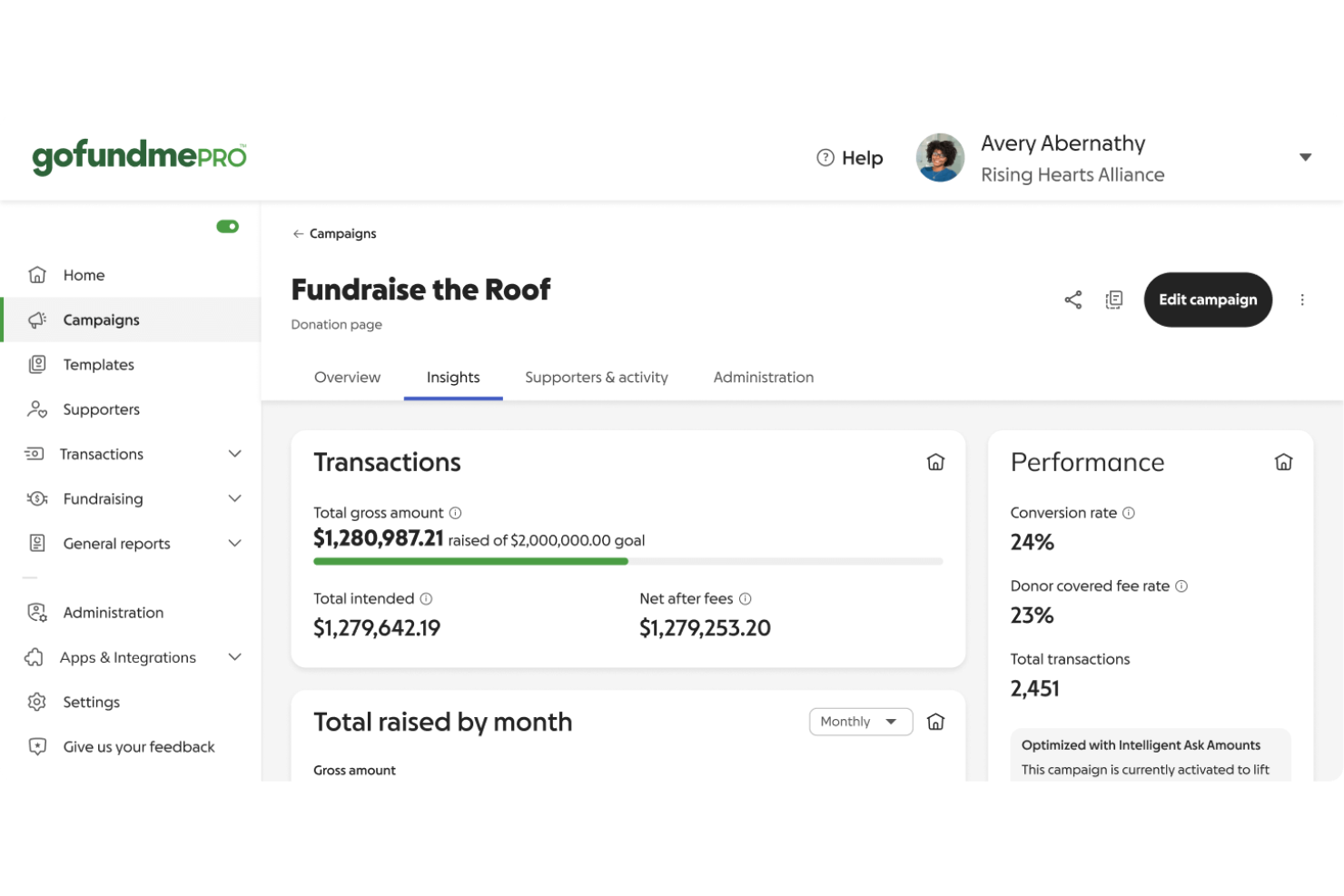
GoFundMe is widely recognized for its straightforward setup and intuitive interface, making it accessible even for first-time fundraisers. Users consistently mention how quickly they can launch campaigns and start accepting donations without technical hurdles. The platform’s guided prompts, clear navigation, and mobile-friendly design reduce confusion and help organizers focus on sharing their story, not troubleshooting software. This simplicity is a major reason many choose GoFundMe for urgent or community-driven fundraising.
Integrations
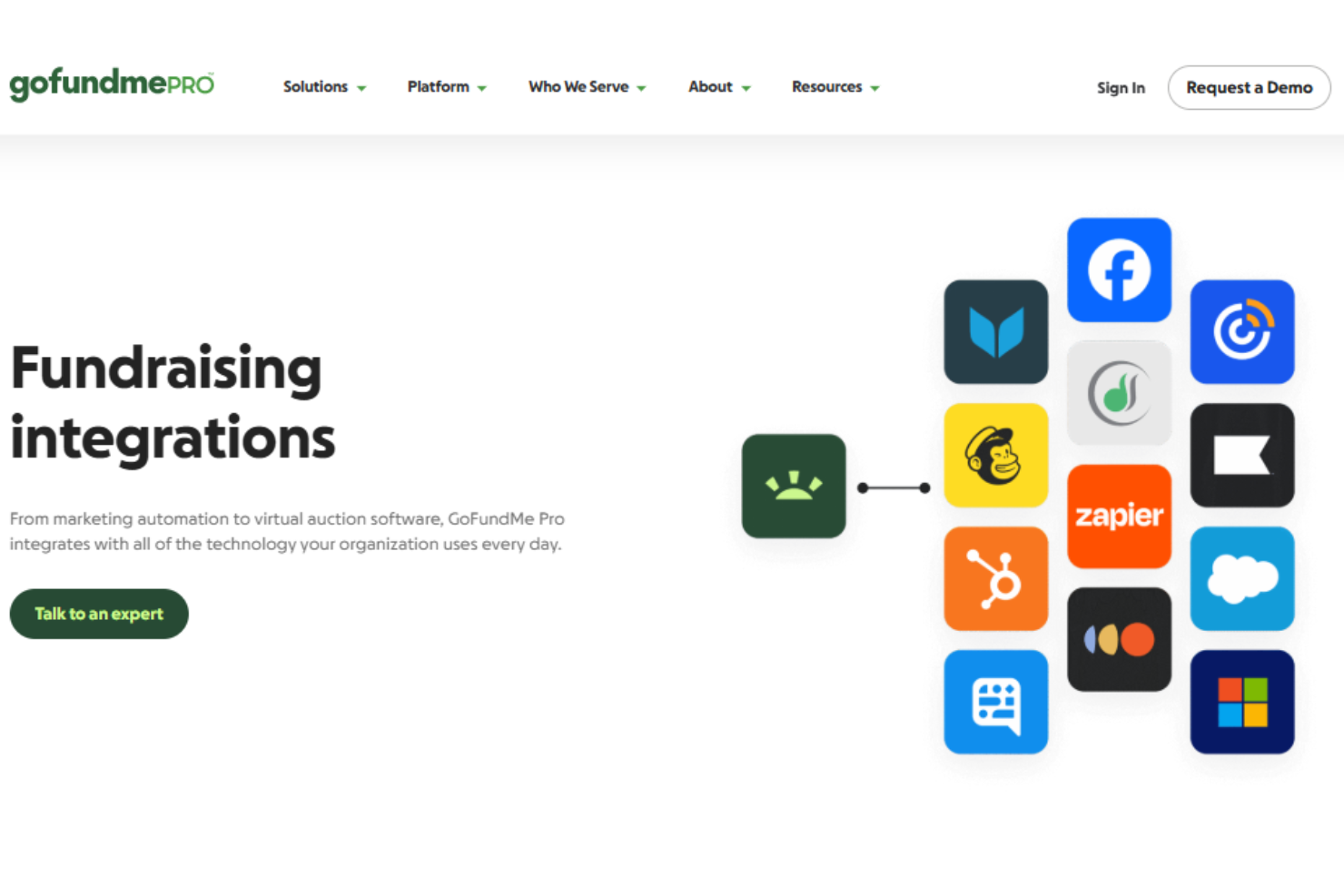
GoFundMe integrates with Mailchimp, Amply, Facebook, DonateStock, Little Green Light, HubSpot, and DonorPerfect among others.
GoFundMe also offers an API and connects with third-party integration tools like Zapier for expanded automation and connectivity.
GoFundMe Specs
- API
- Calendar Management
- Contact Management
- Contact Sharing
- Customer Management
- Dashboard
- Data Export
- Data Import
- Email Integration
- File Sharing
- Multi-User
- Notifications
- Payment Processor
- Scheduling


