

Avis sur Breeze ChMS 2026 : Avantages, Inconvénients, Fonctionnalités et Tarifs
Breeze CHMS se distingue sur le marché des logiciels de gestion d’église grâce à son interface conviviale et ses tarifs économiques, ce qui en fait un excellent choix pour les petites et moyennes communautés.

Nous évaluons les outils de façon indépendante, et les commissions aident à financer nos tests. Consultez notre politique de transparence, notre méthodologie, ou suggérez un outil.
Breeze ChMS is a church management software built for small to mid-sized congregations that need to track members, giving, and attendance without a steep learning curve. I'd consider it if your church has outgrown spreadsheets but finds something like Planning Center more complex than you actually need. Breeze focuses on the core features most churches use daily, and you can get up and running with it faster than most platforms in this category.
Breeze ChMS Evaluation Summary
4.8/5
- From $72/month
- Free demo available
Pourquoi faire confiance à nos recommandations de logiciels
6,700+
Reviews
20
Industry experts
16+
Evaluation factors
14
Years
Notre équipe teste et évalue des logiciels depuis 2012. En tant que dirigeants d’église nous-mêmes, nous savons à quel point il est difficile — et important — de choisir le bon logiciel.
Pour ce guide, nous avons évalué les outils grâce à des tests pratiques et une recherche indépendante, en notant les outils selon nos critères de sélection.
Nos avis reflètent notre jugement éditorial humain, et non un argumentaire de vente.
Breeze ChMS Overview
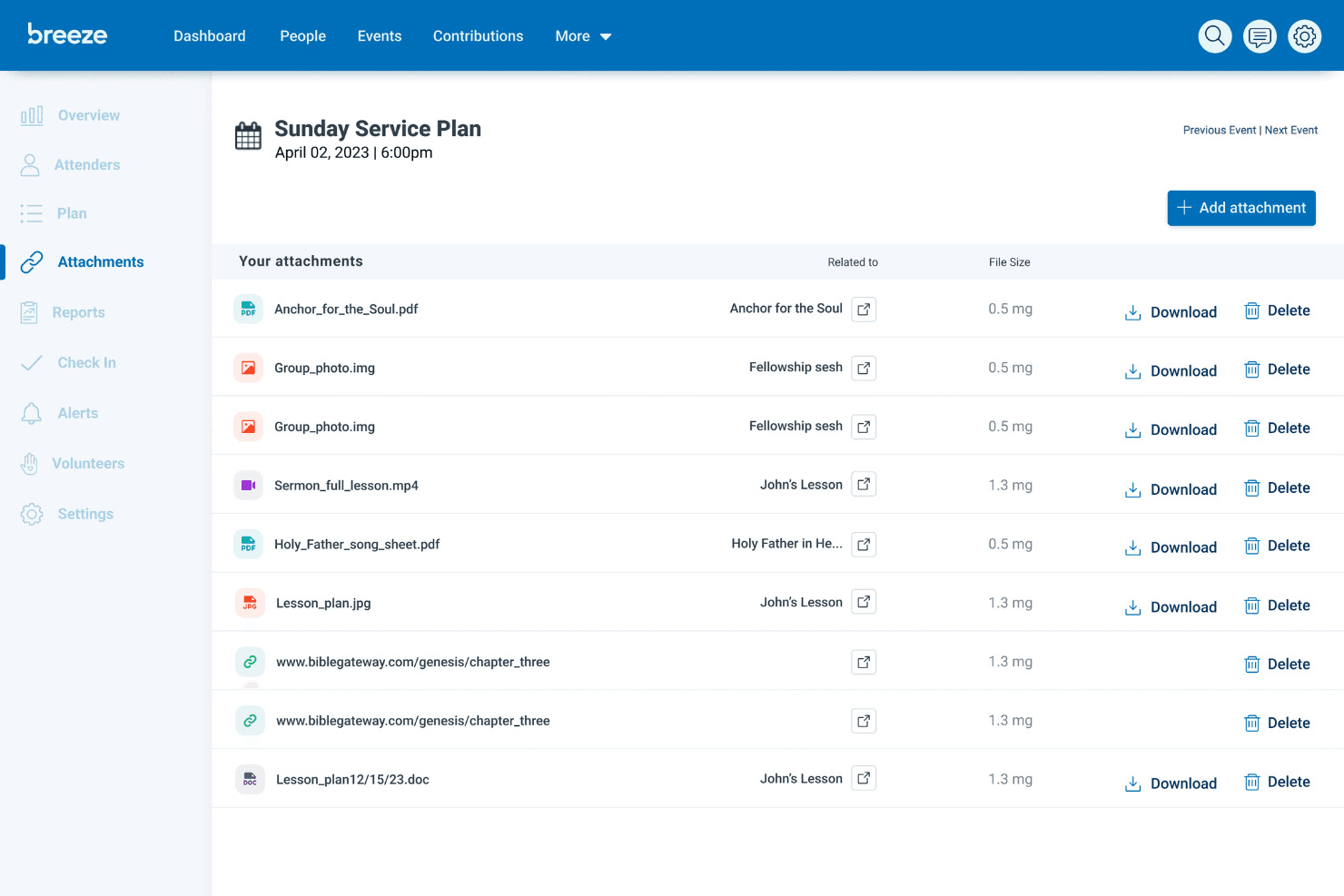
When I compare Breeze ChMS to other church management software, its clean interface and easy onboarding make it a top pick for small to mid-sized churches. The flat-rate pricing is predictable, and support is responsive. While it doesn’t offer deep customization or advanced integrations, I think its simplicity is a strength for teams who want to get up and running fast.
If you’re judging options for volunteer tracking, event management, and online giving without a steep learning curve, Breeze ChMS is a solid choice. It’s best for churches that value ease of use over complex features.
Pros
- Free data migration for new users
- Responsive phone and email support included
- Flat-rate pricing with no hidden fees or contracts
Cons
- Occasional bugs and slowdowns during peak usage
- No built-in accounting or finance module
- Limited reporting options for custom data analysis
Is Breeze ChMS Right For Your Needs?
Who Would be a Good Fit for Breeze ChMS?
Breeze ChMS is a strong choice for smaller churches, volunteer-driven ministries, and teams that want a straightforward way to manage people, events, and giving. Its flat-rate pricing, simple interface, and responsive support make it especially appealing for organizations with limited tech resources or part-time staff. If you’re looking for a tool that covers the basics without overwhelming your team, Breeze ChMS is likely to meet your needs.
- Small ChurchesBreeze ChMS is designed for congregations with fewer administrative staff and volunteers.
- Youth MinistriesThe event management and communication tools help coordinate youth activities.
- Volunteer CoordinatorsEasy volunteer scheduling and tracking make it simple to manage teams.
- Church PlantersQuick setup and free data migration support new church launches.
- Nonprofit MinistriesBasic donor tracking and communication features suit small nonprofits.
- Part-Time AdministratorsThe intuitive dashboard helps part-time staff stay organized and efficient.
Who Would be a Bad Fit for Breeze ChMS?
Breeze ChMS isn’t ideal for large, multi-site churches, organizations needing advanced financial tools, or teams that rely on deep reporting and integrations. If your ministry requires complex workflows, custom analytics, or built-in accounting, you’ll likely find Breeze ChMS limiting compared to more feature-rich platforms.
- Large Multi-Site ChurchesBreeze ChMS lacks advanced tools for managing multiple campuses.
- Finance DepartmentsNo built-in accounting or budgeting modules for financial oversight.
- Data AnalystsLimited reporting restricts custom data analysis and insights.
- Schools or DaycaresNo attendance tracking or billing features for educational programs.
- Tech-Savvy TeamsFew advanced integrations or automation options for complex workflows.
- Event-Heavy MinistriesEvent management features are basic and may not scale for large events.
Comment nous testons et évaluons les outils
Nous avons passé des années à construire, affiner et améliorer notre système de test et d’évaluation de logiciels. Notre grille a été conçue pour saisir les nuances de la sélection de logiciels et ce qui rend un outil efficace, en mettant l’accent sur les aspects critiques du processus de prise de décision. Vous trouverez ci-dessous exactement comment notre système d’évaluation fonctionne selon sept critères. Cela nous permet de fournir une évaluation impartiale du logiciel basée sur les fonctionnalités de base, les caractéristiques remarquables, la facilité d’utilisation, l’intégration, l’assistance client, les intégrations, les avis clients et le rapport qualité/prix.
Fonctionnalités de base (25 % de la note finale)
Le point de départ de notre évaluation est toujours la fonctionnalité de base de l’outil. Dispose-t-il des fonctionnalités et options fondamentales qu’un utilisateur s’attendrait à trouver ? Certaines de ces fonctionnalités essentielles sont-elles réservées à des forfaits plus chers ? Nous attendons d’un outil qu’il soutienne efficacement la comparaison avec les capacités minimales de ses concurrents.
Fonctionnalités remarquables (25 % de la note finale)
Ensuite, nous évaluons les fonctionnalités remarquables ou uniques qui dépassent la simple fonctionnalité de base habituellement proposée dans ce type d’outils. Un score élevé reflète des caractéristiques spécialisées ou atypiques qui rendent le produit plus rapide, plus efficace, ou offrent une valeur ajoutée à l’utilisateur. Nous évaluons aussi la facilité d’intégration à d’autres outils généralement présents dans la pile technologique pour élargir la fonctionnalité et l’utilité du logiciel. Les outils offrant de nombreuses intégrations natives, des connexions tierces et un accès à une API pour créer des intégrations personnalisées obtiennent les meilleurs scores.
Facilité d’utilisation (10 % de la note finale)
Nous considérons la rapidité et la simplicité avec laquelle il est possible d’effectuer les tâches relevant des fonctions de base grâce à l’outil. Les logiciels les mieux notés sont bien conçus, intuitifs, proposent des applications mobiles, offrent des modèles prêts à l’emploi et simplifient des tâches relativement complexes.
Intégration et prise en main (10 % de la note finale)
Nous savons à quel point il est important d’assurer une adoption rapide de la plateforme par les équipes. Nous évaluons donc la simplicité d’apprentissage et d’utilisation d’un outil avec très peu de formation. Nous vérifions à quelle vitesse un membre de l’équipe peut s’installer et commencer à utiliser l’outil sans expérience préalable. Les solutions les mieux notées nécessitent peu ou pas du tout de support.
Support client (10 % de la note finale)
Nous vérifions la rapidité et la facilité avec lesquelles il est possible de sortir une impasse et d’obtenir de l’aide par téléphone, chat en direct ou base de connaissance. Les outils/entreprises qui offrent un support en temps réel obtiennent la meilleure note, tandis que les chatbots obtiennent la moins bonne.
Avis clients (10 % de la note finale)
Au-delà de notre propre test et évaluation, nous tenons compte du score net de recommandation des clients actuels et passés. Nous examinons leur probabilité, à l’avenir, de choisir à nouveau cet outil pour la fonctionnalité de base. Un logiciel très bien noté reflète un score de recommandation élevé de la part de ses utilisateurs actuels ou anciens.
Rapport qualité/prix (10 % de la note finale)
Enfin, en tenant compte de tous les autres critères, nous examinons le prix moyen des offres d’entrée de gamme au regard des fonctionnalités essentielles et la valeur offerte selon les autres critères d’évaluation. Les logiciels qui offrent plus, pour moins cher, obtiennent une meilleure note.
Core Features
Member Management
Breeze ChMS functions as a CRM for churches, allowing them to efficiently manage member information, track attendance, and maintain engagement records. Its interface makes accessing and updating member data straightforward and intuitive.
Event Scheduling
This function enables churches to plan and organize events with ease, allowing users to schedule, notify, and manage church activities in one place.
Donation Tracking
Breeze ChMS provides a robust donation tracking system, allowing churches to record, manage, and report on contributions, making financial management transparent and efficient.
Communication Tools
The software includes tools to facilitate communication within the church community, such as sending emails and text messages, ensuring that members are always informed and engaged.
Volunteer Management
Breeze ChMS helps coordinate volunteer activities by tracking participation and scheduling, making it easier for churches to manage their volunteer workforce.
Reporting
The platform offers customizable reporting features, enabling churches to generate reports on various activities and metrics, providing valuable insights into church operations.
Ease of Use
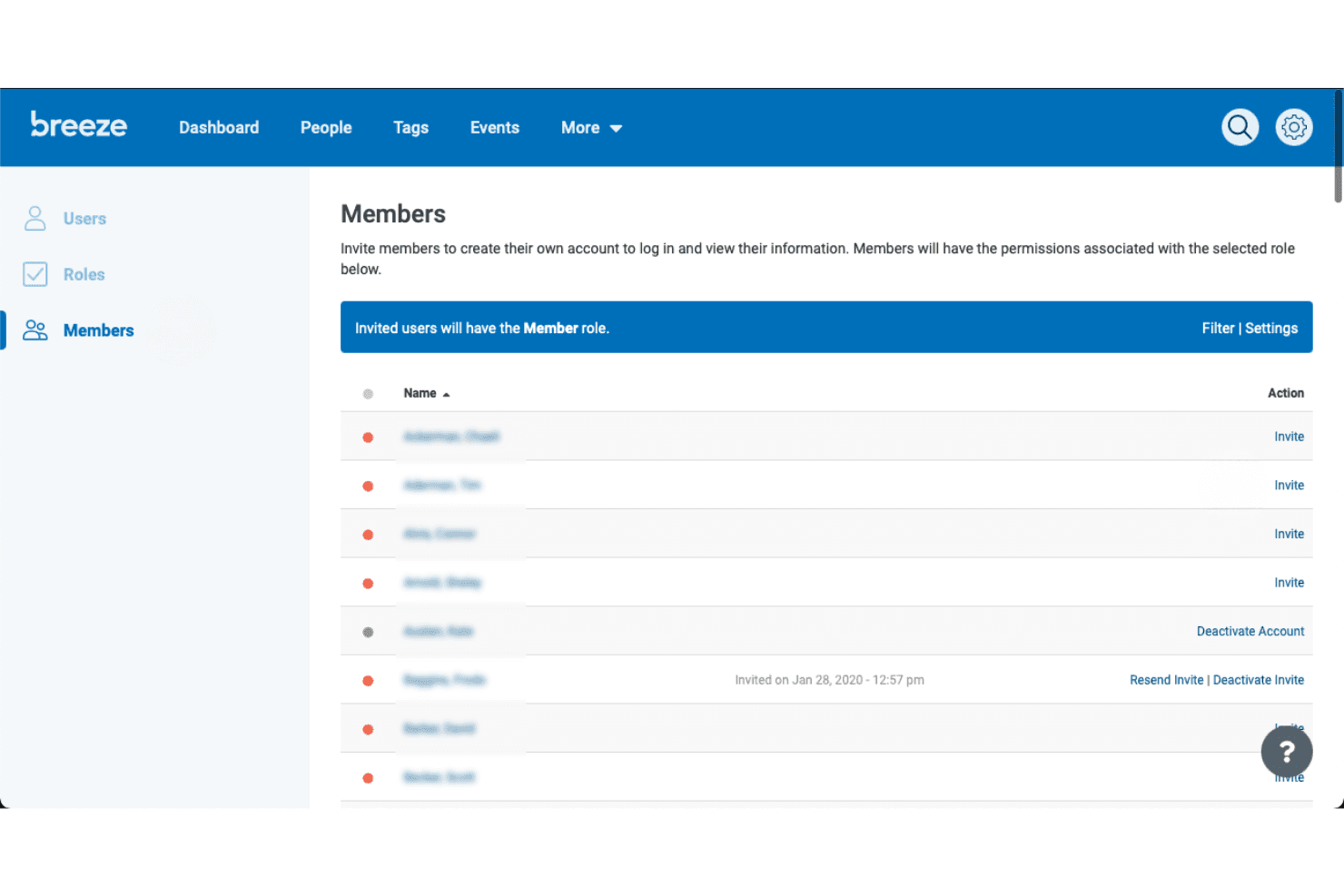
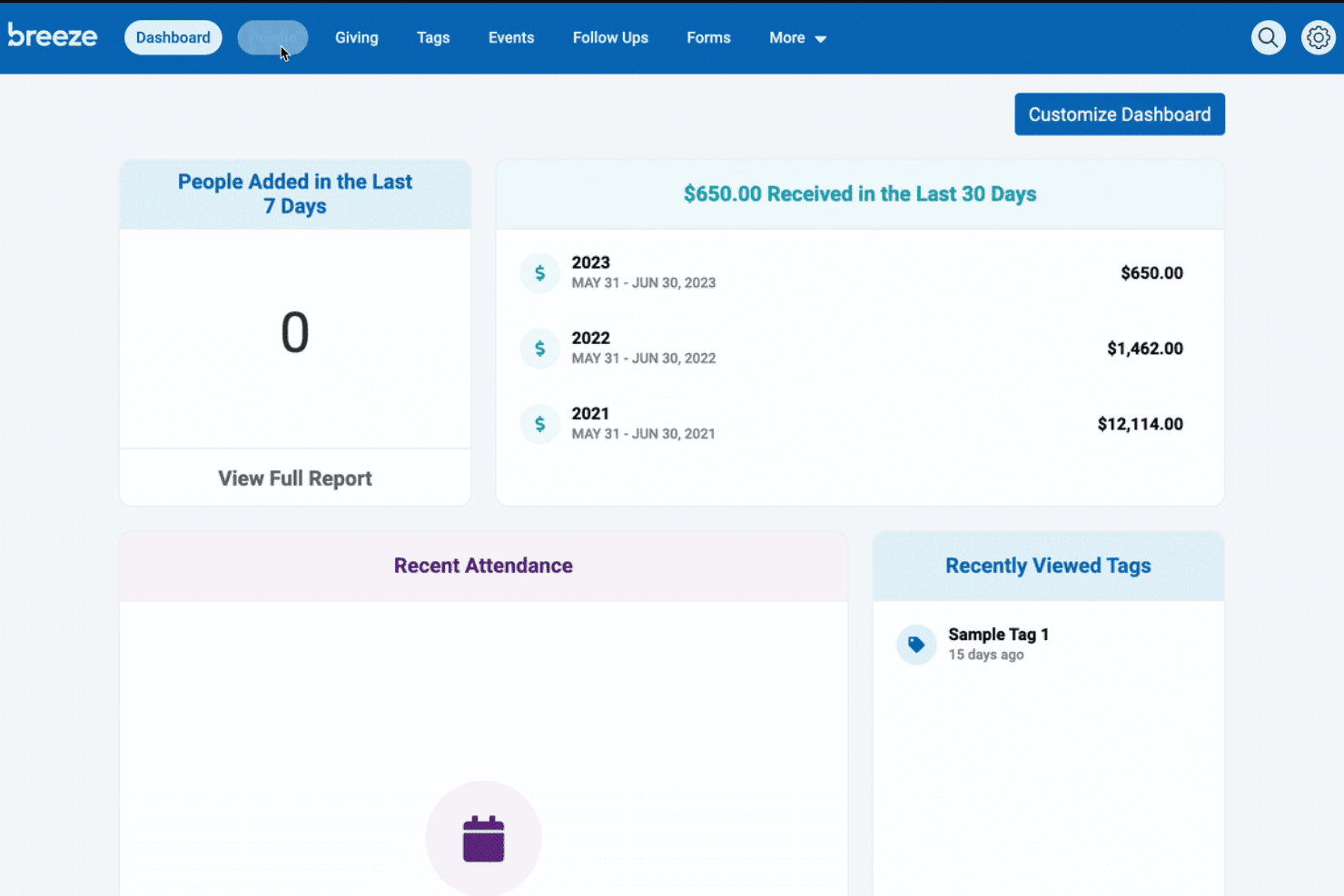
Breeze ChMS is one of the most approachable church management tools I’ve used. The dashboard is clean, navigation is intuitive, and most features are accessible with just a few clicks.
Users often mention how quickly they can train new staff or volunteers, thanks to clear menus and built-in help guides. Even those with limited tech experience find it easy to manage people, events, and giving without feeling overwhelmed by unnecessary complexity.
Integrations
Breeze ChMS natively integrates with QuickBooks and SongSelect, enabling seamless data management, financial tracking, and communication. It also provides an API for custom integrations, allowing users to connect additional platforms, automate workflows, sync data across systems, and expand functionality beyond native offerings to better suit their church management needs.
Breeze ChMS Specs
- API: Yes
- Calendar Management: Yes
- Contact Management: Yes
- Dashboards: No
- Data Export: Yes
- Data Import: Yes
- Document Management: No
- External Integrations: Yes
- Multi-User: Yes
- Notifications: Yes
- Payment Gateway Integration: No
- Scheduling: No
- Workflow Management: No


