

OnPay Bewertung: Vorteile, Nachteile, Funktionen & Preise
Wie geht es weiter? Abonnieren Sie unseren Newsletter und erhalten Sie die neuesten Ressourcen, Best Practices und Einblicke in das Kirchenmanagement von erfahrenen Pastoren und Kirchenleitern.

Wir bewerten Tools unabhängig, und Provisionen tragen zur Finanzierung unserer Tests bei. Lesen Sie unsere transparente Richtlinie, unsere Methodik oder schlagen Sie ein Tool vor.
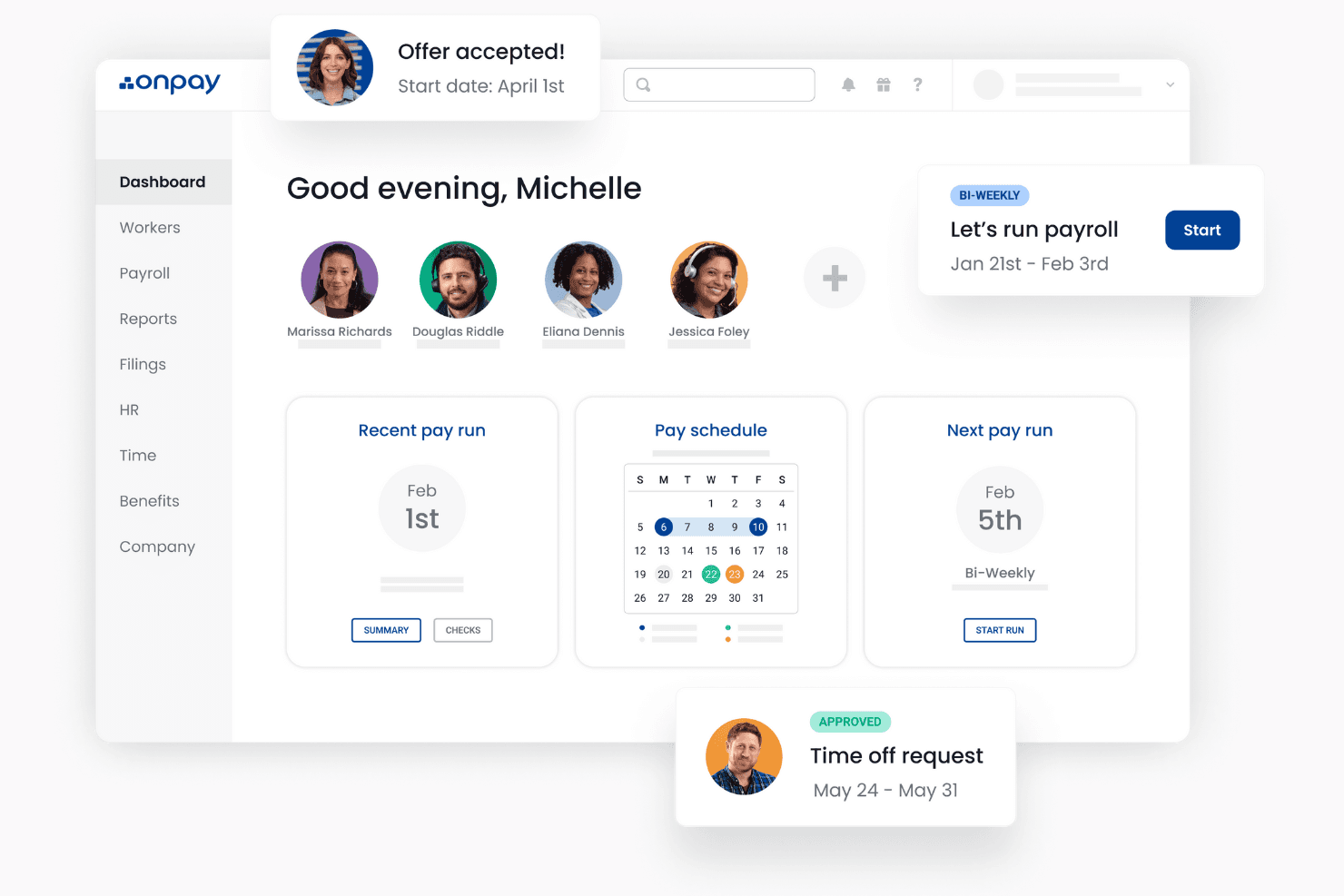
OnPay is a church payroll software built to handle the tax complexities that come with paying clergy and church staff—things like minister housing allowances and dual tax status for ordained employees. I'd consider it if your church needs a dedicated payroll tool that handles clergy-specific tax treatment better than general-purpose platforms like Gusto, without requiring a full HR system to get there.
OnPay Evaluation Summary
5/5
- From $49/month + $6/user/month
- One month free trial
Warum Sie unseren Software-Empfehlungen vertrauen können
6,700+
Reviews
20
Industry experts
16+
Evaluation factors
14
Years
Unser Team testet und bewertet Software seit 2012. Als Kirchenleiter wissen wir selbst, wie schwierig – und wichtig – es ist, die richtige Software auszuwählen.
Für diesen Leitfaden haben wir Tools mithilfe von praktischen Tests und unabhängiger Recherche bewertet und dabei unsere Bewertungskriterien angewendet.
Unsere Bewertungen spiegeln unser menschliches redaktionelles Urteilsvermögen wider, keine Verkaufsstrategie.
OnPay Overview
In my opinion, OnPay stands out as a strong contender in the church payroll software sector. Its intuitive interface and comprehensive features make it particularly appealing for small to mid-sized churches that need efficient payroll processing without complex setups. Compared to its competitors, OnPay's pricing and customer support are commendable, although its onboarding process may require some improvement. It's best suited for churches that value ease of use and require reliable payroll management without excessive customization needs.
Pros
- OnPay offers an intuitive interface that makes payroll processing straightforward for your team.
- It provides accurate tax calculations, reducing your administrative burden.
- Customer support is responsive, helping you resolve issues quickly.
Cons
- Onboarding can be a bit challenging if you're new to payroll systems.
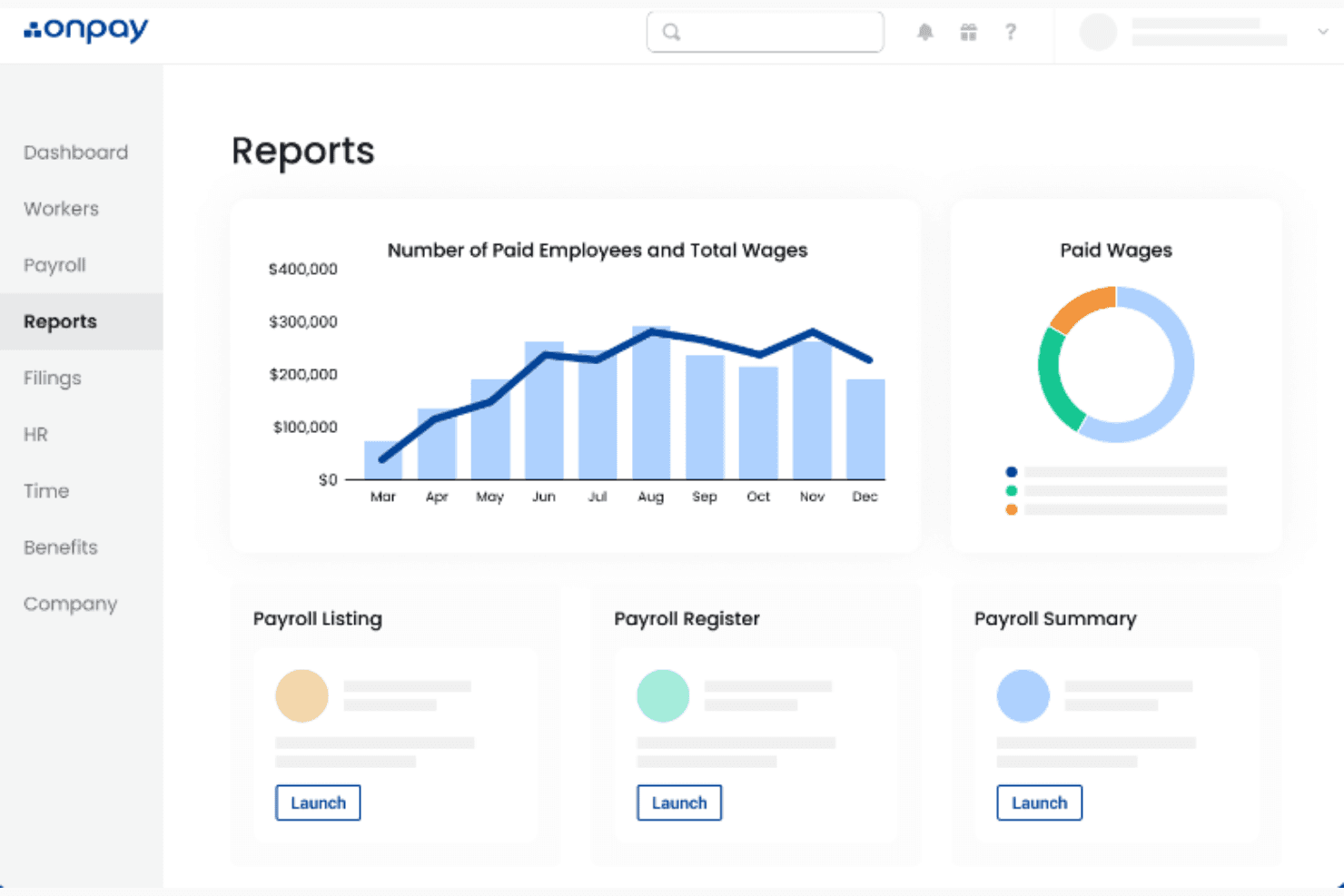
- Some users find that the reporting features lack depth compared to other options.
- Customization options are somewhat limited, which might restrict your flexibility.
Is OnPay Right For Your Needs?
Für wen ist OnPay gut geeignet?
Small to mid-sized churches and religious organizations are ideal users for OnPay. If you're part of a church administration or finance team, OnPay's straightforward interface and reliable tax calculations can simplify your payroll tasks. Its responsive customer support ensures that any issues you face are swiftly addressed, making it a valuable tool for those who prefer a hassle-free payroll process.
- Small ChurchesOnPay is perfect for small churches needing a user-friendly payroll system without unnecessary complexity.
- Finance TeamsYour finance team will appreciate OnPay’s accurate tax calculations, reducing manual errors.
- Church AdministratorsChurch administrators will find OnPay’s intuitive interface helpful for managing payroll efficiently.
- Nonprofit OrganizationsNonprofits can benefit from OnPay’s straightforward approach to payroll, saving time for mission-focused activities.
- New Payroll UsersIf you’re new to payroll systems, OnPay’s simplicity makes it an excellent starting point.
- Volunteer CoordinatorsVolunteer coordinators can use OnPay to manage stipends or other forms of compensation with ease.
Für wen ist OnPay nicht geeignet?
Large organizations with complex payroll needs might find OnPay lacking in customization and advanced reporting features. If your church requires detailed analytics or extensive payroll customization, OnPay might not meet your expectations. Teams that rely heavily on deep data insights or complex payroll structures might struggle with its limited reporting capabilities.
- Large ChurchesLarge churches with complex payroll demands may find OnPay's customization options insufficient.
- Data AnalystsData analysts needing in-depth reporting might find OnPay's reporting tools too basic.
- Tech-Savvy TeamsTech-savvy teams looking for extensive customization options might feel constrained by OnPay.
- Corporate EnvironmentsCorporate environments requiring detailed payroll analytics might require more robust solutions.
- International OrganizationsInternational organizations needing multi-currency support won't find OnPay suitable.
- Complex Payroll StructuresTeams managing complex payroll structures may find OnPay's capabilities limited for their needs.
Wie wir Tools testen & bewerten
Wir haben jahrelang unser System zur Softwarebewertung entwickelt, verfeinert und verbessert. Der Bewertungsmaßstab erfasst die Feinheiten bei der Softwareauswahl und was ein Tool effektiv macht, mit Fokus auf die wichtigsten Entscheidungsaspekte. Nachfolgend sehen Sie genau, wie unsere Tests und Bewertungen in sieben Kategorien funktionieren. So können wir eine objektive Bewertung der Software anhand von Kernfunktionen, herausragenden Merkmalen, Benutzerfreundlichkeit, Onboarding, Kundensupport, Integrationen, Kundenbewertungen und Preis-Leistungs-Verhältnis liefern.
Kernfunktionalität (25% der Gesamtbewertung)
Der Ausgangspunkt unserer Bewertung ist immer die Basisfunktionalität des Tools. Verfügt es über die grundlegenden Funktionen und Merkmale, die ein Nutzer erwarten würde? Sind einige dieser Kernfunktionen auf höherpreisige Tarife beschränkt? Im Kern erwarten wir, dass ein Tool den Grundfunktionen seiner Mitbewerber standhält.
Herausragende Funktionen (25% der Gesamtbewertung)
Als Nächstes bewerten wir ungewöhnliche, herausragende Funktionen, die über die übliche Kernfunktionalität hinausgehen. Eine hohe Punktzahl spiegelt spezialisierte oder einzigartige Funktionen wider, die das Produkt schneller, effizienter oder für den Nutzer wertvoller machen. Wir bewerten außerdem, wie einfach sich das Tool mit anderen, typischerweise in der technologischen Infrastruktur verwendeten Tools integrieren lässt, um die Funktionalität und den Nutzen der Software zu erweitern. Tools mit vielen nativen Integrationen, Verbindungen zu Drittanbietern und API-Zugängen für maßgeschneiderte Integrationen schneiden am besten ab.
Benutzerfreundlichkeit (10% der Gesamtbewertung)
Wir betrachten, wie schnell und einfach sich die Kernfunktionen mit dem Tool ausführen lassen. Hoch bewertete Software ist gut gestaltet, intuitiv zu bedienen, bietet mobile Apps, stellt Vorlagen bereit und macht selbst komplexere Aufgaben einfach.
Onboarding (10% der Gesamtbewertung)
Wir wissen, wie wichtig eine schnelle Akzeptanz im Team für eine neue Plattform ist, daher bewerten wir, wie leicht ein Tool mit minimaler Schulung zu erlernen und zu nutzen ist. Entscheidend ist, wie schnell ein Teammitglied ohne Vorkenntnisse das Tool einrichten und verwenden kann. Lösungen mit hoher Bewertung erfordern wenig bis keine Unterstützung.
Kundensupport (10% der Gesamtbewertung)
Wir prüfen, wie schnell und unkompliziert Hilfe per Telefon, Live-Chat oder Wissensdatenbank erreichbar ist. Tools und Unternehmen, die Echtzeit-Support bieten, erzielen die besten Ergebnisse, während Chatbots am schlechtesten abschneiden.
Kundenbewertungen (10% der Gesamtbewertung)
Zusätzlich zu unseren eigenen Tests berücksichtigen wir auch den Net Promoter Score aktueller und ehemaliger Kunden. Wir analysieren, wie wahrscheinlich diese Kunden das Tool erneut für die Kernfunktionen wählen würden. Eine hohe Bewertung spiegelt einen hohen Net Promoter Score wider.
Preis-Leistungs-Verhältnis (10% der Gesamtbewertung)
Abschließend vergleichen wir den durchschnittlichen Preis der Einstiegstarife angesichts der Kernfunktionen und der anderen Bewertungskriterien. Software, die mehr für weniger bietet, erhält eine bessere Bewertung.
Core Features
Automated Tax Filing:
OnPay automatically handles tax calculations and filings for you, ensuring compliance and reducing manual work. This feature saves time and minimizes errors in your payroll processing.
Direct Deposit:
You can set up direct deposit for your staff, making payroll distribution quick and hassle-free. It provides convenience for both you and your team.
Employee Self-Service:
OnPay allows employees to access their own pay stubs and tax forms, reducing your administrative workload. This feature empowers your team with easy access to essential documents.
Customizable Payroll Schedules:
You can create payroll schedules that fit your church's unique needs, whether weekly, bi-weekly, or monthly. This flexibility ensures your payroll aligns with your operations.
Built-In HR Tools:
OnPay offers essential HR functionalities, like tracking paid time off, without needing separate software. It simplifies managing HR tasks alongside payroll.
Compliance Monitoring:
OnPay keeps an eye on regulatory changes, helping your church stay compliant with labor laws. This feature provides peace of mind by reducing compliance risks.
Ease of Use
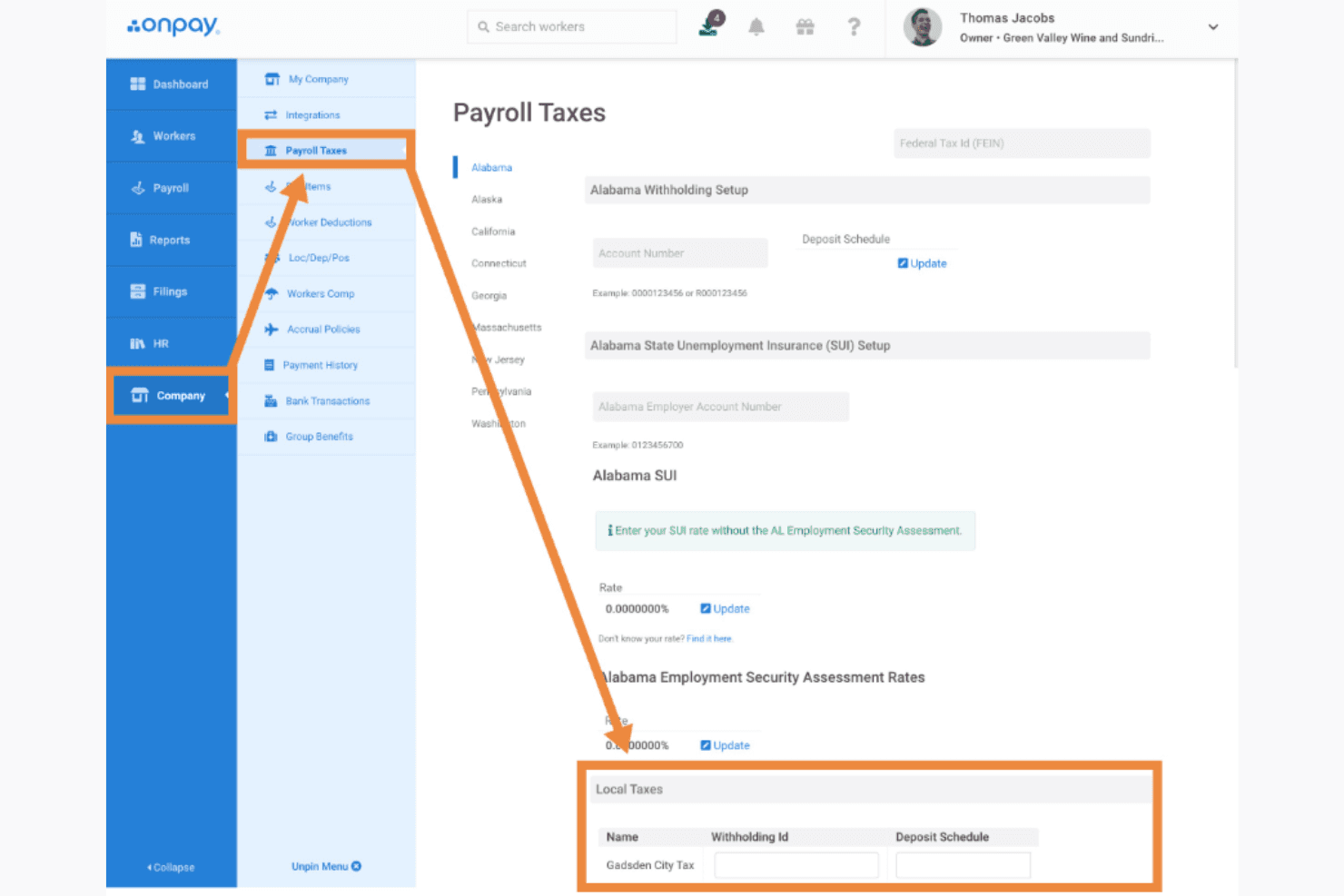
OnPay excels in user-friendliness, making it a top choice for church payroll management. Its intuitive interface allows you to navigate tasks easily, even if you're not tech-savvy. Users appreciate the simplicity of setting up payroll schedules and accessing employee records without a steep learning curve. OnPay's straightforward design ensures that you spend less time figuring out the software and more time focusing on your church's core activities.
OnPay Specs
- 2-Factor Authentication: Yes
- 360 Degree Feedback: No
- API: Yes
- Application Tracking: No
- Attendance Tracking: Yes
- Batch Permissions & Access: No
- Compliance Tracking: Yes
- Dashboard: Yes
- Data Export: Yes
- Data Import: Yes
- Data Visualization: Yes
- Employee Database: Yes
- Employee Engagement: No
- Employee Incentive Management: Yes
- Employee Onboarding: Yes
- Employee Training: Yes
- Expense Tracking: No
- External Integrations: Yes
- Feedback Management: No
- Multi-User: Yes
- Notifications: Yes
- Payroll: Yes
- Performance Appraisal: No
- Scheduling: Yes
- Time Management: Yes
- Timesheets: Yes
- Travel Management: No
- Vacation & Absence Calendar: Yes
Alternatives to OnPay


OnPay FAQs
Wie geht es weiter?
Abonnieren Sie unseren Newsletter, um die neuesten Ressourcen, Best Practices und Einblicke zum Leiten von Kirchen von erfahrenen Pastoren und Kirchenleitern zu erhalten.