

Gerir a folha de pagamentos de uma igreja pode ser uma dor de cabeça, especialmente quando é necessário conciliar várias funções e responsabilidades. Poderá sentir-se frustrado com o OnPay e procurar algo que se adapte melhor às suas necessidades específicas. O software de processamento salarial para igrejas pode ajudar a aliviar essa carga, disponibilizando funcionalidades adaptadas à sua comunidade.
Com base na minha experiência, a ferramenta certa pode fazer a diferença, poupando-lhe tempo e reduzindo o stresse. Vou guiá-lo pelas principais alternativas ao OnPay, concentrando-me em soluções que respondem aos seus desafios específicos.
Encontrará informações sobre funcionalidades, vantagens e desvantagens, para garantir que escolhe uma ferramenta alinhada com os seus objetivos. Vamos encontrar uma solução que funcione para si e para a sua equipa.
O que é o OnPay?
O OnPay é um software de processamento salarial para igrejas concebido para simplificar o processamento de salários em organizações religiosas. É normalmente utilizado por administradores de igrejas e responsáveis financeiros que precisam de uma ferramenta fiável para gerir tarefas relacionadas com salários. Funcionalidades como o preenchimento automático de declarações fiscais, a autonomia dos funcionários e o agendamento flexível de salários ajudam a reduzir o trabalho manual e a garantir a conformidade. De um modo geral, o OnPay oferece uma solução simples para gerir os salários de forma eficiente.
Tabela comparativa das alternativas ao OnPay
Esta tabela comparativa resume os detalhes de preços das minhas principais alternativas ao OnPay:
Score legend (out of 5)
- Excellent4.5–5
- Good4–4.4
- Average3–3.9
- Below average2–2.9
- Poor1–1.9
Sorted by: Default
| Tool | Starting Price | Website | |||||||
|---|---|---|---|---|---|---|---|---|---|
Best for global payroll solutions | 3.3 out of 5 | 2 | 3 | 4 | 4 | 3 | 4 | $29/user/month Free demo available | Website |
Best for automated bookkeeping tasks | 3.0 out of 5 | 2 | 3 | 4 | 3 | 3 | 3 | $36/month 3-month free trial available | Website |
Best for free accounting software | 2.8 out of 5 | 2 | 3 | 3 | 3 | 3 | 3 | $40/month 30-day free trial | Website |
Best for small business HR integration | 3.7 out of 5 | 4 | 3 | 4 | 4 | 4 | 3 | $49/month Free trial + demo available | Website |
Best for comprehensive church management | Not rated | Not rated | 2 | 1 | 2 | Not rated | 2 | $445 one-time Free demo available | Website |
Best for nonprofit management tools | 2.2 out of 5 | 2 | 2 | 2 | 3 | 3 | 1 | $25/month Free demo available | Website |
Best for automated HR processes | Not rated | 3 | 2 | Not rated | 4 | 3 | 2 | $8/user/month Not available | Website |
Best for church-specific features | Not rated | Not rated | 2 | 2 | 3 | Not rated | 2 | $69/month Not available | Website |
Best for customizable HR tools | 3.7 out of 5 | 4 | 4 | 4 | 4 | 4 | 2 | Pricing upon request Free demo available | Website |
Best for automated accounting features | 3.2 out of 5 | 3 | 3 | 2 | 4 | 4 | 3 | $50/month Not available | Website |


Why Trust Our Software Recommendations
6,700+
Reviews
20
Industry experts
16+
Evaluation factors
14
Years
Our team has been testing and reviewing software since 2012. As church leaders ourselves, we know how difficult—and important—it is to choose the right software.
For this guide, we evaluated tools using hands-on testing and independent research, scoring tools using our selection criteria.
Our reviews reflect our human editorial judgment, not a sales pitch.
Avaliações das melhores alternativas ao OnPay
Apresentamos abaixo os meus resumos detalhados das melhores alternativas ao OnPay que entraram na minha lista. As minhas avaliações oferecem uma análise detalhada das principais funcionalidades, vantagens & desvantagens, integrações e casos de utilização ideais de cada ferramenta, para o ajudar a encontrar a melhor opção para si.
 Best for global payroll solutions
- Free demo available
- From $29/user/month
Visit WebsiteCustomer Rating:4.9/5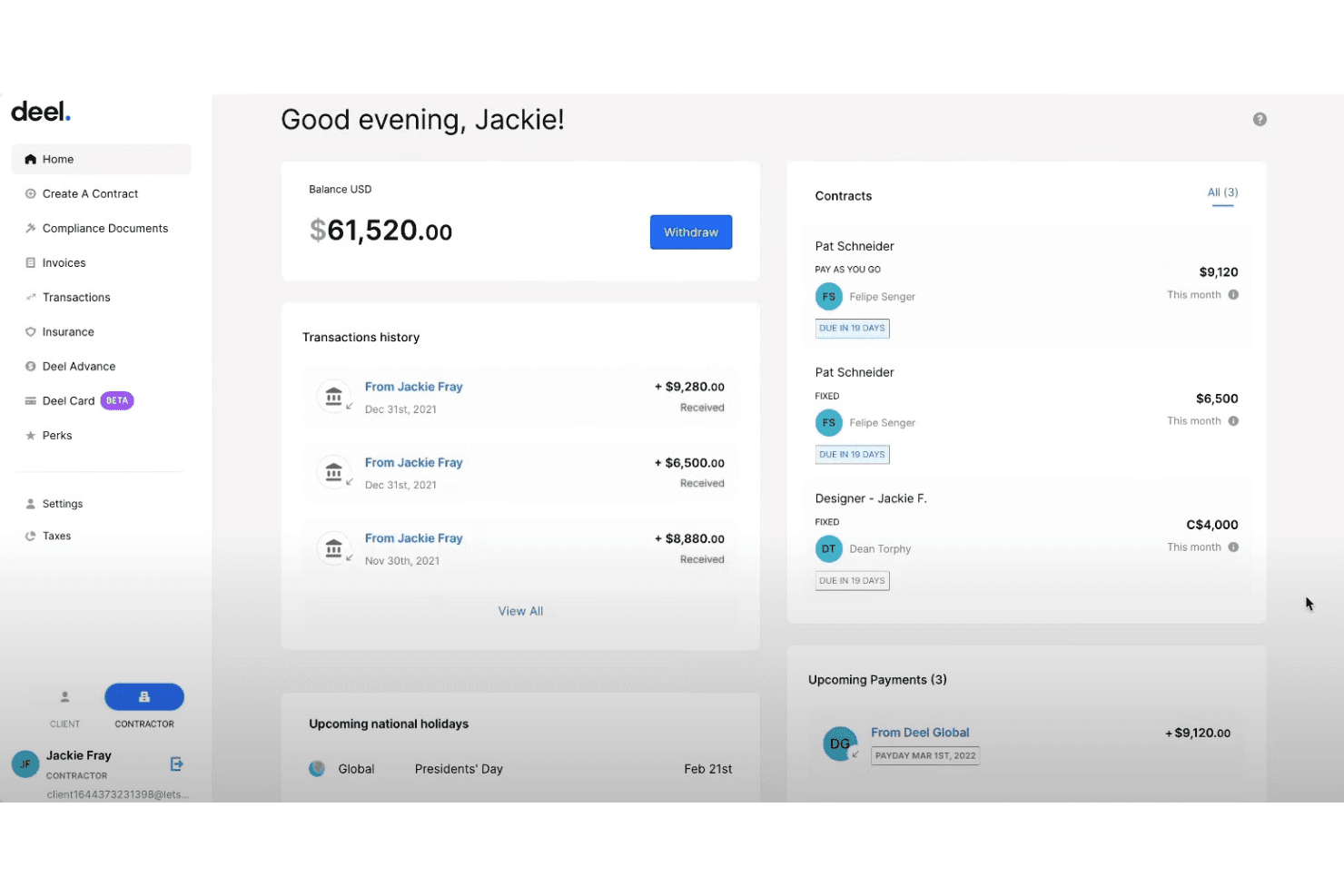
Deel lets contractors track balances, contracts, and payments in one dashboard. Deel Payroll is a global payroll platform that consolidates employee and contractor pay across countries in one dashboard—appealing to larger or multi-site ministries that need multi-state compliance, flexible pay schedules, and centralized workforce cost reporting.
Who Is Deel Payroll Best For?
Deel Payroll suits larger or multi-site ministries that pay staff or contractors across multiple countries and need consolidated payroll reporting in one place.
Why I Picked Deel Payroll
I've included Deel Payroll in my top picks because it's one of the few platforms that consolidates employee and contractor payroll across multiple countries in a single dashboard. I appreciate how it lets you run payroll country by country with guided onboarding, then view every entity's status, variances, and workforce costs side by side. For a larger ministry paying staff or contractors across borders, that kind of consolidated visibility is genuinely hard to replicate with separate tools.
Deel Payroll Key Features
- Multi-country payroll dashboard: View payroll status, variances, and workforce costs across all countries and entities in a single consolidated dashboard.
- Self-serve or managed payroll by country: Choose how you run payroll country by country, mixing self-serve and fully managed models as your needs change.
- Automated timesheet-to-payroll sync: Workers submit hours for manager review, and approved timesheets flow directly into the payroll run.
- 1099-NEC filing for US contractors: Collect W-9 information and file contractor tax forms to the IRS, including amounts paid outside of Deel.
Deel Payroll Integrations
Deel Payroll has a documented native Workday integration for syncing payroll results, payslips, tax forms, and country-specific payroll fields. It also lists SAP, Oracle, NetSuite, Okta, Azure AD, BambooHR, HiBob, SAP SuccessFactors, and UKG, plus an API for custom integrations.
Pros and Cons
Pros:
- Approved timesheets flow directly into payroll
- Contractor onboarding gathers tax details for payouts
- Consolidates payroll across countries and worker types
Cons:
- Some reviewers report cluttered navigation
- Tax filing depends on client-maintained registrations
Learn more about Deel Payroll: 2Best for automated bookkeeping tasks
Xero
- 3-month free trial available
- From $36/month
Visit WebsiteCustomer Rating:4.4/5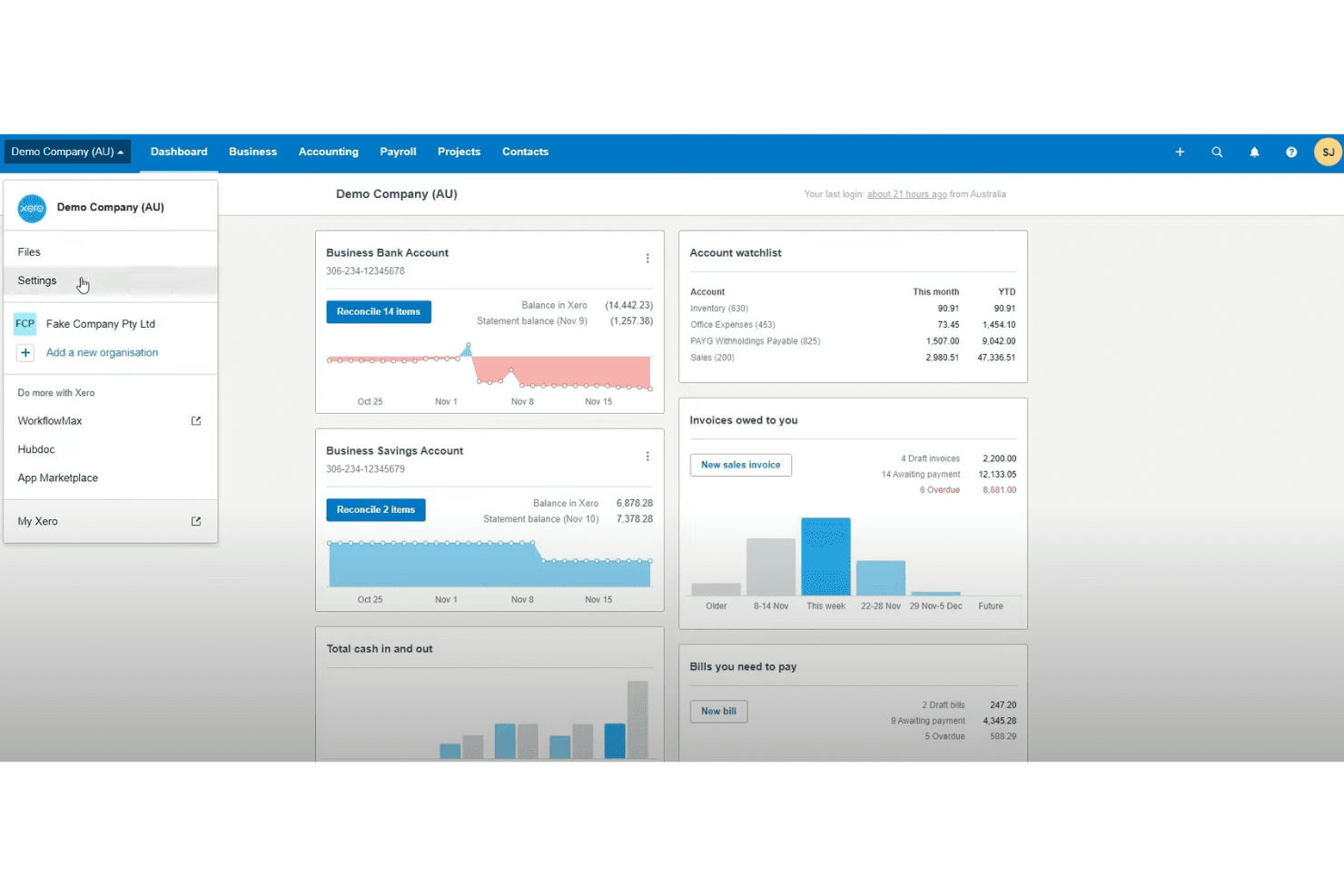
Xero gives users a central dashboard to manage finances at a glance. Xero is cloud-based accounting software that pairs bookkeeping with a Gusto-powered payroll add-on, making it a practical fit for church administrators who want to manage finances, run payroll, and track expenses in one place.
Who Is Xero Best For?
Xero works well for small church offices that already use—or want—accounting software with payroll built in as an add-on.
Why I Picked Xero
I've included Xero in my top picks because it handles bookkeeping and payroll in one place, which cuts down the manual work of reconciling two separate systems. I particularly like how Xero's JAX automatically matches bank transactions and flags confident reconciliations, reducing the daily grunt work of bookkeeping. Payroll expenses and liabilities flow directly into the Xero general ledger via the Gusto-powered add-on, so your financial reports always reflect actual payroll costs without manual journal entries.
Xero Key Features
- Multi-currency payments: Send and receive payments in more than 160 currencies, with automatic exchange rate tracking across invoices and bills.
- Role-based payroll access: Assign differentiated payroll permissions so administrators, payroll admins, and employees each see only the data relevant to their role.
- Cash-flow forecasting: View rolling cash-flow projections up to 180 days ahead, depending on your plan, to plan ministry budgets with more confidence.
- W-9 and 1099 management: Collect and store contractor W-9 information and handle 1099 filings directly within Xero on every plan.
Xero Integrations
Xero offers over 1,000 marketplace integrations, including OnPay, plus native integrations with Gusto, Melio, Stripe, and Avalara. Its Accounting API and webhooks support custom integrations.
Pros and Cons
Pros:
- Supports payroll across all 50 states
- Payroll costs flow into financial reports
- Automated bank matching cuts bookkeeping work
Cons:
- Payroll corrections and reversals aren’t guaranteed
- Benefits enrollment details remain unclear

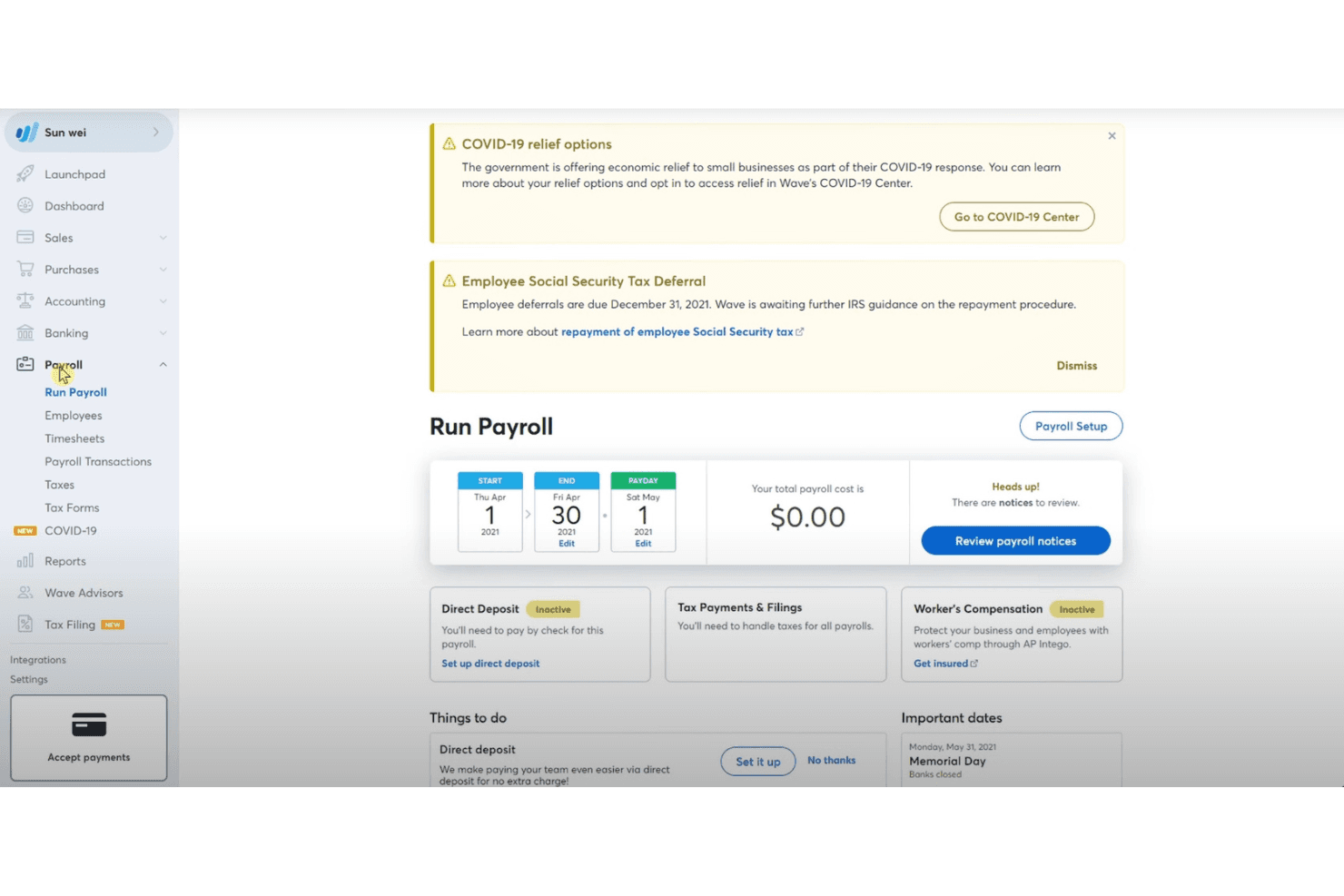
Wave lets users manage payroll, taxes, and direct deposit in one place. Wave Payroll is a budget-friendly payroll tool that handles employee and contractor payments, automated tax filings, and accounting integration—making it a practical option for small churches that already use Wave for bookkeeping and want to keep payroll costs low.
Who Is Wave Best For?
Wave Payroll suits small churches and ministries already using Wave for bookkeeping that want to keep payroll costs low without switching platforms.
Why I Picked Wave
I picked Wave as one of the best OnPay alternatives because it pairs payroll with free accounting software in a single platform, so your church's payroll journal entries post automatically to your books without any manual reconciliation. I especially like that it handles federal and state tax filings across all 50 states and generates W-2s and 1099-NECs, covering both staff and contractors. If your ministry already tracks income and expenses in Wave, adding payroll keeps everything connected without layering in a separate tool.
Wave Key Features
- Direct deposit payroll: Pay employees and contractors via unlimited free direct deposits, processed within three business days of payroll approval.
- Employee self-service portal: Employees can log in through a browser to view pay stubs, download tax forms, and update their personal and banking information.
- Payroll benefit and deduction tracking: Record payroll deductions for 401(k), HSA, FSA, SIMPLE IRA, and Section 125 cafeteria plan contributions directly within each employee's pay profile.
- Payroll history import: When switching from another provider mid-year, import year-to-date payroll reports or enter history manually to keep tax calculations accurate.
Wave Integrations
Wave Payroll has a native integration with Wave accounting, invoicing, and online payments, automatically creating payroll journal entries and keeping records current. No other native integrations or payroll API are documented.
Pros and Cons
Pros:
- Supports payroll in all 50 states
- Portal shares pay stubs and tax forms
- Straightforward payroll for small teams
Cons:
- No documented clergy-tax or fund-accounting tools
- Employers must enter employee timesheets
Learn more about WAVE:
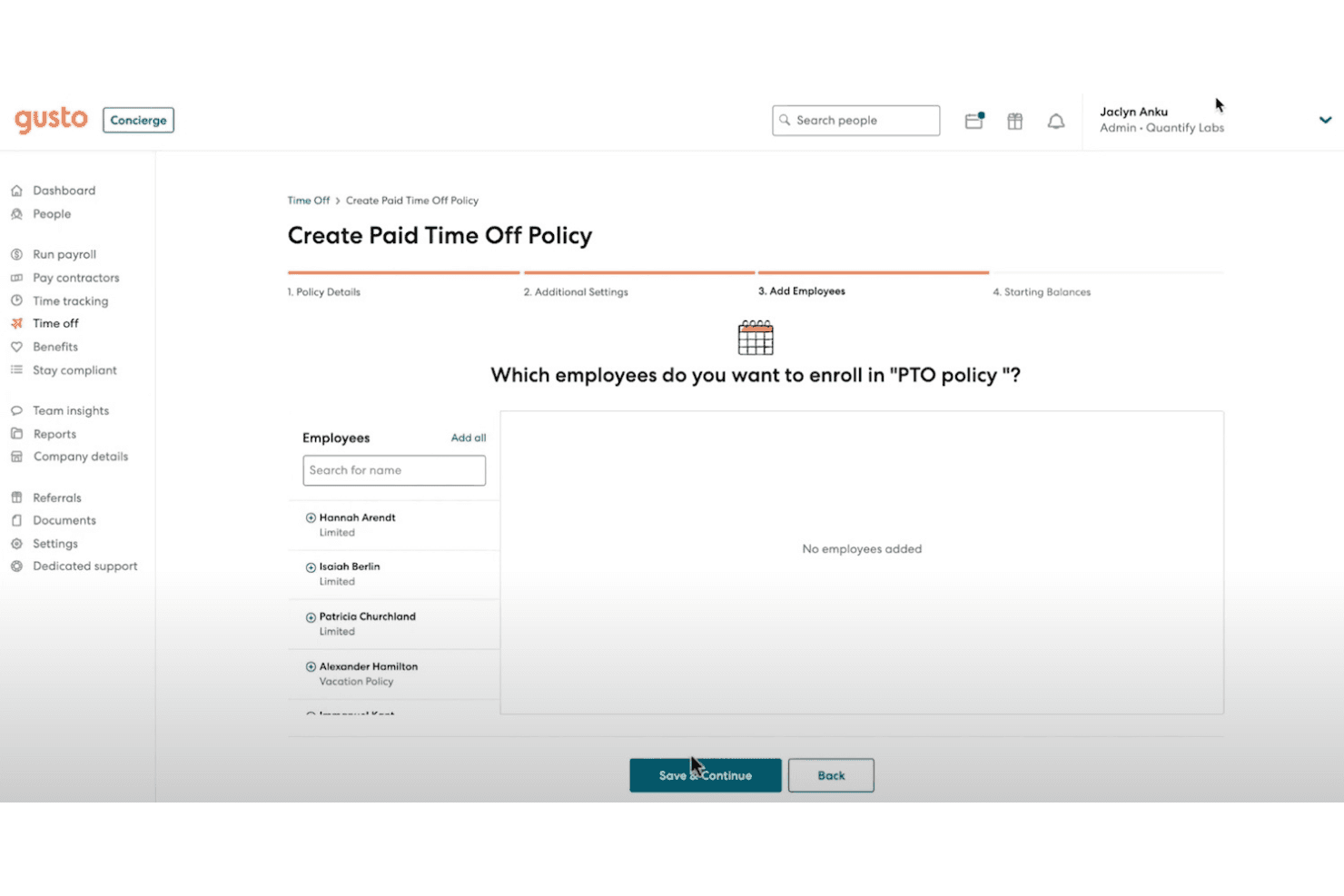
Gusto lets users enroll employees into a new PTO policy. Gusto is a payroll, benefits, and HR platform that appeals to small churches and ministries looking to consolidate staff payroll, tax filings, and benefits administration in one place—with built-in support for minister housing allowances.
Who Is Gusto Best For?
Gusto works well for small churches and ministries that want payroll, benefits, and HR managed in one place without juggling multiple tools.
Why I Picked Gusto
I've included Gusto in my top picks because it bundles payroll, benefits, and HR into one platform in a way that actually reduces administrative lift for small church staff teams. I particularly appreciate the minister housing allowance earning code, which tracks the annual total and excludes the qualified amount from federal taxable wages automatically, then reports it in W-2 Box 14. Payroll on AutoPilot also means recurring staff payroll can run without someone manually initiating it each cycle.
Gusto Key Features
- Benefits administration: Compare, enroll, and manage medical, dental, vision, life, and disability plans, with deductions that sync directly to payroll.
- Onboarding checklists: Build custom onboarding checklists for new hires, collect e-signatures, and provision software from within the platform.
- Role-based permissions: Assign admin roles and people-manager permissions so each team member only accesses the data relevant to their responsibilities.
- Aplos integration: Connect Gusto payroll with Aplos accounting to track payroll and tax payments for church finances.
Gusto Integrations
Gusto lists 154 marketplace integrations, including Aplos, QuickBooks Online, and Xero, for church accounting and payroll reporting. It also offers REST APIs and webhooks for custom connections.
Pros and Cons
Pros:
- Clergy housing allowance gets dedicated tracking
- Benefits deductions connect directly to payroll
- Payroll automation reduces recurring admin
Cons:
- Support delays complicate payroll problem-solving
- Some local tax filings need employer follow-up
Learn more about Gusto: Best for comprehensive church management
- Free demo available
- From $445 one-time
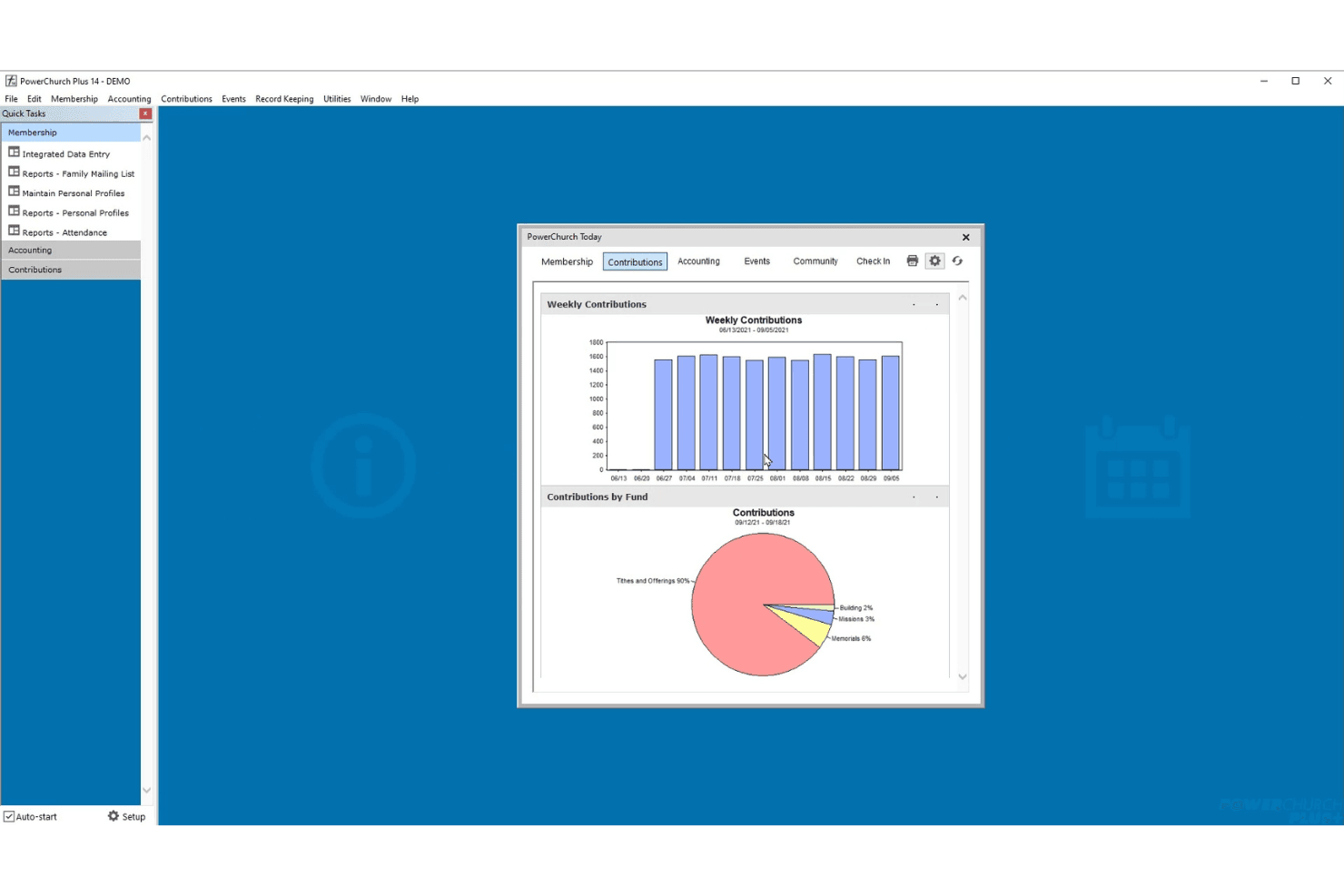
PowerChurch Plus visualizes weekly giving and fund breakdowns at a glance. PowerChurch Plus is a church administration platform that brings membership records, contributions, fund accounting, and payroll together in one locally installed system built specifically for churches and nonprofits.
Who Is PowerChurch Plus Best For?
PowerChurch Plus is a strong fit for churches and nonprofits that want membership, contributions, and fund accounting managed in one locally installed system.
Why I Picked PowerChurch Plus
I picked PowerChurch Plus as one of the best because it brings membership records, contributions, and fund accounting into a single locally installed system built from the ground up for churches. I especially appreciate how payroll checks post directly to fund accounting, so your general ledger reflects every pay run without manual journal entries. The contributions module ties donor records to defined funds, which means your financial reports already speak the language of church finance.
PowerChurch Plus Key Features
- Attendance tracking: Records family and individual attendance tied directly to membership profiles.
- Events calendar with ICS export: Schedules church events and exports them to an iCalendar file for use with external calendar tools.
- Accounts payable and receivable: Manages vendor payments and incoming receivables within the same accounting system used for fund reporting.
- W-2, W-3, and 1099-MISC printing: Generates year-end tax forms from payroll and accounts payable records using preprinted forms.
PowerChurch Plus Integrations
PowerChurch Plus has one documented native integration: iCalendar (ICS) export for transferring event information to other calendar solutions. No API or other native integrations are documented.
Pros and Cons
Pros:
- Church-specific membership and attendance records
- Reviewers praise linked contributions and financial records
- Payroll activity posts into fund accounting
Cons:
- No direct deposit file generation
- No automatic tax filing or remittance
Learn more about PowerChurch Plus:
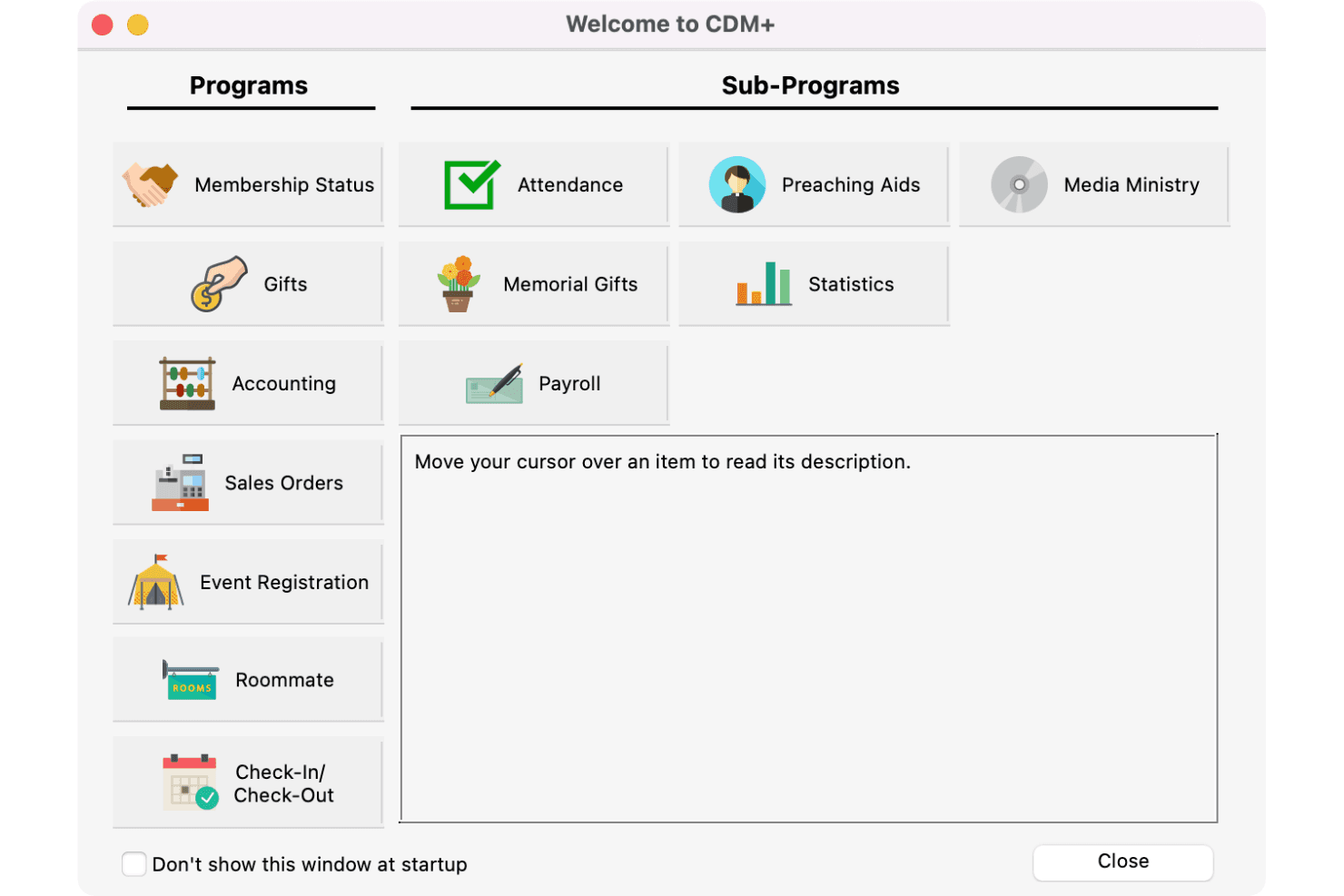
CDM+ organizes church programs and sub-programs in one launch screen. CDM+ is an all-in-one management platform built for churches and nonprofits that connects fund accounting, payroll, contributions, and membership in a single system.
Who Is CDM+ Best For?
CDM+ is a strong fit for churches and faith-based nonprofits that need accounting, contributions, membership, and payroll managed in one place.
Why I Picked CDM+
I picked CDM+ as one of the best because it's built from the ground up for churches and nonprofits, with fund accounting, contributions, membership, and payroll all living in one connected system. What I especially like is how payroll transactions post directly to the general ledger, so your housing allowance reporting and clergy-specific tax exemptions feed straight into your fund accounting without manual reconciliation. CDM+ also handles clergy dual-tax status configuration, letting you set up salary and housing allowance pay items with the correct W-2 Box 14 treatment.
CDM+ Key Features
- Fund accounting integration: Posts payroll transactions directly to the general ledger, with pay items mapped to specific expense accounts in your chart of accounts.
- Engage Payroll employee portal: Lets employees view pay history, year-to-date withholdings, pay stubs, and W-2 forms online without contacting HR.
- Time-off accrual tracking: Tracks sick leave, vacation, and one user-defined time-off type, with configurable accrual rates by hours or days worked.
- SOC 2-certified cloud hosting: Stores your data with daily off-site backups, redundant storage, and monitoring controls in a certified hosting environment.
CDM+ Integrations
CDM+ has one documented native integration, Aatrix, for tax forms and e-filing. It also offers Suran API v2 and v3 for custom integrations.
Pros and Cons
Pros:
- Reviewers praise responsive support and training
- Clergy pay supports housing-allowance reporting
- Payroll transactions post to the general ledger
Cons:
- Reviewers report confusing, dated navigation
- Tax forms require manual review
Learn more about CDM+:
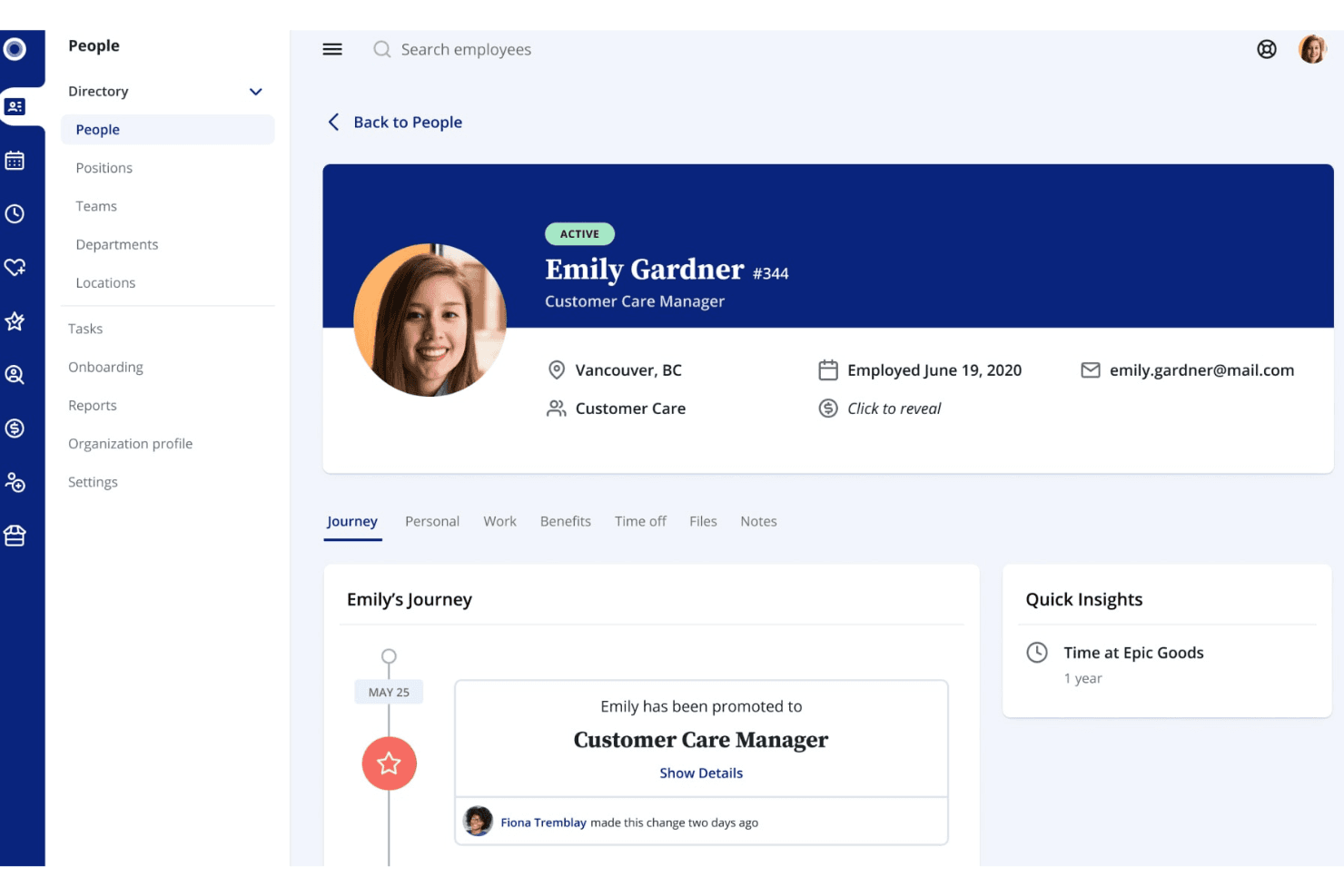
Rise displays an employee profile with journey, role, and contact details. Rise is a Canadian HR and payroll platform that combines automated payroll, benefits administration, time tracking, and onboarding in one place—making it a practical option for organizations that want to reduce manual HR work across a team.
Who Is Rise Best For?
Rise is a strong fit for Canadian HR teams and small business owners who want payroll, benefits, and HR management handled in one place.
Why I Picked Rise
I picked Rise as one of the best because it handles the kind of HR automation that eats up hours of admin time every week. I especially appreciate how automated workflows trigger across the full employee lifecycle, so tasks like onboarding, promotions, and offboarding don't require manual follow-up. What really stands out to me is that payroll, benefits, and time-off all sync together, so when an employee enrolls in benefits, the premium deductions flow into payroll automatically.
Rise Key Features
- Dynamic org chart: Generate a shareable, auto-populated org chart that reflects your current team structure and employee information.
- eSignatures: Send HR documents for signature with unlimited requests, automated reminders, and a full audit trail.
- Time-off tracking: Employees can view balances, request leave, and trigger multi-step approval workflows that sync automatically with payroll.
- Custom roles and permissions: Configure exactly which employee and manager profiles have access to specific HR data and work tasks.
Rise Integrations
Rise offers native integrations with Xero and QuickBooks Online, plus connections to the Canada Revenue Agency, Revenu Québec, and Service Canada for Canadian payroll. It also provides a public API with OAuth 2.0 for custom integrations.
Pros and Cons
Pros:
- Reviewers praise helpful payroll support
- Handles employee and contractor pay runs together
- Automates Canadian payroll deductions and year-end forms
Cons:
- Managed payroll needs employer inputs and approval
- Doesn’t document U.S. payroll tax filing
Learn more about Rise:
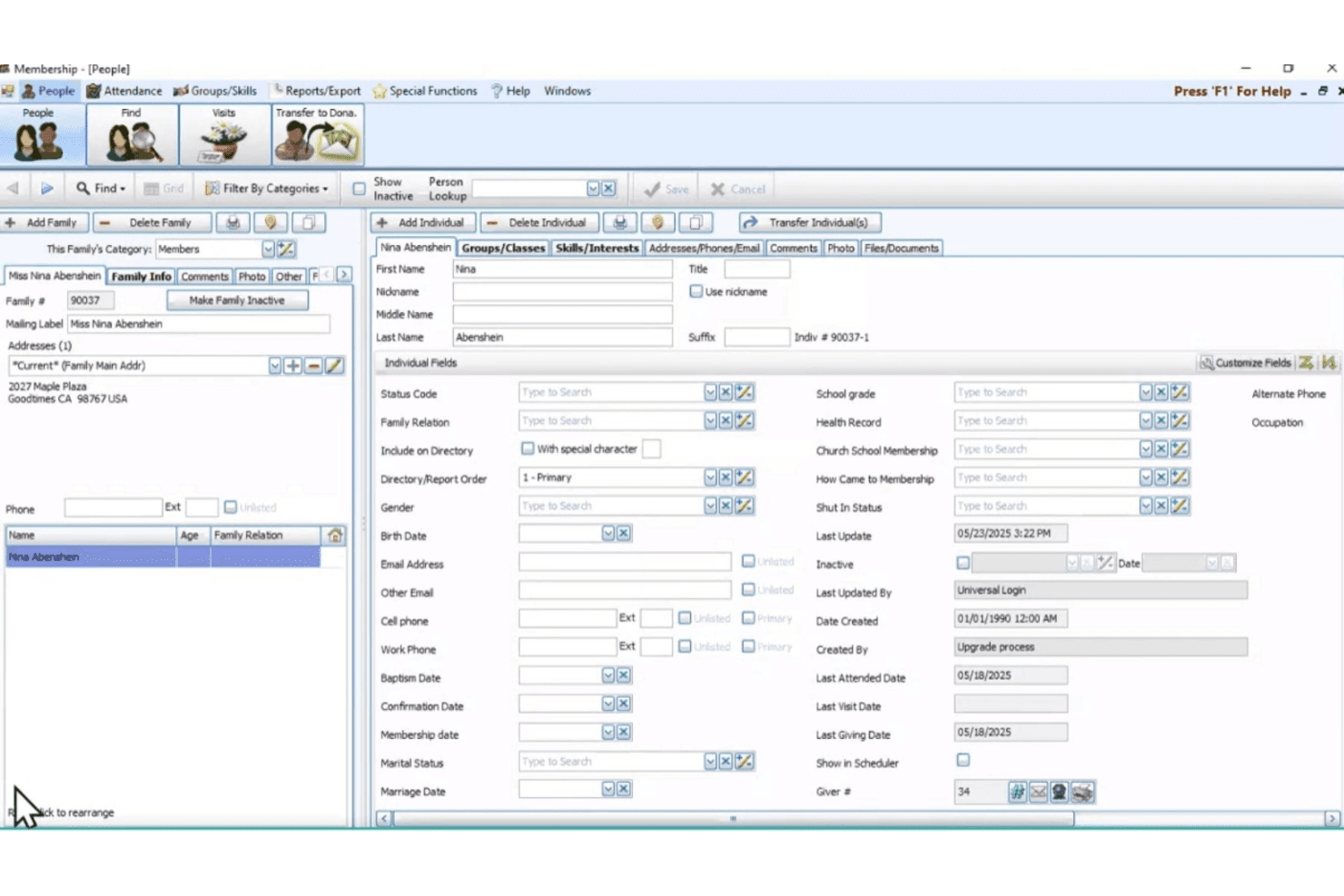
Church Windows lets users manage detailed individual member profiles. Church Windows is a church management suite that combines membership, donations, accounting, scheduling, and payroll into one platform built specifically for religious organizations.
Who Is Church Windows Best For?
Church Windows is a strong fit for churches and religious organizations that want membership, donations, accounting, and payroll managed in one purpose-built platform.
Why I Picked Church Windows
I picked Church Windows as one of the best because it's the only tool on this list built from the ground up for how churches actually operate financially. The payroll module handles minister compensation correctly, treating housing allowances as non-taxable wages and managing the dual FICA/SECA withholding that applies when a pastor elects to have self-employment tax withheld. Payroll also transfers directly into the fund accounting module, so expenses hit the right designated funds without manual journal entries.
Church Windows Key Features
- Fund accounting: Track designated funds separately, even when held in the same asset, with a church-specific chart of accounts and financial reports like Balance Sheet and Fund Activity.
- Donation management: Record individual and family giving, manage pledges across unlimited campaigns, import electronic giving from services like Vanco Faith, and generate flexible giving statements.
- Membership and attendance tracking: Maintain family and individual records, track attendance at worship and events, and report on birthdays, groups, skills, and visitation history.
- Direct payroll-to-accounting transfer: Post completed payroll runs directly into Church Windows Accounting so income and expense records update without manual journal entries.
Church Windows Integrations
Church Windows has a documented native integration with Vanco Faith for importing electronic giving. It also connects with Aatrix for electronic tax filing and Dynamic Systems for forms and checks; API availability isn’t documented.
Pros and Cons
Pros:
- Reviewers praise knowledgeable, responsive customer support
- Payroll posts directly into church accounting
- Church-specific fund accounting supports ministry budgets
Cons:
- No employee portal or benefits administration
- Tax filing depends on third-party workflows
Learn more about Church Windows: Best for customizable HR tools
- Free demo available
- Pricing upon request
Visit WebsiteCustomer Rating:4.3/5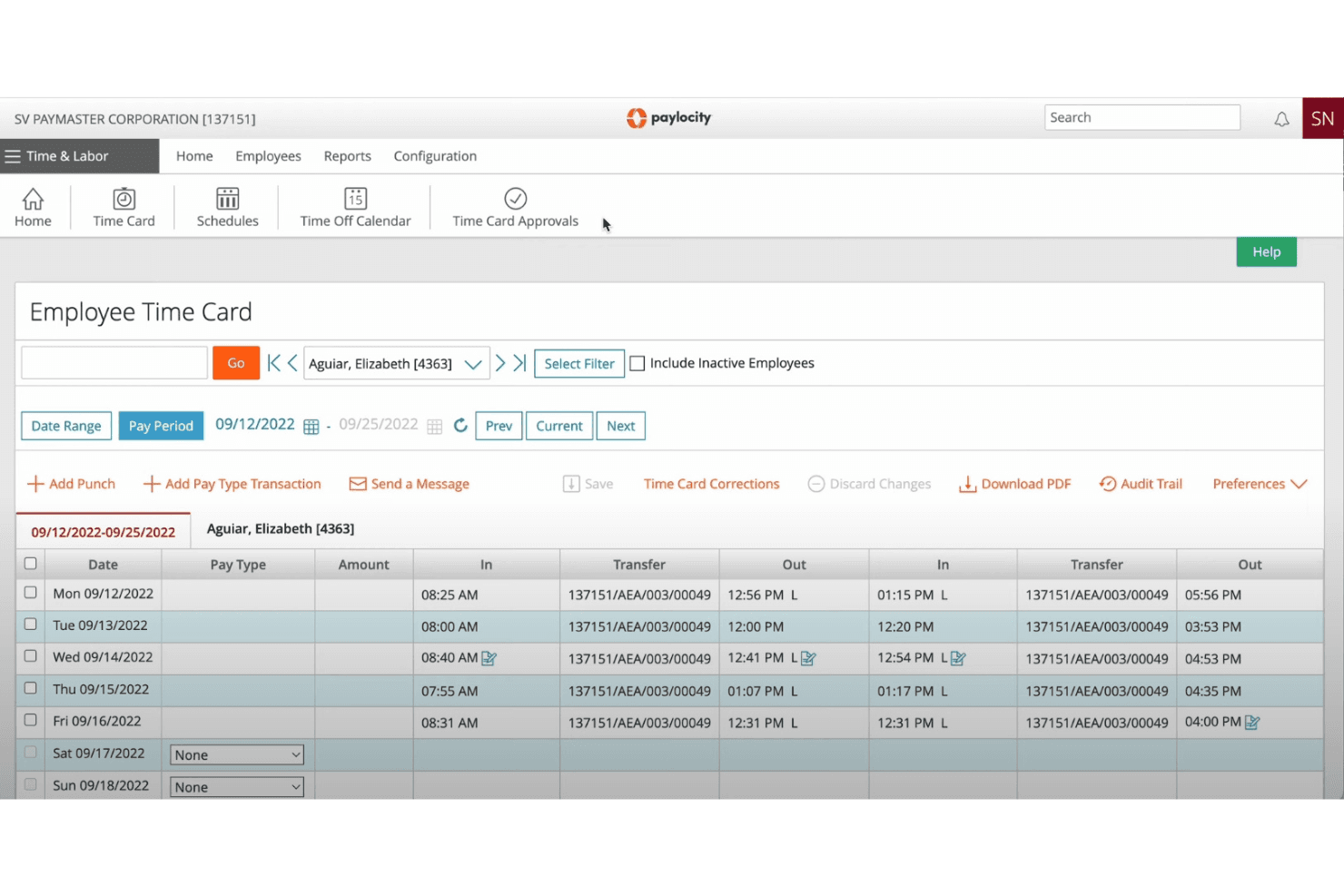
Paylocity displays employee punch times and transfers on a time card. Paylocity is an HR and payroll platform that handles everything from tax filing and benefits administration to onboarding and time tracking—making it a strong fit for church administrators managing clergy compensation, multi-state staff, and housing allowance compliance.
Who Is Paylocity Best For?
Paylocity is a strong fit for HR administrators at growing organizations who need a modular platform they can tailor across payroll, benefits, and workforce management.
Why I Picked Paylocity
I picked Paylocity as one of the best OnPay alternatives because of how much you can shape it around your church's specific payroll structure. I appreciate that you can configure distinct check types, compensation workflows, and payroll rules for hourly staff, salaried employees, and clergy compensation, including housing allowances and ministerial exemptions, all within the same payroll run. The 40+ built-in payroll audits also catch issues like pay spikes or missing deductions before anything is finalized, which is exactly the kind of safety net a church administrator needs.
Paylocity Key Features
- On-Demand Pay: Employees can access earned wages before payday, with employer-controlled administrative settings and automated payroll deductions.
- Benefits decision support: Employees receive personalized plan recommendations with cost breakdowns to compare options during enrollment.
- Employee Community hub: A built-in social collaboration space lets staff communicate, share updates, and recognize peers across the organization.
- Garnishment Managed Services: A dedicated Paylocity team handles the full wage-garnishment process on the employer's behalf.
Paylocity Integrations
Paylocity offers hundreds of marketplace integrations, including Checkr, Aeqium, Go1, and Benefits in a Card. It also provides APIs for custom integrations and reports 400+ integrations for Enterprise customers.
Pros and Cons
Pros:
- Employee self-service reduces routine admin follow-up
- Payroll review tools flag issues before submission
- Custom workflows fit varied church pay structures
Cons:
- Support responses can be slow or inconsistent
- Report customization and extraction can be difficult

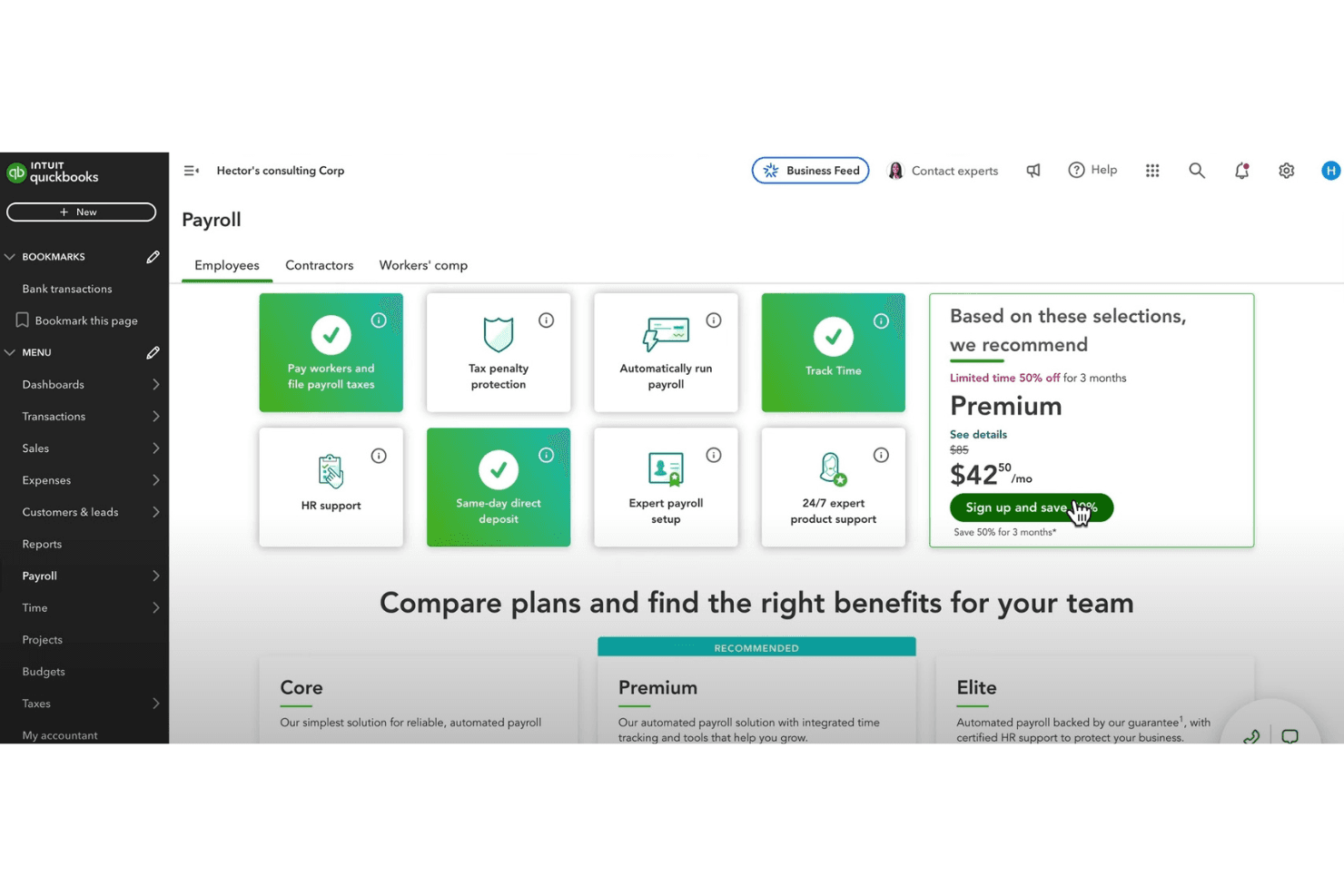
QuickBooks Payroll lets users compare and select payroll plans. QuickBooks Payroll is a payroll and HR platform from Intuit that handles tax filing, employee self-service, and benefits access—making it a familiar option for church administrators already managing finances inside the QuickBooks ecosystem.
Who Is QuickBooks Payroll Best For?
QuickBooks Payroll is a strong fit for churches already using QuickBooks for accounting, since payroll and financial data live in the same ecosystem.
Why I Picked QuickBooks Payroll
I've included QuickBooks Payroll in my top picks because it handles payroll and accounting inside the same ecosystem, which matters when your church bookkeeper already lives in QuickBooks. I particularly appreciate the Auto Payroll feature, which runs recurring payroll for salaried staff automatically and flags inconsistencies before paychecks go out. The payroll-to-accounting sync means pastor compensation, housing allowances, and tax filings post directly to your books without manual entry.
QuickBooks Payroll Key Features
- Clergy housing pay types: Supports both Clergy Housing (Cash) and Clergy Housing (In-Kind) pay types so you can configure a minister's housing allowance directly within payroll.
- Employee self-service portal: Lets staff view pay stubs, W-2s, and year-to-date earnings through the mobile app or a web browser.
- Benefits enrollment: Employees can compare health, dental, vision, and 401(k) plan options and submit elections directly through the platform.
- Time-off policy management: Supports customizable accrual rules for vacation, PTO, sick pay, and unpaid time off, with manager approval workflows built in.
QuickBooks Payroll Integrations
QuickBooks Payroll offers native integrations with Allstate, Vestwell, NEXT, Mineral, and Checkr for benefits, workers’ compensation, HR guidance, and background checks. It also connects payroll data with QuickBooks accounting.
Pros and Cons
Pros:
- Time tracking and scheduling support staff administration
- Employees access pay stubs and W-2s themselves
- Automates recurring payroll for eligible salaried staff
Cons:
- Contractor payments remain separate from employee payroll
- Interface navigation can feel confusing
Learn more about QuickBooks Payroll:
Outras alternativas ao OnPay
Eis algumas alternativas adicionais ao OnPay que não entraram na minha lista, mas que vale a pena conhecer:
- 11QuickBooks OnlineBest for small business accounting
- 12Patriot PayrollBest for small business affordability
- 13HubstaffBest for remote team management
- 14WagepointBest for simple payroll solutions
- 15Fellowship OneBest for church database management
- 16BambooHRBest for small business HR tasks
How I Evaluate OnPay Competitors
I split my evaluation into two layers: baseline criteria every church payroll tool must meet—like clergy tax handling—and differentiators that separate good options from great ones.
Core Functionality (Table Stakes For This List)
When I'm selecting tools for my list, I rank each one on a scale from 0 (does not offer the functionality) to 5 (excels in this area) for each core functionality listed below. Then, I calculate the tool's total score into a percentage. Each tool needs to achieve a minimum total score of 65% to be considered for inclusion.
- Clergy Tax Handling: I check whether each platform can properly set up housing allowance exclusions, SECA tax treatment, and dual-status classification for ministers on staff.
- Full-Service Payroll Processing: Each tool should run unlimited pay cycles for W-2 employees and 1099 contractors, with direct deposit across multiple states.
- Automated Tax Filing: I look for automatic calculation, filing, and remittance of payroll taxes, including correct FICA exemption handling for qualifying churches.
- Church Accounting Integrations: Connecting payroll to platforms like QuickBooks, Aplos, or Planning Center matters, so I evaluate each tool's available integration options.
- Benefits & Deductions Management: I check whether the platform supports pre-tax deductions, 403(b) retirement contributions, and health benefit administration for religious employers.
- Employee Self-Service Portal: Staff should be able to pull up pay stubs, download year-end tax forms, and update their own withholding details without calling the church office.
Once I have a list of tools that meet this criteria, I consider what sets each platform apart.
Differentiating Factors (What Sets Vendors Apart)
Here's how I compare and contrast different vendors:
Standout Features
Housing allowance automation is a big one—I look for platforms that correctly exclude the designated amount from federal income tax wages and report it on Form W-2 Box 14 without manual adjustments each pay run. Multi-entity payroll also matters for churches that operate a school, daycare, or second campus under separate EINs. Fund accounting mapping is another differentiator I evaluate, since many churches need payroll expenses split across ministry budgets like youth programs, missions, or worship.
Beyond Features
I evaluate whether a provider offers a tax filing accuracy guarantee with penalty coverage, since a single mishandled clergy payroll can trigger IRS scrutiny for the entire church. Church-specific onboarding support also weighs heavily—an implementation team that already understands housing allowances and FICA exemptions saves weeks of back-and-forth. Scalability is worth checking too. A platform that works for a 10-person staff but also handles seasonal hires for camps or VBS keeps you from outgrowing your payroll tool mid-year.
Por que motivo procurar uma alternativa ao OnPay?
Embora o OnPay seja uma boa opção de software de processamento salarial para igrejas, existem vários motivos pelos quais alguns utilizadores procuram soluções alternativas. Poderá estar à procura de uma alternativa ao OnPay porque…
- Gere uma congregação maior
- Precisa de funcionalidades de elaboração de relatórios mais avançadas
- Procura integração com sistemas de gestão de igrejas
- Precisa de suporte para várias localizações
- Procura ferramentas melhores para a gestão de voluntários
Se alguma destas situações lhe é familiar, veio ao sítio certo. A minha lista inclui várias opções de software de processamento salarial para igrejas mais adequadas a equipas que enfrentam estes desafios com o OnPay e procuram soluções alternativas.
Principais funcionalidades do OnPay
Eis algumas das principais funcionalidades do OnPay, para o ajudar a contrastar e comparar aquilo que as soluções alternativas oferecem:
- Gestão de salários: Processe um número ilimitado de pagamentos, trate das declarações fiscais e gere os pagamentos dos trabalhadores W-2 e 1099.
- Automatização de RH: Simplifique o recrutamento e a integração com processos automatizados e verificações de conformidade.
- Administração de benefícios: Gere seguros de saúde, planos 401(k) e compensações dos trabalhadores com facilidade.
- Gestão de trabalhadores: Acompanhe as licenças remuneradas, disponibilize opções de autosserviço e mantenha organogramas para a sua equipa.
- Acessibilidade móvel: Utilize a plataforma compatível com dispositivos móveis para gerir os salários em qualquer lugar.
- Soluções específicas para cada setor: Obtenha serviços personalizados para setores como organizações sem fins lucrativos, restauração e saúde.
- Suporte e recursos: Aceda a materiais de aprendizagem, calculadoras de salários e guias de conformidade para obter assistência.
- Gestão de penhoras: Defina regras personalizáveis para penhoras, registando-as automaticamente nos recibos de vencimento.
- Relatórios personalizados: Gere relatórios detalhados de salários com visualização em tempo real e opções de exportação.
- Opções de pagamento flexíveis: Pague aos trabalhadores através de depósito direto, cartão de débito ou cheque, sem custos adicionais.