

Voor kerken kan de juiste donorbeheersoftware een groot verschil maken. De software helpt je giften bij te houden, relaties te beheren en je donorbestand uit te breiden zonder extra stress.
Het bijhouden van donaties en betrokken blijven bij je supporters kan een echte uitdaging zijn—vooral wanneer je binnen de bediening meerdere verantwoordelijkheden combineert. Spreadsheets kunnen onoverzichtelijk worden, donorinformatie kan verloren gaan en betekenisvolle contacten raken soms in het proces zoek.
Waarom u onze softwareaanbevelingen kunt vertrouwen
6,700+
Reviews
20
Industry experts
16+
Evaluation factors
14
Years
Ons team test en beoordeelt software sinds 2012. Als kerkleiders weten we zelf hoe moeilijk — en belangrijk — het is om de juiste software te kiezen.
Voor deze gids hebben we tools geëvalueerd met behulp van praktijktests en onafhankelijk onderzoek, waarbij we tools beoordeelden aan de hand van onze selectiecriteria.
Onze reviews weerspiegelen ons menselijke redactionele oordeel, geen verkooppraatje.
Vergelijkingstabel voor donorbeheersoftware voor kleine non-profitorganisaties
Deze vergelijkingstabel vat de prijsgegevens samen van mijn selectie van de beste donorbeheersoftware voor kleine non-profitorganisaties:
| Tool | Best For | Trial Info | Price | ||
|---|---|---|---|---|---|
| 1 | Ideaal voor terugkerende donaties | Gratis abonnement beschikbaar | Vanaf $150/maand | Website | |
| 2 | Het beste voor donormanagement zonder kosten | Gratis abonnement beschikbaar | Gratis te gebruiken | Website | |
| 3 | Beste voor evenementenbeheer | 30 dagen gratis proefperiode + gratis abonnement beschikbaar | Vanaf $12/maand | Website | |
| 4 | Beste voor donorbehoud | Gratis demo beschikbaar | Vanaf $40/maand (jaarlijks gefactureerd) | Website | |
| 5 | Beste voor kleine teams | 30 dagen gratis uitproberen | Vanaf $45/maand (jaarlijks gefactureerd) | Website | |
| 6 | Beste voor mobiel geven | Gratis demo beschikbaar | Prijs op aanvraag | Website | |
| 7 | Beste voor geïntegreerd geven | Gratis demo beschikbaar | Prijs op aanvraag | Website | |
| 8 | Ideaal voor kleine kerkgroepen | Gratis proefversie beschikbaar | Vanaf $69.99/maand | Website | |
| 9 | Beste voor grote non-profitorganisaties | Gratis demo beschikbaar | Prijs op aanvraag | Website | |
| 10 | Beste voor een gebruiksvriendelijke interface | Gratis demo + gratis proefperiode van 15 dagen beschikbaar | Vanaf $79/maand | Website |


Beoordelingen van de beste donorbeheersoftware voor kleine non-profitorganisaties
Hieronder vind je mijn uitgebreide samenvattingen van de beste donorbeheersoftware voor kleine non-profitorganisaties die op mijn shortlist terechtkwam. Mijn beoordelingen geven een gedetailleerd overzicht van de belangrijkste functies, plus- en minpunten, integraties en ideale gebruikssituaties van elk hulpmiddel, zodat je de beste optie voor jou kunt vinden.
 Ideaal voor terugkerende donaties
- Gratis abonnement beschikbaar
- Vanaf $150/maand
Visit WebsiteCustomer Rating:4.8/5
Donorbox biedt een mailcentrumfunctie voor het beheren van communicatie met donateurs. Donorbox is een donorbeheer- en online-donatieplatform dat kleine non-profitorganisaties helpt donaties te beheren en hun fondsenwervingsmogelijkheden uit te breiden. Het ondersteunt flexibele donatiemogelijkheden zoals geven via sms, geven via een kiosk en ingesloten donatieformulieren, waardoor supporters gemakkelijker via verschillende kanalen kunnen bijdragen.
Waarom ik Donorbox heb gekozen: Het is ontworpen om stabiele, langdurige donaties te ondersteunen met functies zoals terugkerende donaties, waarmee terugkerende donateurs met slechts één klik kunnen geven. Ik vind ook de mogelijkheden van Donorbox voor geven via sms en via een kiosk prettig, omdat ze kleine non-profitorganisaties helpen moderne, mobielvriendelijke donatie-ervaringen aan te bieden zonder ingewikkelde configuraties. Deze hulpmiddelen zijn vooral nuttig voor organisaties die hun donatiekanalen willen diversifiëren en de deelname willen vergroten.
Opvallende functies & integraties:
Functies omvatten mogelijkheden voor geven via sms, QuickDonate voor snel opnieuw doneren, aanpasbare donatieformulieren, peer-to-peer-fondsenwerving, tools voor donorbeheer en realtime tracking en rapportage van donaties. Het platform ondersteunt ook donaties op locatie via Donorbox Live Kiosk.
Integraties omvatten Salesforce, QuickBooks, Xero, Mailchimp, ActiveCampaign, Google Sheets, Constant Contact, Zapier, Stripe, PayPal, Double the Donation, The Giving Block, WordPress, Weebly, Squarespace, Wix, Shopify, Planning Center, Rock RMS en Kindful.
Pros and Cons
Pros:
- Mogelijkheid om betalingen op locatie via mobiele apparaten te accepteren
- Ondersteunt meerdere fondsenwervingsmethoden, waaronder ticketverkoop en veilingen
- Aanpasbare donatieformulieren voor verschillende behoeften
Cons:
- Gebrek aan geavanceerde rapportagefuncties
- Transactiekosten kunnen oplopen voor kleinere organisaties
Learn more about Donorbox: Het beste voor donormanagement zonder kosten
- Gratis abonnement beschikbaar
- Gratis te gebruiken
Visit WebsiteCustomer Rating:4.9/5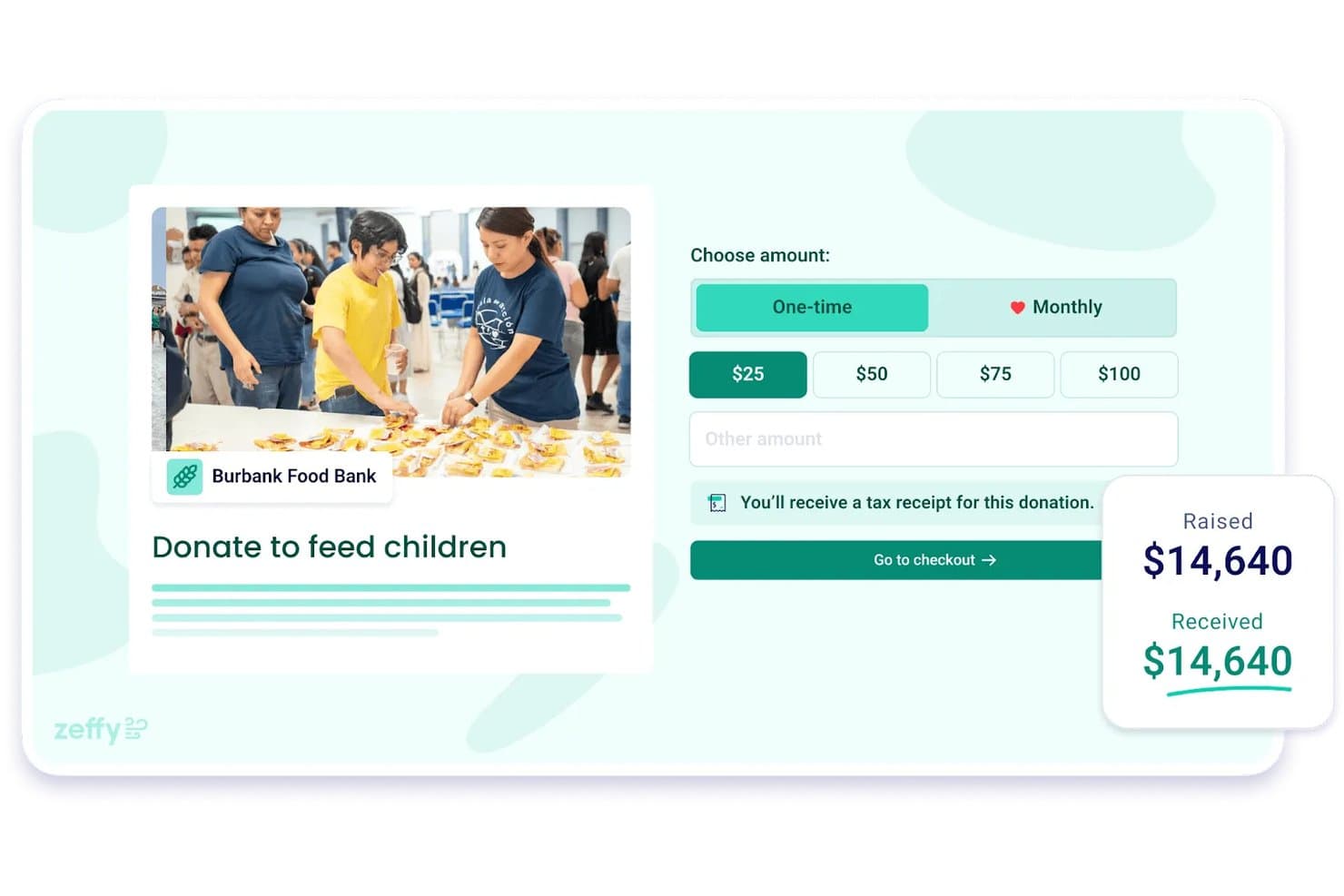
Zeffy stelt kleine non-profitorganisaties in staat donaties te verzamelen met ingebouwde fiscale ontvangstbewijzen. Zeffy is een platform voor fondsenwerving en donormanagement voor non-profitorganisaties, dat een ingebouwde CRM, online donatieformulieren, evenemententicketing, persoonlijke fondsenwervingscampagnes en tools voor e-mailcommunicatie in één systeem combineert.
Voor wie is Zeffy het meest geschikt?
Zeffy is zeer geschikt voor kleine non-profitorganisaties en door vrijwilligers gerunde ministeries die een compleet systeem voor fondsenwerving en donormanagement nodig hebben zonder platform- of transactiekosten te betalen.
Waarom ik voor Zeffy koos
Zeffy verdient zijn plek als een van de beste opties op mijn shortlist omdat het absoluut geen platform- of transactiekosten in rekening brengt — en dat is geen proefperiode of beperkte versie, zo werkt Zeffy gewoon. Ik vind het geweldig dat donateursgegevens automatisch worden aangemaakt bij elke donatie, ticketverkoop of registratie, zodat je donatiegeschiedenis zichzelf opbouwt zonder handmatige invoer. Met de segmentatiefilters kun je je contactenlijst filteren op totale giften, status van terugkerende donateurs, campagne en meer, waarbij lijsten automatisch worden bijgewerkt zodra donateurs aan je criteria voldoen.
Belangrijkste functies van Zeffy
- Fondsenwervingspagina's voor persoonlijke campagnes: Supporters kunnen hun eigen fondsenwervingspagina's in jouw huisstijl maken die aan je hoofdcampagne zijn gekoppeld, waarbij donaties worden opgeteld bij een centraal doel en ranglijsten in realtime worden bijgehouden.
- Bestemming van fondsen: Maak benoemde fondsen aan in donatieformulieren, zodat donateurs giften kunnen toewijzen aan specifieke onderdelen van het ministerie, waarbij fondsgegevens worden opgenomen in campagne- en uitbetalingsrapporten.
- E-mailbouwer met doelgroepselectie: Maak e-mails met een editor waarin je elementen kunt slepen en neerzetten, filter ontvangers op contactkenmerken en plan verzendingen naar donateurslijsten die automatisch worden bijgewerkt.
- Tik-om-te-betalen-app: Accepteer kaartbetalingen, Apple Pay en Google Pay op een telefoon tijdens evenementen op locatie, met ingebouwde evenementencheck-in en het scannen van QR-codes.
Integraties van Zeffy
Zeffy biedt rechtstreekse integraties met QuickBooks, WordPress en ChatGPT, plus een openbare API en webhooks voor aangepaste koppelingen. Het vermeldt meer dan 1.000 tools via rechtstreekse integraties, viaSocket en Zapier, waaronder Mailchimp, Google Sheets, Slack, Salesforce en HubSpot.
Pros and Cons
Pros:
- Donateursgeschiedenissen houden giften en communicatie bij elkaar
- Beoordelaars prijzen automatische ontvangstbewijzen en donatiegegevens
- Dynamische donateurslijsten richten fondsenwervingsoproepen op
Cons:
- Terugkerende donateurs moeten zich na migratie opnieuw inschrijven
- Eenmalige giften vereisen het handmatig genereren van ontvangstbewijzen
Learn more about Zeffy: Beste voor evenementenbeheer
- 30 dagen gratis proefperiode + gratis abonnement beschikbaar
- Vanaf $12/maand
Visit WebsiteCustomer Rating:4.6/5
Helpt kerken bij het beheren van evenementen, het bijhouden van aanwezigheid en het vergroten van betrokkenheid. ChMeetings is kerkbeheersoftware voor kerken in de VS, Canada, het VK, Australië en Zuid-Afrika, met een sterke focus op evenementenbeheer en betrokkenheid van de geloofsgemeenschap. Het helpt kerken bij het organiseren van evenementen, het bijhouden van aanwezigheid en het effectief communiceren met hun gemeenschappen.
Waarom ik ChMeetings heb gekozen: Het blinkt uit in evenementenbeheer met functies zoals evenementenregistratie, het bijhouden van deelnemers en geautomatiseerde herinneringen. Je kunt eenvoudig meerdere evenementen aanmaken en beheren, waardoor het ideaal is voor kerken met een volle agenda. De communicatietools van de software zorgen ervoor dat je geloofsgemeenschap geïnformeerd en betrokken blijft. Het is vooral handig voor het organiseren van grote evenementen en het waarborgen van een soepele coördinatie.
Opvallende functies & integraties:
Functies omvatten het beheren van ledenregisters, synchronisatie met evenementenkalenders en geautomatiseerde communicatietools. Het platform biedt ook gedetailleerde rapportages en analyses om je te helpen je geloofsgemeenschap beter te begrijpen.
Integraties omvatten Google Calendar, Mailchimp, Stripe, PayPal, Zoom, Twilio, Slack, Microsoft Outlook en Microsoft Teams.
Pros and Cons
Pros:
- Eenvoudige configuratie van evenementenregistratie
- Geautomatiseerde communicatiefuncties
- Gedetailleerde analyses en rapportages
- Geschikt voor grote geloofsgemeenschappen
- Flexibele opties voor evenementenbeheer
Cons:
- Beperkte aanpassingsmogelijkheden
- Geen offline toegang
- De eerste configuratie kan tijdrovend zijn
- Vereist een consistente internetverbinding
- Sommige functies kunnen complex zijn
Learn more about ChMeetings: Beste voor donorbehoud
- Gratis demo beschikbaar
- Vanaf $40/maand (jaarlijks gefactureerd)
Visit WebsiteCustomer Rating:4.7/5
Helpt non-profitorganisaties relaties te versterken en fondsenwervingsactiviteiten te beheren. Bloomerang is software voor donorbeheer, gericht op non-profitorganisaties die zich richten op het opbouwen van langdurige donorrelaties. Het helpt organisaties de betrokkenheid van donoren te vergroten, bijdragen bij te houden en fondsenwervingsactiviteiten te beheren.
Waarom ik voor Bloomerang heb gekozen: Het is afgestemd op donorbehoud en bevat hulpmiddelen zoals scores voor donorbetrokkenheid en inzichten in donorbehoud. Je kunt interacties bijhouden en belangrijke donoren identificeren, wat helpt bij het creëren van gerichte communicatiestrategieën. De software biedt ook aanpasbare dashboards om fondsenwervingsprestaties te monitoren. Het is vooral nuttig voor organisaties die prioriteit geven aan het behouden en uitbreiden van hun donorbestand.
Opvallende functies & integraties:
Functies omvatten scores voor donorbetrokkenheid, aanpasbare dashboards en inzichten in donorbehoud. Het platform biedt ook e-mailmarketingtools en uitgebreide rapportages om je team op de hoogte te houden.
Integraties omvatten QuickBooks, Mailchimp, Zapier, Eventbrite, Fundraise Up, Qgiv, DonorSearch, WealthEngine, Classy en PayPal.
Pros and Cons
Pros:
- Sterke focus op donorbehoud
- Aanpasbare rapportagemogelijkheden
- Gedetailleerde tracking van donorbetrokkenheid
- Nuttig voor gerichte communicatie
- Uitgebreide e-mailmarketingtools
Cons:
- Beperkte aanpassingsmogelijkheden voor kleine non-profitorganisaties
- Vereist tijd om de functies te leren kennen
- Mogelijk is aanvullende training nodig
- Sommige functies kunnen overweldigend zijn
- Niet ideaal voor zeer kleine organisaties
Learn more about Bloomerang: Beste voor kleine teams
- 30 dagen gratis uitproberen
- Vanaf $45/maand (jaarlijks gefactureerd)
Visit WebsiteCustomer Rating:4.7/5
Vereenvoudigt het bijhouden van donaties en de organisatie van evenementen voor kleine teams. Little Green Light is software voor donorbeheer, afgestemd op kleine non-profitorganisaties, met de nadruk op het vereenvoudigen van het bijhouden van donateurs en fondsenwervingsactiviteiten. Het helpt teams donorrelaties te beheren, donaties bij te houden en evenementen te organiseren.
Waarom ik Little Green Light heb gekozen: Het is ideaal voor kleine teams dankzij functies zoals uitgebreide donateursprofielen en gebruiksvriendelijke rapportagetools. Je kunt je fondsenwervingscampagnes en donorcommunicatie efficiënt beheren. De software biedt tools voor evenementbeheer die helpen bij het organiseren van evenementen en het bijhouden van deelname. Het is bijzonder effectief voor teams die op zoek zijn naar een eenvoudige alles-in-éénoplossing.
Uitblinkende functies & integraties:
Functies omvatten aanpasbare formulieren voor donaties en evenementregistraties, ingebouwde e-mailmarketingtools en rapportagemogelijkheden die inzicht bieden in donoractiviteiten. Het platform ondersteunt ook taakbeheer om je team te helpen georganiseerd te blijven.
Integraties omvatten Mailchimp, QuickBooks, PayPal, Stripe, Zapier, Constant Contact, DonorSearch, Eventbrite, Google Workspace en Microsoft Office 365.
Pros and Cons
Pros:
- Ideaal voor samenwerking binnen kleine teams
- Eenvoudig installatie- en introductieproces
- Aanpasbare rapportagetools
- Ingebouwde functies voor taakbeheer
- Effectieve mogelijkheden voor het bijhouden van evenementen
Cons:
- Beperkte geavanceerde functies voor grote organisaties
- Basisopties voor aanpassing
- Mogelijk is aanvullende training nodig
- Geen offline toegang beschikbaar
- Sommige functies kunnen traag worden bijgewerkt
Learn more about Little Green Light:

Ontworpen voor kerken om mobiel geven te vereenvoudigen en de betrokkenheid te vergroten. Pushpay is software voor donorbeheer, voornamelijk ontworpen voor kerken en geloofsorganisaties, met de nadruk op het verbeteren van mobiel geven en de betrokkenheid van donateurs. Het biedt tools voor donatieverwerking, het volgen van betrokkenheid en communicatie met geloofsgemeenschappen.
Waarom ik Pushpay heb gekozen: Het is afgestemd op mobiel geven en beschikt over een gebruiksvriendelijke mobiele app die het donatieproces voor je geloofsgemeenschap vereenvoudigt. Je kunt opties voor periodiek geven instellen en de betrokkenheid van donateurs volgen via gedetailleerde analyses. De software bevat ook communicatietools om je gemeenschap geïnformeerd en verbonden te houden. Het is bijzonder geschikt voor organisaties die prioriteit geven aan mobiel en online geven.
Opvallende functies & integraties:
Functies omvatten een aanpasbare mobiele app voor donaties, gedetailleerde rapportages en analyses voor het volgen van de betrokkenheid van donateurs, en communicatietools om interactie met je geloofsgemeenschap te bevorderen. Het platform ondersteunt ook opties voor periodiek geven om consistente donaties te stimuleren.
Integraties omvatten QuickBooks, Salesforce, Planning Center, Rock RMS, Church Community Builder, Mailchimp, Elvanto, FellowshipOne, MinistryPlatform en Breeze.
Pros and Cons
Pros:
- Uitstekend voor het verhogen van mobiele donaties
- Gedetailleerde analyses van donorbetrokkenheid
- Opties voor periodiek geven beschikbaar
- Aanpasbare mobiele donatie-app
- Sterke communicatietools voor geloofsgemeenschappen
Cons:
- Hogere vanafprijs
- Vereist internet voor volledige functionaliteit
- Voor geavanceerde functies kan training nodig zijn
- De eerste installatie kan tijdrovend zijn
- Beperkte offline mogelijkheden
Learn more about Pushpay: 7Beste voor geïntegreerd geven
ACS
- Gratis demo beschikbaar
- Prijs op aanvraag
Visit WebsiteCustomer Rating:3.8/5
Mogelijk is speciale IT-ondersteuning nodig ACS Technologies is donorbeheersoftware voor kerken en geloofsgebonden organisaties, gericht op het beheren van donaties en het betrekken van leden. Het biedt hulpmiddelen voor online geven, het bijhouden van bijdragen en het beheren van kerkelijke activiteiten.
Waarom ik voor ACS Technologies heb gekozen: Het blinkt uit in geïntegreerd geven en biedt functies zoals online donatieverwerking en het bijhouden van bijdragen. U kunt toezeggingen en donaties naadloos beheren, wat essentieel is voor het bijhouden van nauwkeurige financiële gegevens. De software ondersteunt ook evenementenbeheer en communicatie met leden. Het is bijzonder nuttig voor organisaties die hun geef- en operationele processen in één platform willen integreren.
Opvallende functies & integraties:
Functies omvatten platforms voor online geven, hulpmiddelen voor evenementenbeheer en mogelijkheden voor communicatie met leden. De software biedt ook gedetailleerde rapportages en analyses om u inzicht te geven in de geefpatronen van uw gemeente.
Integraties omvatten QuickBooks, Microsoft Dynamics, Mailchimp, Constant Contact, PayPal, Stripe, Zoom, Eventbrite, Google Calendar en Microsoft Outlook.
Pros and Cons
Pros:
- Uitgebreide oplossingen voor online geven
- Effectieve hulpmiddelen voor communicatie met leden
- Gedetailleerde registratie van bijdragen
- Ondersteunt evenementenbeheer en planning
- Geïntegreerde mogelijkheden voor financieel beheer
Cons:
- De eerste installatie kan complex zijn Mogelijk is technische ondersteuning nodig voor aanpassingen
- Mogelijk is technische ondersteuning nodig voor aanpassingen
- Beperkte geavanceerde functies voor grote organisaties
- Voor de meeste functionaliteiten is internet vereist
- Sommige functies kunnen overweldigend zijn voor beginners
Learn more about ACS: Ideaal voor kleine kerkgroepen
- Gratis proefversie beschikbaar
- Vanaf $69.99/maand
Visit WebsiteCustomer Rating:4.8/5
Ontwikkeld voor kleine kerken om planning, financiën en bereik te stroomlijnen. SteepleMate is software voor kerkbeheer, afgestemd op kleine kerkgroepen, met de nadruk op het vergroten van betrokkenheid en het efficiënt beheren van activiteiten. Het ondersteunt gemeenschapsopbouw, preekplanning, financiële taken en educatieve activiteiten.
Waarom ik voor SteepleMate heb gekozen: Het is speciaal ontworpen voor kleine kerkgroepen en biedt hulpmiddelen die helpen bij de voorbereiding van preken en de planning van kerkdiensten. Je vindt functies voor het beheren van websites en mobiele apps, die essentieel zijn om je kerkgemeenschap te bereiken. De software integreert ook met QuickBooks, zodat je financieel beheer synchroon blijft. Wat het onderscheidt, is de focus op kleine groepen: het biedt een alles-in-éénplatform dat inspeelt op je specifieke behoeften.
Belangrijkste functies & integraties:
Functies omvatten hulpmiddelen voor preekvoorbereiding en planning, het beheer van websites en mobiele apps, en financiële rapportage met integratie met QuickBooks. De software ondersteunt ook het beheer van kerkelijke onderwijsprogramma's en biedt zo een holistische benadering van kerkbeheer.
Integraties omvatten QuickBooks voor financieel beheer.
Pros and Cons
Pros:
- Uitgebreide beheertools in één platform
- Positieve feedback van gebruikers over het gebruiksgemak
- Regelmatige updates en nieuwe functies
- Ondersteuning door een toegewijde accountmanager
- Gratis abonnement voor basisbehoeften
Cons:
- De prijs van het Pro-abonnement kan hoog zijn
- Beperkte integraties met externe diensten
- Sommige functies kunnen complex zijn voor beginners
- Internet vereist voor volledige functionaliteit
- Geen mobiele app voor offlinegebruik
Learn more about SteepleMate: Beste voor grote non-profitorganisaties
- Gratis demo beschikbaar
- Prijs op aanvraag
Visit WebsiteCustomer Rating:3.5/5
Ontworpen voor grote non-profitorganisaties om donaties, campagnes en gegevens te beheren. Blackbaud is software voor donorbeheer, ontworpen voor grote non-profitorganisaties, en biedt oplossingen voor het beheren van donorbetrokkenheid, fondsenwerving en rentmeesterschap. Het biedt tools voor het bijhouden van donaties, het organiseren van fondsenwervingscampagnes en het analyseren van donorgegevens.
Waarom ik voor Blackbaud heb gekozen: Het is gericht op grote non-profitorganisaties met functies zoals geavanceerde analyses en uitgebreide rapportages. U kunt complexe campagnes en grote donordatabases efficiënt beheren. De software bevat tools voor het beheren van subsidies en vrijwilligers, die essentieel zijn voor grote organisaties. Dankzij de schaalbaarheid van Blackbaud is het geschikt voor het uitvoeren van omvangrijke activiteiten en het inspelen op uiteenlopende behoeften.
Belangrijkste functies & integraties:
Functies omvatten tools voor subsidiebeheer, mogelijkheden voor vrijwilligerscoördinatie en diepgaande analyses van fondsenwervingsprestaties. Het platform ondersteunt ook online donaties met aanpasbare donatieformulieren.
Integraties omvatten Salesforce, Microsoft Dynamics 365, QuickBooks, Mailchimp, Eventbrite, Classy, Double the Donation, WealthEngine, Constant Contact en Google Analytics.
Pros and Cons
Pros:
- Geschikt voor het beheren van grote donordatabases
- Geavanceerde analyse- en rapportagetools
- Uitgebreide functies voor subsidiebeheer
- Schaalbaar voor groeiende organisaties
- Mogelijkheden voor vrijwilligerscoördinatie
Cons:
- Steilere leercurve voor nieuwe gebruikers
- Vereist aanzienlijke insteltijd
- Beperkte aanpassingsmogelijkheden voor kleine teams
- Hogere kosten voor aanvullende functies
- Mogelijk is speciale IT-ondersteuning nodig
 10Beste voor een gebruiksvriendelijke interface
Aplos
- Gratis demo + gratis proefperiode van 15 dagen beschikbaar
- Vanaf $79/maand

Vereenvoudigt het bijhouden van donaties, de boekhouding en rapportage voor non-profitorganisaties. Aplos is software voor donorbeheer, ontworpen voor kleine tot middelgrote non-profitorganisaties, met de focus op het vereenvoudigen van donorregistratie en financieel beheer. Het stroomlijnt taken zoals donatiebeheer, boekhouding en rapportage.
Waarom ik voor Aplos heb gekozen: De gebruiksvriendelijke interface maakt het toegankelijk voor teams met beperkte technische ervaring. Je kunt eenvoudig donaties beheren en financiële gegevens bijhouden met de intuïtieve hulpmiddelen. De software biedt ingebouwde boekhoudfuncties, waardoor er minder behoefte is aan aanvullende financiële hulpmiddelen. Aplos is vooral nuttig voor organisaties die op zoek zijn naar een alles-in-éénoplossing die eenvoudig te gebruiken is.
Opvallende functies & integraties:
Functies omvatten ingebouwde boekhoudhulpmiddelen, aanpasbare donatieformulieren en gedetailleerde financiële rapportage. Met het platform kun je evenementregistraties bijhouden en donorcommunicatie effectief beheren.
Integraties omvatten QuickBooks, PayPal, Stripe, Mailchimp, FundraisingBox, Zapier, Bloomerang, Constant Contact, DonorSearch en Eventbrite.
Pros and Cons
Pros:
- Eenvoudige navigatie voor nieuwe gebruikers
- Uitgebreide ingebouwde boekhoudhulpmiddelen
- Aanpasbare donatieformulieren beschikbaar
- Effectief beheer van donorcommunicatie
- Handig voor het bijhouden van evenementregistraties
Cons:
- Beperkte geavanceerde functies voor grote non-profitorganisaties
- Sommige functies zijn mogelijk te basaal
- Vereist internet voor volledige toegang
- De eerste installatie kan tijdrovend zijn
- Mogelijk is aanvullende training nodig voor complexe taken
Learn more about Aplos:
Andere donorbeheersoftware voor kleine non-profitorganisaties
Hier zijn enkele aanvullende opties voor donorbeheersoftware voor kleine non-profitorganisaties die mijn shortlist niet hebben gehaald, maar die toch de moeite waard zijn om te bekijken:
- 11Salesforce for NonprofitsBeste voor aanpasbaarheid
- 12Servant KeeperBeste voor het bijhouden van toezeggingen
- 13Donor ToolsHet beste voor het bijhouden van kleine donaties
- 14BonterraIdeaal voor geïntegreerd vrijwilligersbeheer
Hoe ik donateursbeheersoftware voor kleine non-profitorganisaties beoordeel
Ik beoordeel deze tools in twee lagen: de basiseisen—zoals het bijhouden van tienden en IRS-conforme overzichten—waaraan elke tool moet voldoen, en de onderscheidende factoren die de echt nuttige opties van de rest onderscheiden.
Kernfunctionaliteit (basisvereisten voor deze lijst)
Wanneer ik tools voor mijn lijst selecteer, beoordeel ik elke tool op een schaal van 0 (biedt de functionaliteit niet) tot 5 (blink uit op dit gebied) voor elke hieronder genoemde kernfunctionaliteit. Vervolgens bereken ik de totaalscore van de tool als percentage. Elke tool moet een minimale totaalscore van 55% behalen om in aanmerking te komen voor opname.
- Donateursdatabase: Ik controleer of elke tool volledige donateursprofielen opslaat met een geefgeschiedenis, koppeling van huishoudens en notities—zodat een gezin van vier als één huishouden wordt weergegeven, en niet als vier niet-gerelateerde records.
- Online geven: Elke tool moet terugkerende en eenmalige giften via meerdere kanalen ondersteunen, zoals kaart, ACH of doneren via sms, met formulieren die een kerk op haar website kan insluiten.
- Bijdragen bijhouden: Ik zoek naar categorisering voor meerdere fondsen, zodat giften aan het algemene fonds, de bouwcampagne en de zendingsreis afzonderlijk kunnen worden geregistreerd en afgestemd.
- Belastingbewijzen en overzichten: Automatisering van jaaroverzichten is hier belangrijk—ik beoordeel of een tool IRS-conforme samenvattingen van giften in batches kan genereren en deze per e-mail of per post kan verzenden.
- Campagnebeheer: Met de tool moet je afzonderlijke campagnes met doelen en toezeggingen kunnen aanmaken, zoals een kapitaalcampagne waarbij leden zich verplichten om gedurende twee jaar maandelijks te betalen.
- Segmentatie en communicatie met donateurs: Ik kijk hoe een tool donateurs filtert op basis van geefgedrag en gerichte communicatie verzendt, zoals een bedankmail aan mensen die voor het eerst geven of een heractiveringsbrief aan mensen die niet langer tienden.
Nadat ik een lijst heb samengesteld van tools die aan deze criteria voldoen, bekijk ik wat elk platform onderscheidt.
Onderscheidende factoren (wat leveranciers van elkaar onderscheidt)
Zo vergelijk ik verschillende leveranciers met elkaar:
Opvallende functies
Doneren via sms is een belangrijke onderscheidende factor—wanneer een predikant tijdens een zondagsdienst een oproep doet, kunnen kerkgangers in realtime reageren zonder naar een chequeboek te hoeven grijpen. Ik beoordeel ook hoe goed een tool integreert met kerkbeheersystemen, omdat het synchroniseren van donateursgegevens met aanwezigheidsgegevens en gegevens over kleine groepen en rentmeesterschapsteams een vollediger beeld geeft. Ook de score voor betrokkenheid van donateurs weegt mee. Tools die mensen die niet langer geven automatisch markeren of donateurs die voor het eerst geven uitlichten, helpen een kleine kerk om de opvolging te richten op de plekken waar die het belangrijkst is.
Meer dan functies alleen
Prijs is in deze sector erg belangrijk. Een kleine kerk die op tienden draait, kan geen hoge verwerkingskosten op elke gift dragen, dus kijk ik naar de totale kosten van geven—abonnement en transactietarieven samen. Integratie met de bredere technische infrastructuur van de kerk is een andere belangrijke factor. Als donateursgegevens niet met QuickBooks of je ChMS synchroniseren, zit iemand elke week met dubbele invoer. Ik kijk ook of een vrijwillige penningmeester of parttime beheerder het platform in de praktijk dagelijks kan beheren zonder speciale training of technische achtergrond.
Donorbeheersoftware kiezen voor kleine non-profitorganisaties
Het is gemakkelijk om te verdwalen in lange functielijsten en ingewikkelde prijsstructuren. Om je te helpen gefocust te blijven terwijl je je unieke selectieproces voor software doorloopt, vind je hier een checklist met factoren om rekening mee te houden:
| Factor | Waar je op moet letten |
Schaalbaarheid | Kies software die met je organisatie meegroeit. Ga na of de software meer donorgegevens kan verwerken en meer gebruikers kan ondersteunen naarmate je team groeit. |
| Integraties | Zorg ervoor dat de software naadloos integreert met hulpmiddelen die je al gebruikt, zoals QuickBooks of Mailchimp, om processen te stroomlijnen en datasilo's te voorkomen. |
Aanpasbaarheid | Zoek naar aanpasbare opties waarmee je rapporten, formulieren en dashboards kunt afstemmen op je unieke processen en strategieën voor donorbetrokkenheid. |
Gebruiksgemak | Selecteer een gebruiksvriendelijke interface waarin je team gemakkelijk de weg vindt zonder uitgebreide training. Zo beperk je de tijd die aan het inwerken wordt besteed en verhoog je de productiviteit. |
Budget | Blijf binnen je budget door de kosten af te wegen tegen de aangeboden functies. Zoek naar flexibele prijsplannen die passen bij je financiële beperkingen. |
Beveiligingsmaatregelen | Geef prioriteit aan software met sterke beveiligingsmaatregelen om gevoelige donorinformatie te beschermen, waaronder gegevensversleuteling en regelmatige beveiligingsupdates. |
Ondersteuning | Houd rekening met het niveau van de beschikbare klantenondersteuning, zoals 24/7-toegang, speciale accountmanagers en snelle reactietijden om problemen efficiënt op te lossen. |
Functies | Beoordeel de kernfuncties die je non-profitorganisatie nodig heeft, zoals donorregistratie, rapportage en communicatiemiddelen, en zorg ervoor dat deze aansluiten bij je organisatiedoelen. |
Trends in donorbeheersoftware voor kleine non-profitorganisaties
In mijn onderzoek heb ik talloze productupdates, persberichten en releaselogboeken verzameld van verschillende leveranciers van donorbeheersoftware voor kleine non-profitorganisaties. Dit zijn enkele opkomende trends die ik in de gaten houd:
- AI-gestuurde inzichten: Steeds meer tools gebruiken AI om voorspellende analyses en donorinzichten te bieden. Zo kunnen non-profitorganisaties potentiële grote donoren identificeren en fondsenwervingsstrategieën optimaliseren. Leveranciers zoals Bloomerang integreren AI-functies om de betrokkenheid van donoren te vergroten.
- Gamificatie van donorbetrokkenheid: Sommige software bevat nu gamificatie-elementen om de betrokkenheid en loyaliteit van donoren te vergroten. Deze aanpak maakt gebruik van beloningen en uitdagingen om de geefervaring interactiever en aantrekkelijker te maken.
- Verbeterde donorsegmentatie: Geavanceerde segmentatietools winnen aan populariteit, waardoor non-profitorganisaties zeer gerichte campagnes kunnen opzetten op basis van het gedrag en de voorkeuren van donoren. Deze trend helpt organisaties om communicatie effectief te personaliseren.
- Integratie van virtuele evenementen: Nu virtuele evenementen steeds gebruikelijker worden, integreren donorbeheersoftwareoplossingen functies ter ondersteuning van online fondsenwervende evenementen. Dit omvat tools voor het beheren van aanmeldingen, donaties en livestreams binnen het platform.
- Bijhouden van duurzaamheid: Sommige platforms introduceren functies waarmee de ecologische en maatschappelijke impact van donaties kan worden bijgehouden en gerapporteerd. Deze trend speelt in op donoren die geïnteresseerd zijn in de bredere impact van hun bijdragen en sluit aan bij geven vanuit persoonlijke waarden.
Wat is donorbeheersoftware voor kleine non-profitorganisaties?
Donorbeheersoftware voor kleine non-profitorganisaties is een hulpmiddel waarmee organisaties donaties kunnen bijhouden, donorgegevens kunnen beheren en fondsenwervingsactiviteiten kunnen verbeteren. Deze tools worden doorgaans gebruikt door professionals bij non-profitorganisaties, zoals ontwikkelingsdirecteuren en fondsenwervingsmanagers, en bieden meerwaarde door donorgegevens te organiseren en communicatie te faciliteren.
Functies zoals het bijhouden van donoren, rapportage en tools voor betrokkenheid helpen bij het beheren van relaties en het optimaliseren van fondsenwervingsstrategieën. Over het geheel genomen stellen deze tools non-profitorganisaties in staat hun interacties met donoren efficiënt te beheren en hun fondsenwervingsresultaten te verbeteren.
Functies van donorbeheersoftware voor kleine non-profitorganisaties
Let bij het selecteren van donorbeheersoftware voor kleine non-profitorganisaties op de volgende belangrijke functies:
- Donoren bijhouden: Houdt gedetailleerde gegevens over donoren bij, zodat je relaties kunt beheren en communicatie kunt personaliseren.
- Rapportagetools: Biedt inzicht in de prestaties van fondsenwerving, zodat je datagestuurde beslissingen kunt nemen.
- Online doneren: Maakt donaties via online platforms mogelijk, zodat donoren gemakkelijk overal kunnen bijdragen.
- Betrokkenheidstools: Verbetert de interactie met donoren via gerichte campagnes en gepersonaliseerde berichten.
- Toezeggingen bijhouden: Houdt toezeggingen in de gaten om tijdige opvolging en inlossing te garanderen en het vertrouwen en de betrokkenheid van donoren te vergroten.
- Evenementbeheer: Organiseert fondsenwervende evenementen en verwerkt aanmeldingen en het bijhouden van deelnemers efficiënt.
- Aanpasbare dashboards: Hiermee kun je je weergave aanpassen en je richten op de statistieken die het meest relevant zijn voor je doelstellingen.
- Geautomatiseerde workflows: Stroomlijnt terugkerende taken, zodat je team tijd vrijmaakt om zich op strategische activiteiten te richten.
- Beveiligingsmaatregelen: Beschermt gevoelige donorgegevens met versleuteling en regelmatige beveiligingsupdates.
- Mobiele toegang: Hiermee kun je interacties met donoren beheren en onderweg gegevens raadplegen, wat de flexibiliteit vergroot.
Voordelen van donorbeheersoftware voor kleine non-profitorganisaties
Het implementeren van donorbeheersoftware voor kleine non-profitorganisaties biedt verschillende voordelen voor je team en je organisatie. Dit zijn enkele voordelen waar je naar kunt uitkijken:
- Verbeterde donorrelaties: Door interacties en voorkeuren van donoren bij te houden, kun je communicatie personaliseren en relaties versterken.
- Efficiëntere fondsenwerving: Geautomatiseerde workflows en rapportagetools helpen je te focussen op strategieën die betere resultaten opleveren.
- Verbeterde gegevensbeveiliging: Met beveiligingsmaatregelen op hun plaats kun je ervoor zorgen dat donorgegevens beschermd zijn en het vertrouwen behouden blijft.
- Gestroomlijnde evenementplanning: Functies voor evenementbeheer maken het eenvoudiger en efficiënter om fondsenwervende evenementen te organiseren en de aanwezigheid bij te houden.
- Beter financieel toezicht: Rapportagetools bieden duidelijke inzichten in donatiepatronen en de financiële gezondheid, wat helpt bij strategische planning.
- Flexibiliteit dankzij mobiele toegang: Beheer donorgegevens en interacties onderweg, zodat je team flexibeler kan werken.
- Tijdbesparing: Geautomatiseerde processen en aanpasbare dashboards verminderen handmatige taken, waardoor je meer tijd hebt om met donoren in contact te komen.
Kosten en prijzen van donorbeheersoftware voor kleine non-profitorganisaties
Bij het selecteren van donorbeheersoftware voor kleine non-profitorganisaties is inzicht in de verschillende beschikbare prijsmodellen en abonnementen vereist. De kosten variëren op basis van functies, teamgrootte, uitbreidingen en meer. De onderstaande tabel vat veelvoorkomende abonnementen, hun gemiddelde prijzen en de gebruikelijke inbegrepen functies van oplossingen voor donorbeheersoftware voor kleine non-profitorganisaties samen:
Vergelijkingstabel van abonnementen voor donorbeheersoftware voor kleine non-profitorganisaties
| Type abonnement | Gemiddelde prijs | Veelvoorkomende functies |
|---|---|---|
| Type abonnement Gratis abonnement | Gemiddelde prijs $0 | Veelvoorkomende functiesBasisregistratie van donateurs, beperkte rapportage en eenvoudige communicatietools. |
| Type abonnement Basisabonnement | Gemiddelde prijs $10-$30/gebruiker/maand | Veelvoorkomende functiesUitgebreide donorprofielen, basisanalyses en integratie met e-mailmarketing. |
| Type abonnement Zakelijk abonnement | Gemiddelde prijs $40-$70/gebruiker/maand | Veelvoorkomende functiesGeavanceerde rapportage, evenementenbeheer en aangepaste dashboards. |
| Type abonnement Ondernemingsabonnement | Gemiddelde prijs $80-$150/gebruiker/maand | Veelvoorkomende functiesUitgebreide analyses, volledige aanpassingsmogelijkheden, geavanceerde beveiligingsfuncties en toegewijde ondersteuning |
Related Reviews
Veelgestelde vragen over donorbeheersoftware voor kleine non-profitorganisaties
Hier vindt u antwoorden op veelgestelde vragen over donorbeheersoftware voor kleine non-profitorganisaties:
Hoe kan donorbeheersoftware mijn fondsenwervingsinspanningen verbeteren?
Donorbeheersoftware helpt u interacties met donateurs en hun voorkeuren bij te houden, zodat u uw communicatie- en betrokkenheidsstrategieën kunt afstemmen. De software biedt inzicht in donatiepatronen, zodat u kansen voor gerichte campagnes kunt identificeren. Door taken zoals het versturen van bedankbriefjes en herinneringen te automatiseren, maakt de software tijd vrij om u te richten op het opbouwen van relaties.
Waar moet ik op letten bij het kiezen van donorbeheersoftware?
Houd rekening met factoren zoals schaalbaarheid, integraties en gebruiksgemak. Zorg ervoor dat de software aansluit bij uw budget en beveiligingsvereisten. Zoek naar functies die uw fondsenwervingsdoelen ondersteunen, zoals donatieregistratie, rapportage en hulpmiddelen voor betrokkenheid. Beoordeel de opties voor klantenondersteuning om er zeker van te zijn dat u hulp kunt krijgen wanneer dat nodig is.
Kan donorbeheersoftware worden geïntegreerd met andere tools die ik gebruik?
Ja, veel oplossingen voor donorbeheer bieden integraties met populaire tools zoals QuickBooks, Mailchimp en Google Workspace. Deze integraties helpen u processen te stroomlijnen door gegevens tussen platforms te synchroniseren. Controleer voordat u een oplossing kiest of deze compatibel is met de tools die uw team al gebruikt.
Hoe veilig is donorbeheersoftware?
De meeste oplossingen voor donorbeheersoftware geven prioriteit aan gegevensbeveiliging met functies zoals versleuteling en regelmatige updates. U moet controleren of de software voldoet aan relevante regelgeving voor gegevensbescherming. Vraag potentiële leveranciers naar hun beveiligingsmaatregelen om ervoor te zorgen dat uw donateursgegevens veilig blijven.
Is het moeilijk om over te stappen op een nieuw donorbeheersysteem?
Overstappen van systeem kan een uitdaging zijn, maar veel leveranciers bieden ondersteuning bij de ingebruikname om de overgang te vergemakkelijken. Zoek naar software die trainingsmateriaal, hulp bij gegevensmigratie en klantenondersteuning biedt. Door de overstap zorgvuldig te plannen en uw team erbij te betrekken, kunt u het proces soepeler laten verlopen.
Hoe meet ik het succes van mijn donorbeheersoftware?
Meet het succes door belangrijke statistieken bij te houden, zoals het behoudspercentage van donateurs, donatiegroei en betrokkenheidsniveaus. Gebruik de rapportagefuncties van de software om deze statistieken in de loop der tijd te analyseren. Bekijk uw doelen regelmatig en pas uw strategieën aan om ervoor te zorgen dat u de meeste waarde uit de software haalt.