

Gerir uma comunidade religiosa implica desafios únicos. Pode estar a ter dificuldades em coordenar eventos, gerir os dados dos membros ou processar donativos. É aí que o software de gestão de igrejas pode ajudar, mas nem todas as ferramentas se adequam a todas as necessidades.
Se considera que o Realm não está a corresponder às suas expectativas ou requisitos específicos, não está sozinho. Muitos responsáveis pela gestão de igrejas procuram alternativas que ofereçam melhores funcionalidades ou que estejam mais alinhadas com os seus objetivos.
Neste artigo, partilho as minhas principais escolhas de alternativas ao Realm. Testei e analisei estas ferramentas de forma independente para garantir que conseguem responder aos seus desafios específicos. Encontrará informações sobre as vantagens únicas de cada opção, ajudando-o a tomar uma decisão informada para as necessidades da sua igreja.
O que é o Realm?
O Realm é um software de gestão de igrejas concebido para ajudar as igrejas a organizar as suas atividades e a gerir a sua comunidade. É normalmente utilizado por administradores de igrejas, pastores e outros funcionários da igreja para acompanhar as informações dos membros, os eventos e os donativos. Funcionalidades como o diretório de membros, a gestão de eventos e os donativos online ajudam a coordenar as atividades da igreja, a gerir dados e a facilitar os donativos. De um modo geral, o Realm fornece uma plataforma centralizada para gerir eficazmente as operações da igreja e reforçar o envolvimento da comunidade.
Tabela de comparação de alternativas ao Realm
Esta tabela de comparação resume os detalhes dos preços das minhas principais escolhas de alternativas ao Realm.
| Tool | Best For | Trial Info | Price | ||
|---|---|---|---|---|---|
| 1 | Best for workflow automation features | 30-day free trial + free demo available | From $58/month | Website | |
| 2 | Best for multilingual support | Free plan available | From $12/month (billed monthly) | Website | |
| 3 | Best for easy people management | Free plan + 30-day free trial available | From $29/month | Website | |
| 4 | Best for assisted Realm migration | 30-day free trial + free demo available | From $72/month | Website | |
| 5 | Best for mobile giving features | Free plan + 30-day free trial + free demo available | From $72/month | Website | |
| 6 | Best for member engagement tools | Free plan + free demo available | From $59/month | Website | |
| 7 | Best for integrated accounting features | Free plan + 60-day trial + demo available | From $325 one-time | Website | |
| 8 | Best for desktop church tools | Free plan + demo available | From $69.99/month | Website | |
| 9 | Best for budget-friendly plans | 30-day free trial + free demo available | From $29/month | Website | |
| 10 | Best for integrated business tools | Free plan + 15-day free trial + free demo available | From $69/month | Website |


Why Trust Our Software Recommendations
6,700+
Reviews
20
Industry experts
16+
Evaluation factors
14
Years
Our team has been testing and reviewing software since 2012. As church leaders ourselves, we know how difficult—and important—it is to choose the right software.
For this guide, we evaluated tools using hands-on testing and independent research, scoring tools using our selection criteria.
Our reviews reflect our human editorial judgment, not a sales pitch.
Análises das melhores alternativas ao Realm
Apresentamos abaixo os meus resumos detalhados das melhores alternativas ao Realm que entraram na minha lista restrita. As minhas análises oferecem uma visão detalhada das principais funcionalidades, vantagens e desvantagens, integrações e casos de utilização ideais de cada ferramenta, para o ajudar a encontrar a melhor opção para si.
 Best for workflow automation features
- 30-day free trial + free demo available
- From $58/month
Visit WebsiteCustomer Rating:4.8/5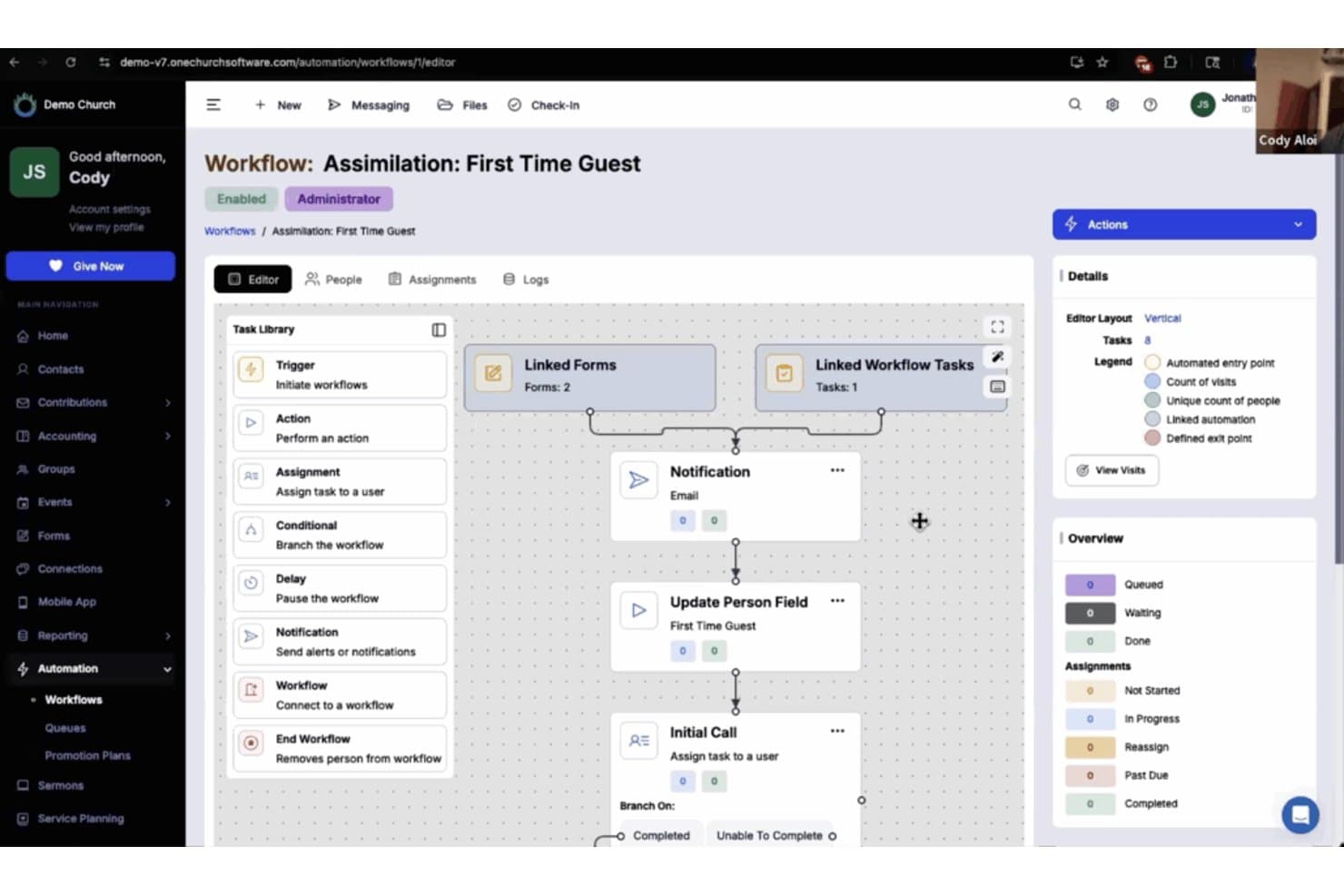
One Church Software offers an automated workflow builder for managing first-time guest assimilation with linked forms, notifications, and task assignments. One Church Software is a cloud-based church management system built for churches that want to bring people records, giving, groups, communications, and ministry planning into a single platform.
Who Is One Church Software Best For?
One Church Software is a strong fit for church administrators who want to automate ministry workflows across giving, communications, and volunteer coordination from a single platform.
Why I Picked One Church Software
One Church Software earns its spot on my shortlist because its workflow automation features are genuinely built around how ministry actually runs. I appreciate that you can trigger automated workflows from form submissions or search results, so when a first-time visitor fills out a connection card, follow-up emails, group assignments, and volunteer outreach can all fire without anyone manually tracking it. The Automation Suite also handles recurring communication sequences, like automatically texting volunteers their serving reminders or escalating lapsed-donor outreach.
One Church Software Key Features
- Member self-service portal: Members can view and edit their profiles, manage family records, check giving history, and register for events and groups without staff involvement.
- Secure child check-in: Check-in stations print name and security labels, track authorized pickup contacts, and log who checked in each child.
- Service planning and song catalog: Staff can build orders of service, manage chord charts, and schedule volunteers across services using SongSelect and PraiseCharts integrations.
- Giving statement generator: Administrators can produce donor statements in Mail/PDF, Email, or CSV formats with configurable date ranges, pledge progress, and designation subtotals.
One Church Software Integrations
One Church Software offers native integrations with Plaid, Pushpay, Protect My Ministry, PraiseCharts, SongSelect, YouTube, and Vimeo. Its API and webhooks support custom integrations.
Pros and Cons
Pros:
- Groups imported household records using family identifiers
- Keeps giving records connected to accounting workflows
- Automates visitor follow-up and volunteer reminders
Cons:
- Migration omits workflows and communication logs
- Profile-based billing can penalize occasional attendees
Learn more about One Church Software: Best for multilingual support
- Free plan available
- From $12/month (billed monthly)
Visit WebsiteCustomer Rating:4.6/5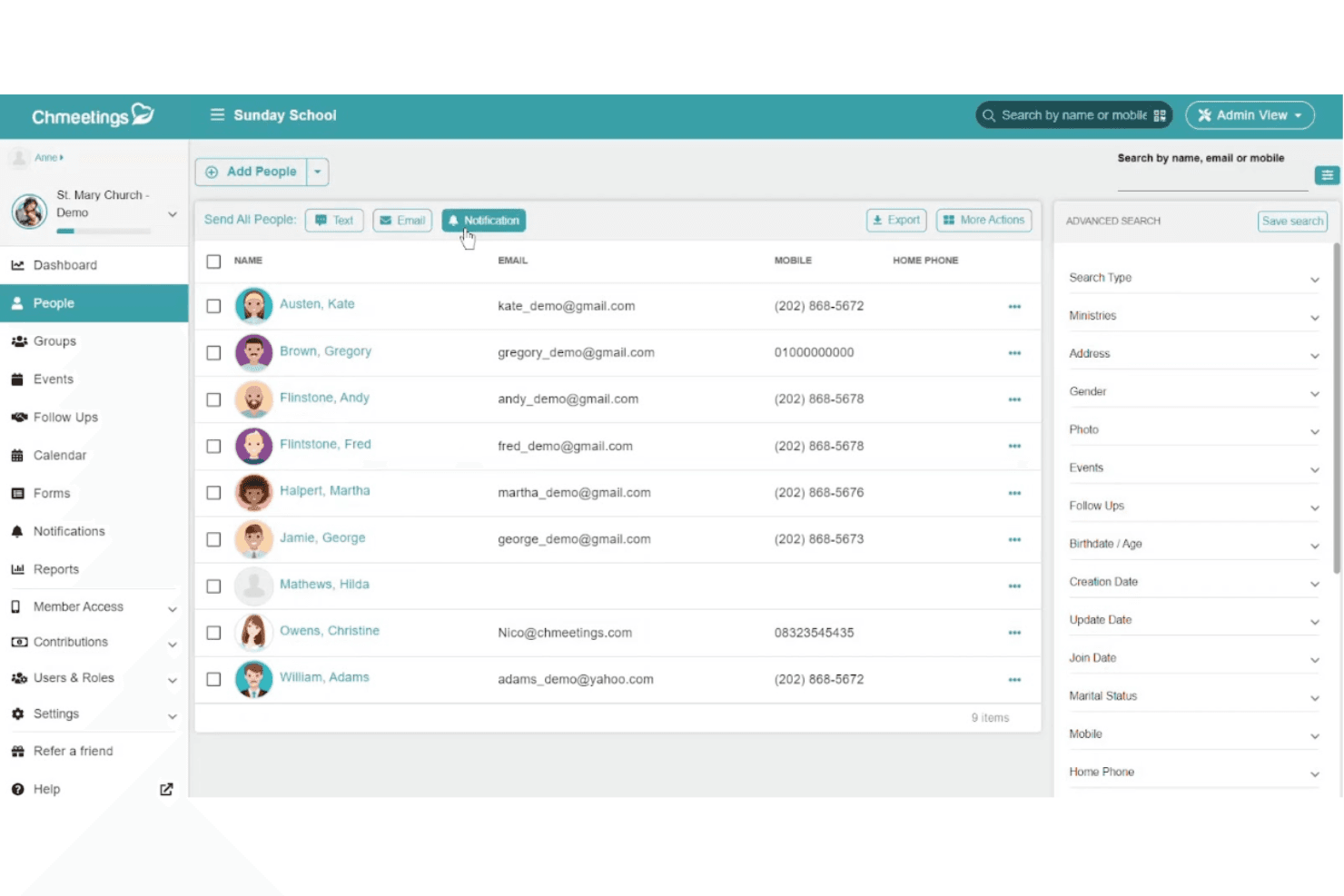
ChMeetings lets users manage and contact church members from one list. ChMeetings is a church management platform that brings member records, giving, accounting, communication, and events into one place—making it a practical fit for congregations that serve multilingual communities or manage multiple ministries under one roof.
Who Is ChMeetings Best For?
ChMeetings is a great fit for congregations that serve members across multiple languages or cultural backgrounds and need every person to navigate the platform in their preferred language.
Why I Picked ChMeetings
I picked ChMeetings as one of the best because its multilingual interface is genuinely built into how the platform works, not bolted on as an afterthought. Every person in your congregation can navigate ChMeetings in their own language, with support for over 25 options including Arabic, Simplified and Traditional Chinese, Spanish, Vietnamese, and Tigrinya. I especially appreciate that this applies across the member portal and mobile app, so a Vietnamese-speaking member and an Arabic-speaking deacon can both use the same account without either one navigating a system that wasn't built for them.
ChMeetings Key Features
- Member database with custom fields: Add custom field types—including conditional fields and file attachments—to member and family profiles, then bulk-update records or merge duplicates as needed.
- Contribution statements and giving reports: Generate, email, or print donor statements using customizable templates, and review giving by fund, payment method, donor age, or month.
- Volunteer scheduling with sign-up sheets: Assign volunteers to roles for individual or recurring events, and let volunteers select their own available dates and roles through invitation links or QR codes.
- Ministry-level administration: Give individual ministry teams scoped access to their own people, events, forms, and follow-ups while the main account retains church-wide oversight.
ChMeetings Integrations
ChMeetings offers native integrations with Stripe, PayPal, Mailchimp, Google Calendar, Outlook, Google Sheets, and Power BI. It supports REST API, webhooks, and connections to 9,000+ apps through Zapier.
Pros and Cons
Pros:
- Members can navigate in preferred languages
- Realm migration includes expert-led data transfer
- Member records stay organized across households
Cons:
- Recurring gifts need donor re-enrollment after migration
- Custom reports may miss specific ministry questions
Learn more about ChMeetings: Best for easy people management
- Free plan + 30-day free trial available
- From $29/month
Visit WebsiteCustomer Rating:4.8/5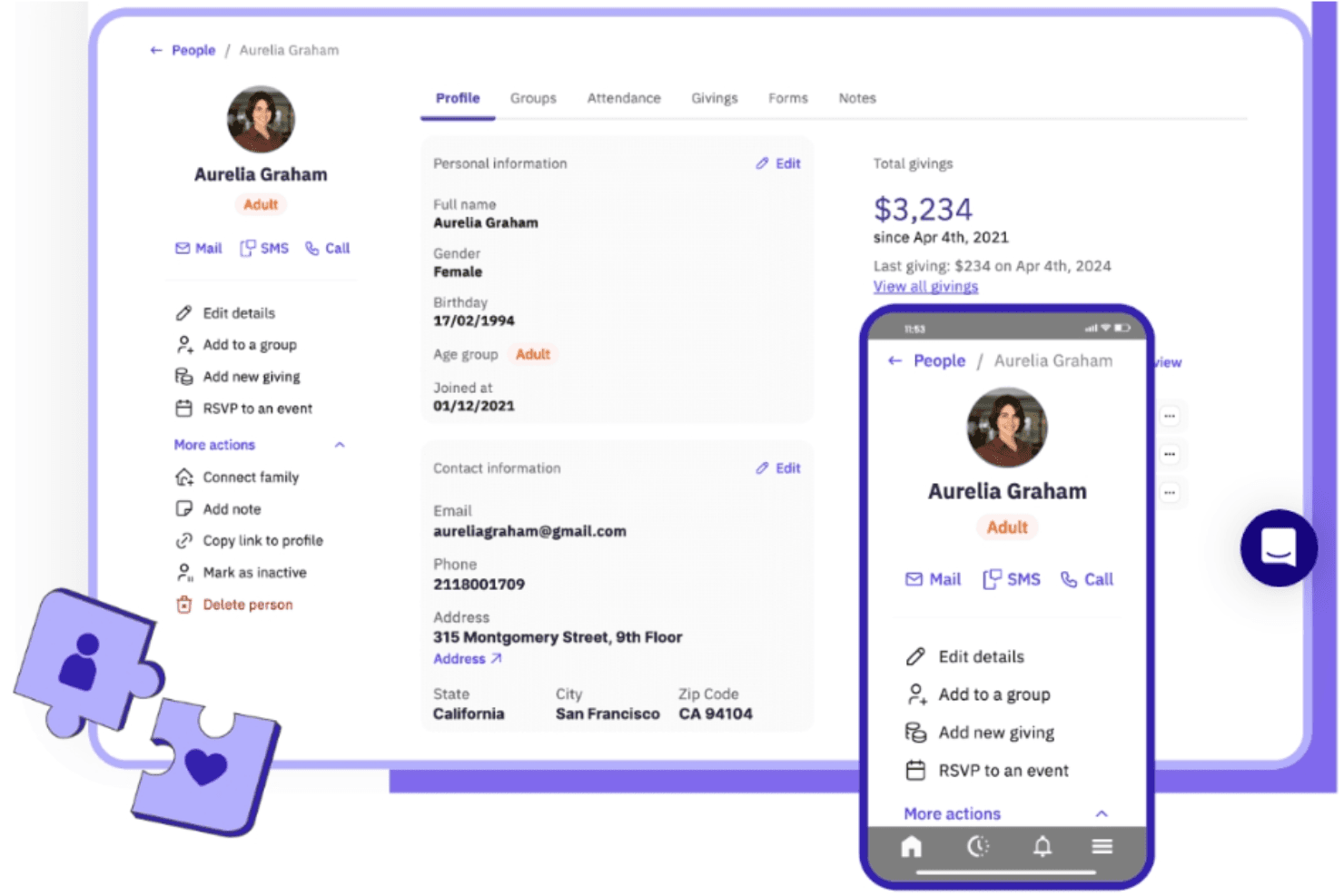
Gracely lets users view and manage detailed member profiles. Gracely is an all-in-one church management platform built for smaller and mid-sized congregations that want member records, online giving, groups, attendance, and communication tools without the complexity of legacy systems.
Who Is Gracely Best For?
Gracely is a strong fit for smaller and mid-sized churches that want one place to manage people, giving, and communication without the overhead of a legacy system.
Why I Picked Gracely
I picked Gracely as one of the best because people management is genuinely where it shines. Every member record connects family relationships, attendance history, group involvement, and giving insights in one profile, so you're never piecing together a picture of someone from separate systems. I particularly like the bulk-update and custom-field tools, which let you slice and filter your directory and export exactly the list you need, whether that's a PDF directory for a care visit or an Excel file for your board report.
Gracely Key Features
- Online giving with contribution tracking: Accept donations via an embeddable giving widget, Apple Pay, and Google Pay, while tracking one-time and recurring gifts, pledges, and multiple funds in one place.
- Attendance reports: View attendee, headcount, and "not seen recently" data filtered by event, period, and attendee type, with PDF and CSV export options.
- Member portal and My Gracely app: Give members mobile and web access to update their profiles, review giving history, browse events, and connect with groups via iPhone or Android.
- Group management with leader permissions: Create ministry teams, small groups, or classes with public or private visibility, and let group leaders manage their own groups without granting full admin access.
Gracely Integrations
Native integrations are not clearly documented; Gracely names Stripe and PayPal for payment processing, while Mailchimp and Checkr remain listed as coming soon. API availability isn't stated.
Pros and Cons
Pros:
- Reviewers praise weekly contribution reports
- Members can update profiles through the app
- Household profiles connect giving and attendance
Cons:
- Email-code sign-in excludes members without email
- Group-level reporting remains limited
Learn more about Gracely: Best for assisted Realm migration
- 30-day free trial + free demo available
- From $72/month
Visit WebsiteCustomer Rating:4.8/5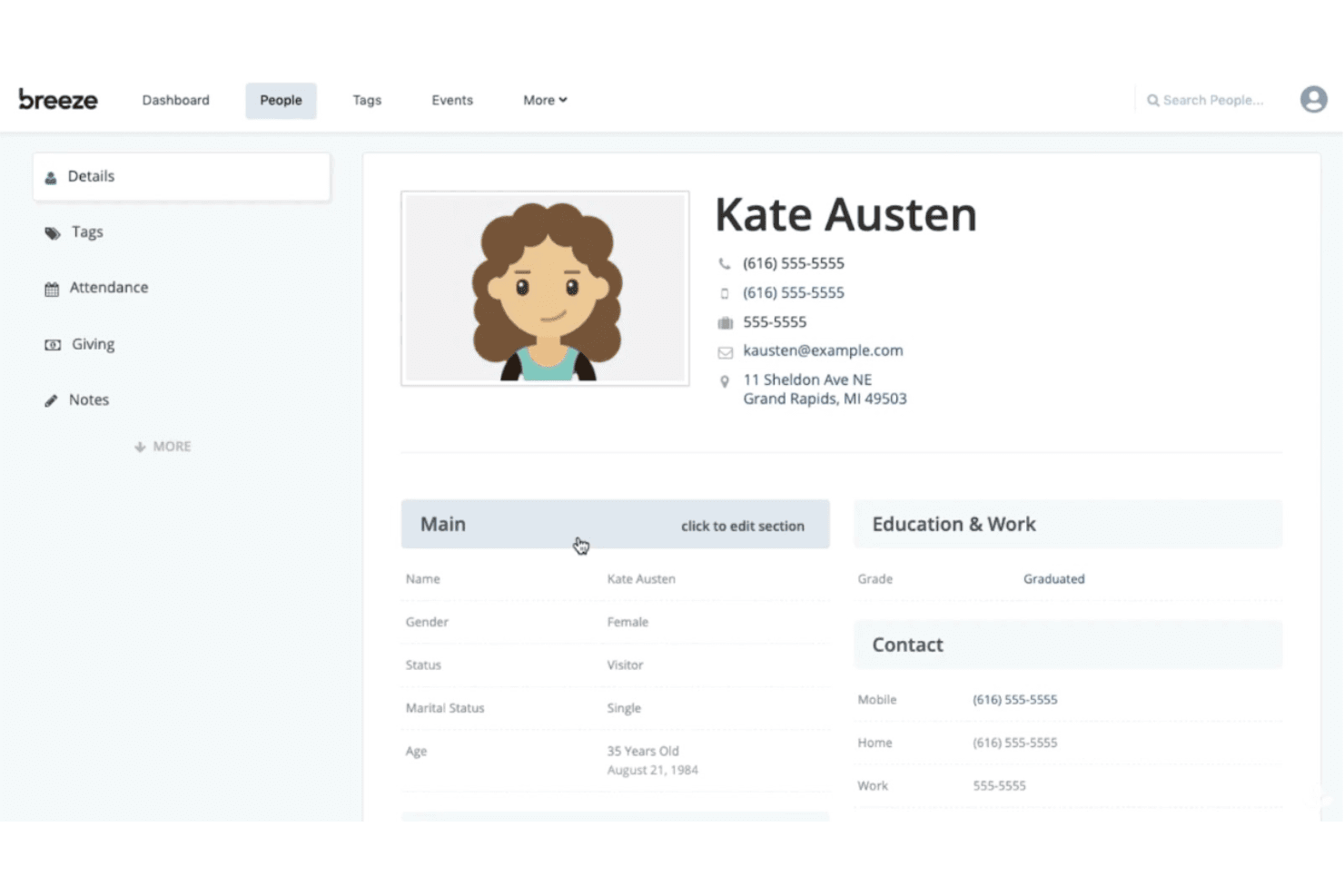
Breeze ChMS stores detailed member profiles with contact info and status. Tithely Church Management is a church management platform that helps congregations handle member records, giving, volunteer scheduling, group coordination, and child check-in under one flat monthly subscription.
Who Is Breeze ChMS Best For?
Breeze ChMS is a great fit for smaller and mid-sized churches that want an all-in-one church management system without the complexity or cost of enterprise-level platforms.
Why I Picked Breeze ChMS
I've included Breeze ChMS in my top picks because its flat $72/month rate covers everything from kids check-in with unique pickup security codes to volunteer scheduling with automated shift reminders, all without charging more as your congregation grows. I appreciate that data migration from Realm is handled by Tithely's move-in team at no extra cost, so switching doesn't become a budget line item. It's one of the few church management platforms where the price stays predictable whether you're adding 50 members or 500.
Breeze ChMS Key Features
- QuickBooks Online sync: Connects giving data to your QuickBooks Online account for financial reporting and bookkeeping.
- Secure child check-in with safety alerts: Check-in kiosks print name tags with allergy and special-needs alerts displayed for staff during pickup.
- MinistrySafe background checks: Initiate volunteer screening and assign child-safety training directly from a person's profile in Church Management.
- Multi-campus location management: Add and manage multiple campuses under one login, each with its own giving page and banking details.
Breeze ChMS Integrations
Breeze ChMS has native integrations with QuickBooks Online, MinistrySafe, and CCLI SongSelect. It also lists integrations with Planning Center Online, Church Community Builder, Rock RMS, and Salesforce, plus an HTTP API for custom connections.
Pros and Cons
Pros:
- Migration support includes people and giving records
- Giving reports support donor statements and receipts
- Household profiles and tags organize congregant records
Cons:
- Member self-service remains split across tools
- Custom reports can require export cleanup
Learn more about Breeze ChMS: Best for mobile giving features
- Free plan + 30-day free trial + free demo available
- From $72/month
Visit WebsiteCustomer Rating:4.8/5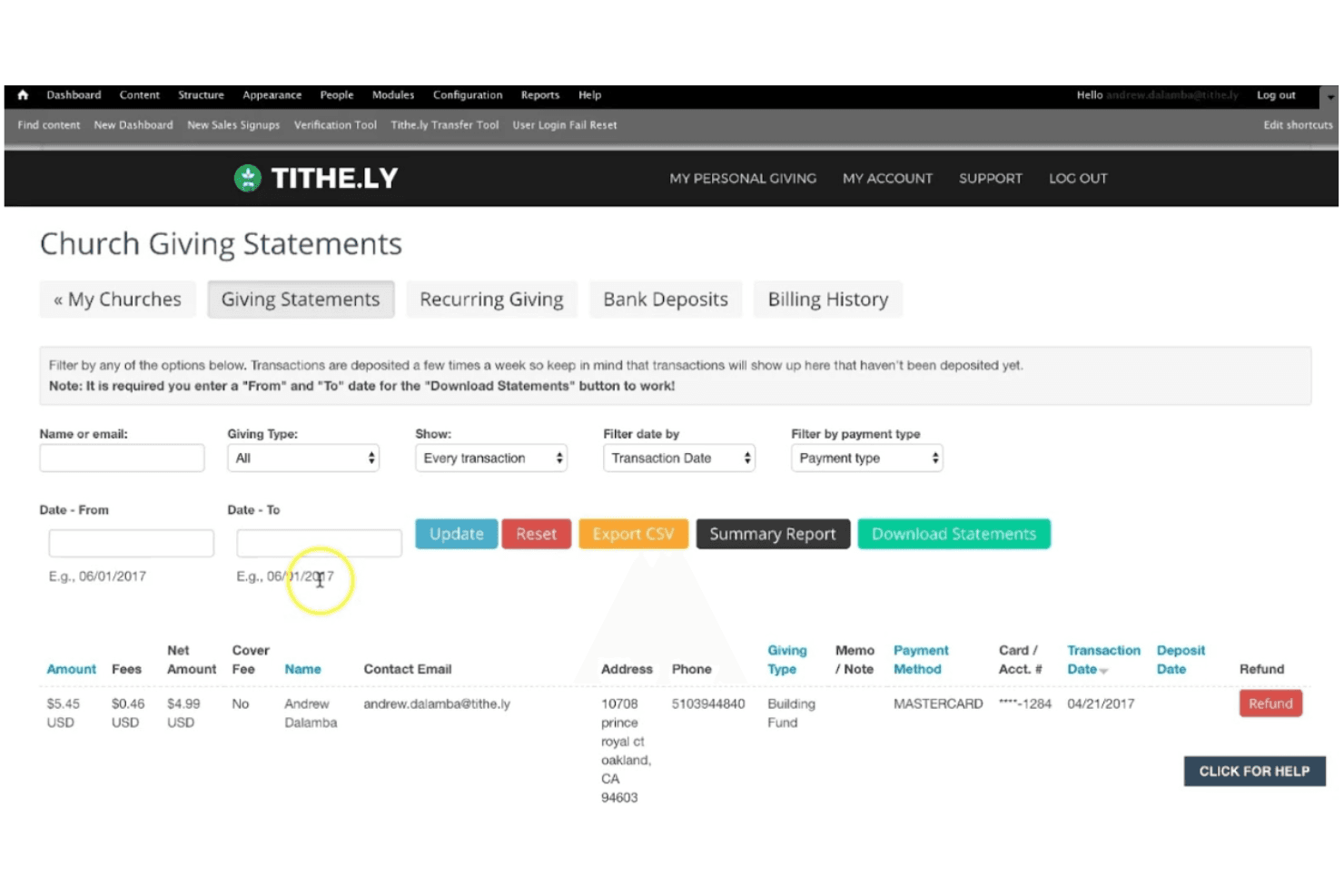
Tithe.ly lets churches filter and download donor giving statements. Tithe.ly Church Management is an affordable, flat-rate platform that connects member records, giving, groups, attendance, and service planning in one place—making it a practical fit for smaller and mid-sized churches that want to simplify administration without paying per-person fees.
Who Is Tithe.ly Best For?
Tithe.ly Church Management is a strong fit for smaller and mid-sized churches that want flat-rate, mobile-first tools for giving, member records, and group communication without paying per-person fees.
Why I Picked Tithe.ly
I picked Tithe.ly as one of the best because its mobile giving tools are genuinely hard to match at this price point. Members can give via text, mobile app, or in-person kiosk, and recurring gifts tie directly to their member record so contribution statements pull accurate data without manual cleanup. I also appreciate that the Church App lets members view their full giving history and manage recurring donations from their phones, which removes a surprising number of admin follow-up tasks.
Tithe.ly Key Features
- People database: Stores member profiles, household records, attendance, and giving history in a single directory with customizable tags for organizing groups, volunteers, and event attendees.
- Kids and event check-in: Provides self-service kiosk check-in with printable name tags and unique security codes to match children with parents or guardians at pickup.
- Service planning and volunteer scheduling: Lets staff build service outlines, assign volunteers and worship team members to roles, and send automatic reminders when plans change.
- QuickBooks Online integration: Syncs card, ACH, cash, check, pledge, and event transactions from Tithely directly into QuickBooks Online for financial reporting and bookkeeping.
Tithe.ly Integrations
Tithe.ly lists integrations with QuickBooks Online, Planning Center Online, Rock RMS, FellowshipOne, Church Community Builder, MinistryPlatform, Shelby, Salesforce, Elvanto, and MinistrySafe. An API is available for custom integrations.
Pros and Cons
Pros:
- Reviewers praise intuitive navigation and helpful support
- Members manage giving history through the church app
- Mobile giving links gifts with member records
Cons:
- Volunteer tools and attendance reporting lack depth
- People exports ignore applied filters
 Best for member engagement tools
- Free plan + free demo available
- From $59/month
Visit WebsiteCustomer Rating:4.7/5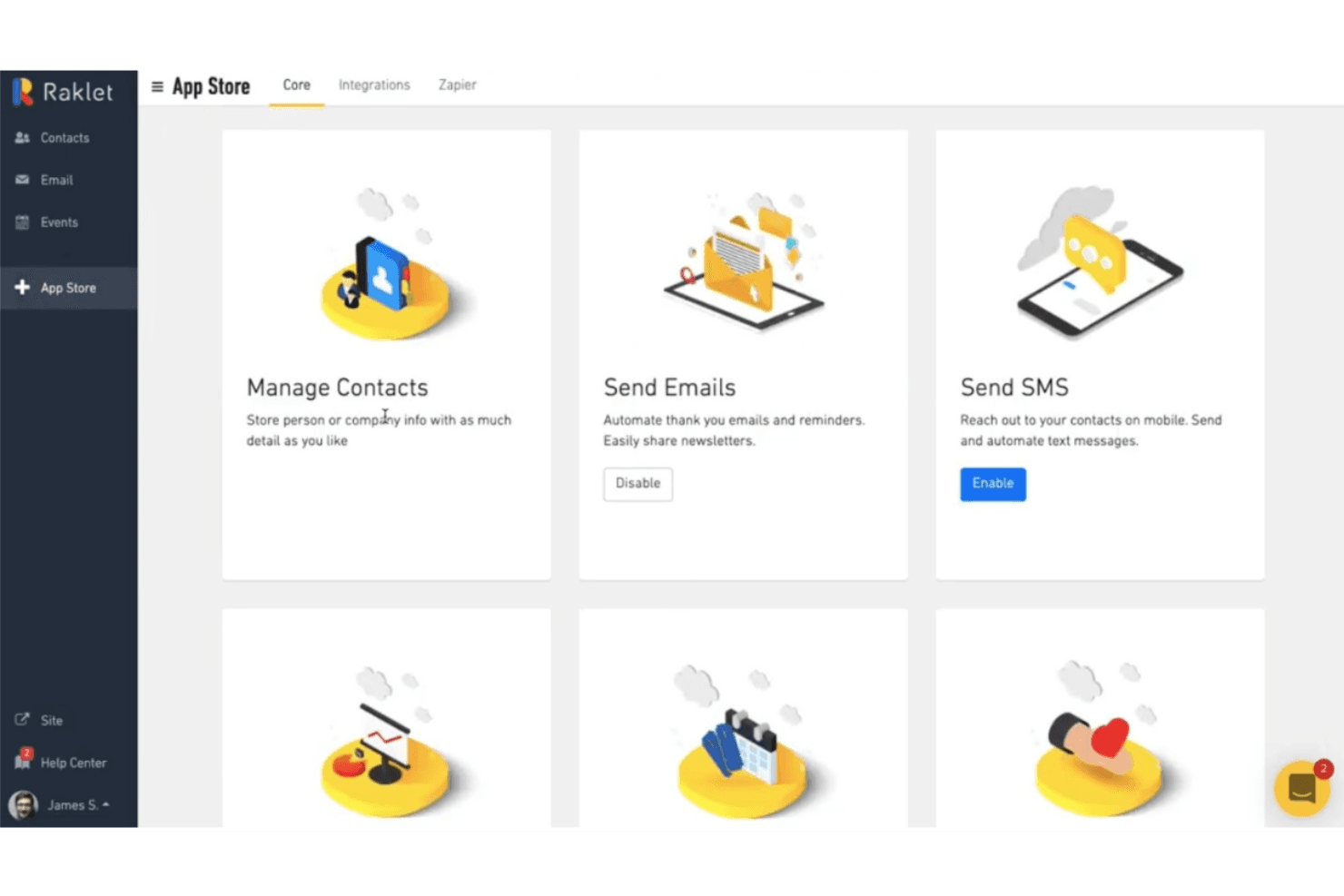
Raklet's App Store lets users enable core features like SMS and email. Raklet is a membership and community platform that churches can use to manage member records, collect donations, run events, and keep congregations connected through email, SMS, and mobile apps.
Who Is Raklet Best For?
Raklet is a good fit for churches that prioritize keeping members connected through digital tools like email, SMS, and a mobile app over deep financial or volunteer management.
Why I Picked Raklet
I picked Raklet as one of the best because its member engagement tools genuinely stand out for churches that want to keep people connected between Sundays. I love how it combines segmented email and SMS with a built-in community space where members can post, comment, and message each other directly. You can also issue digital membership cards that members carry in the mobile app and use for event check-ins, which makes tracking who shows up to services or gatherings much simpler.
Raklet Key Features
- Online donation campaigns: Create fundraising campaign pages with a goal, duration, and donor list, and collect one-time or recurring gifts directly through the platform.
- Dynamic contact segmentation: Build saved segments that update automatically based on membership status, custom fields, tags, and event attendance criteria.
- QuickBooks Online integration: Sync membership payments to QuickBooks Online in real time, automatically generating corresponding customers, invoices, and payments.
- Event ticketing and check-in: Sell free or paid tickets with custom ticket types and attendee limits, then check attendees in using QR codes or barcodes.
Raklet Integrations
Raklet offers native integrations with QuickBooks, Xero, Stripe, Zoom, HubSpot, Salesforce, WordPress, Wix, and Squarespace. It also provides a REST API with OpenAPI documentation and supports Zapier.
Pros and Cons
Pros:
- QR event check-ins capture attendee records
- Household memberships organize family records under one account
- Segmented email and SMS target member outreach
Cons:
- No recurring group attendance or volunteer scheduling
- No built-in contribution statements or fund accounting
Learn more about Raklet: Best for integrated accounting features
- Free plan + 60-day trial + demo available
- From $325 one-time
Visit WebsiteCustomer Rating:4.5/5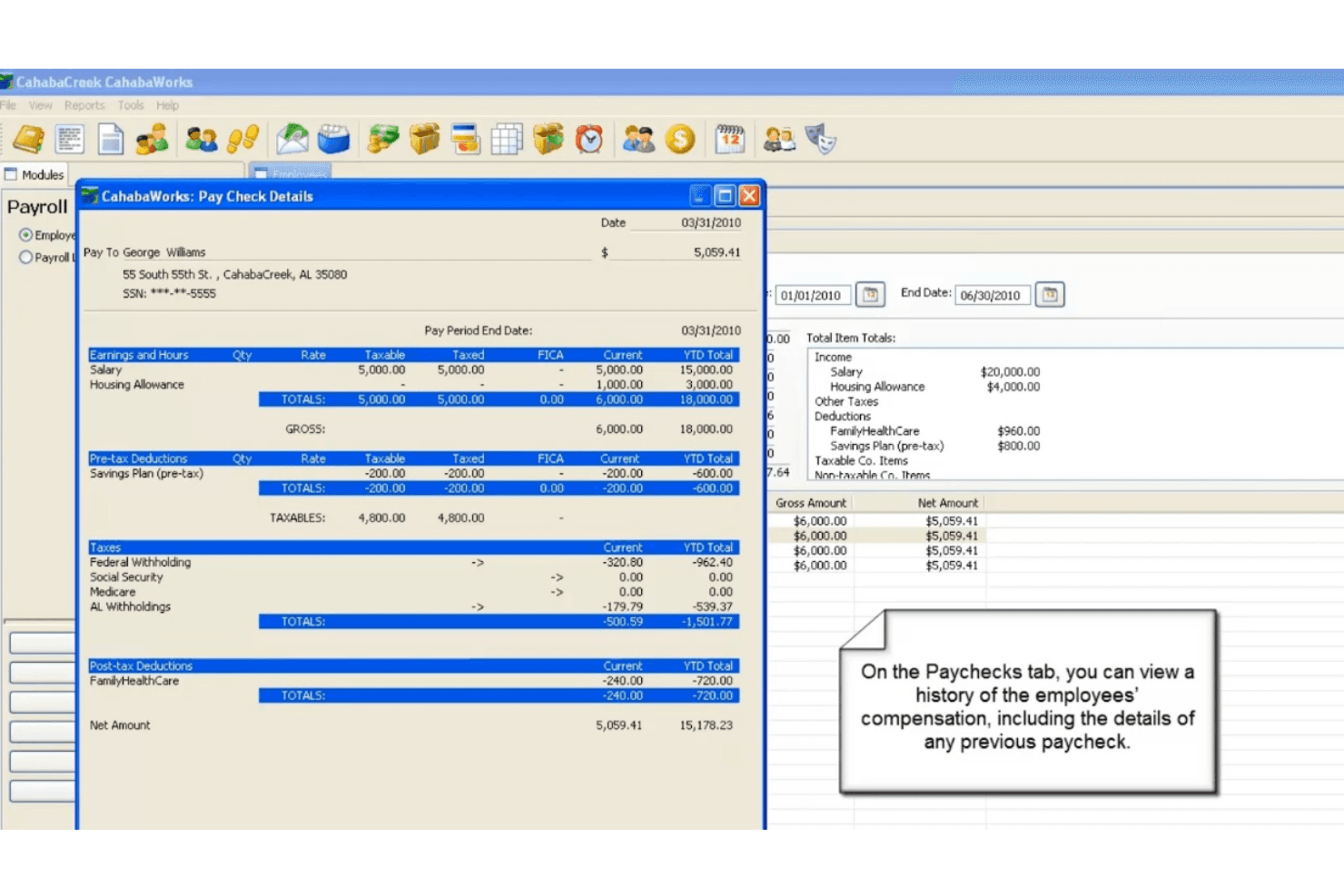
CahabaWorks lets users view detailed paycheck breakdowns per employee. CahabaWorks is an on-premise church management system built for small, budget-conscious congregations that need member records, group tracking, and fund accounting in one place without a subscription.
Who Is CahabaWorks Best For?
CahabaWorks is a strong fit for small, budget-conscious churches that need member records, giving tracking, and fund accounting managed in one on-premise system.
Why I Picked CahabaWorks
I picked CahabaWorks as one of the best because its integrated accounting features set it apart from most church management tools. I appreciate how contributions link directly to fund financials, so when a gift is recorded, it flows into the right fund automatically. The financials module handles sub-funds, restricted funds, budgets, and accounts payable all in one place, which I find especially useful for churches tracking dedicated benevolence or building funds alongside general giving.
CahabaWorks Key Features
- Member and household records: Store detailed member profiles with family relationships, custom fields, and linked notes for each person or household.
- Child check-in with security labels: Check children into groups, track group assignments, and print security labels for attending and visiting families.
- Capital campaigns and pledge tracking: Create and manage giving campaigns, record member pledges, and monitor pledge fulfillment over time.
- Group attendance tracking: Record attendance by individual or total headcount across multiple group categories, with roster and reporting tools included.
CahabaWorks Integrations
CahabaWorks has one documented native integration: Vanco Payment Solutions for online-giving imports. It also supports Excel-based member data import and export, but no API or broader integration ecosystem is documented.
Pros and Cons
Pros:
- Reviewers praise patient, responsive customer support
- Household records link giving and group activity
- Fund contributions connect directly to church financials
Cons:
- Dated navigation and Windows-dependent email features
- No member portal or mobile access
Learn more about CahabaWorks: Best for desktop church tools
- Free plan + demo available
- From $69.99/month
Visit WebsiteCustomer Rating:4.8/5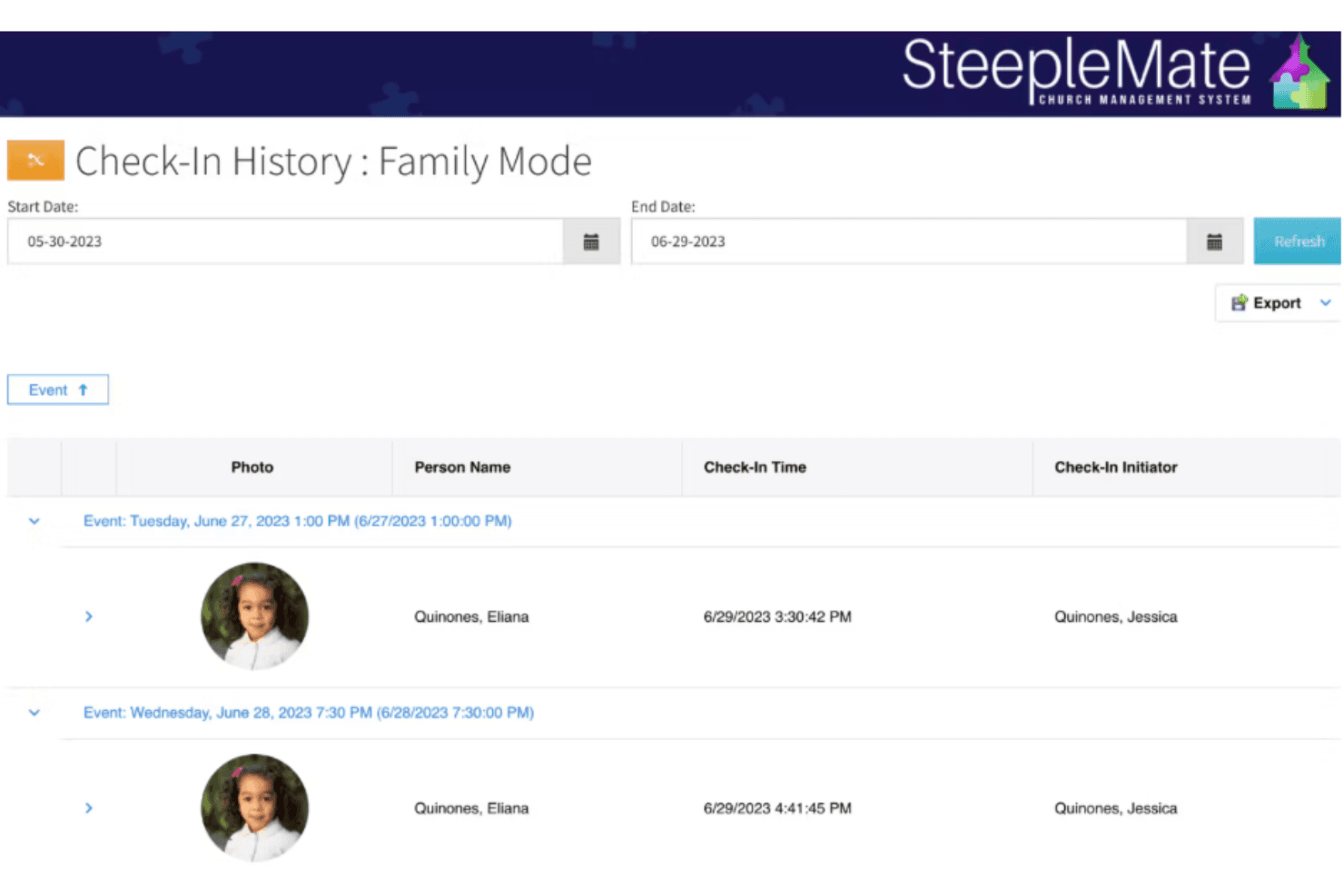
SteepleMate tracks family check-in history with timestamps and photos. SteepleMate is a church management system that covers member records, giving, communications, and even sermon organization and academic programs in one flat-rate platform—making it a practical fit for smaller and mid-sized churches that want to consolidate tools without paying per-seat fees.
Who Is SteepleMate Best For?
SteepleMate is a strong fit for smaller and mid-sized churches that want member records, giving, and communications managed from a single desktop-first platform at a flat monthly rate.
Why I Picked SteepleMate
I picked SteepleMate as one of the best because it's built around a true desktop-first experience, with a web portal that keeps member records, sermon logs, giving history, and academic programs all in one place. I particularly like the Preach module, which lets pastors store sermons with scripture references, themes, and delivery history in a way most church platforms skip entirely. The Finance module also stands out to me for how it handles text-to-give, where first-time donors get a setup link and returning donors give in seconds using their saved method.
SteepleMate Key Features
- CareTracks automation: Set up multi-step follow-up workflows triggered by member actions, sending texts or emails and assigning tasks automatically.
- Academics module: Manage Sunday School and Bible study classes, rosters, attendance, lesson plans, and tuition or lunch accounts in one place.
- Child check-in with authorized pickup: Use pickup codes and QR scans to control who can collect children, with parents added automatically as authorized contacts.
- Dynamic groups: Build groups that automatically update based on member activity, attendance, or engagement data to track congregational growth.
SteepleMate Integrations
SteepleMate offers a documented native integration with QuickBooks Online for posting deposits and mapping payment categories to accounts, classes, and projects. It also uses Google Translate for website translation, but no API or broader integration directory is documented.
Pros and Cons
Pros:
- Reviewers praise consolidated records and communication
- Sermon histories alongside member administration
- Responsive staff support and hands-on training
Cons:
- Task management still requires the website
- Bulk record editing feels clunky
Learn more about SteepleMate: Best for budget-friendly plans
- 30-day free trial + free demo available
- From $29/month
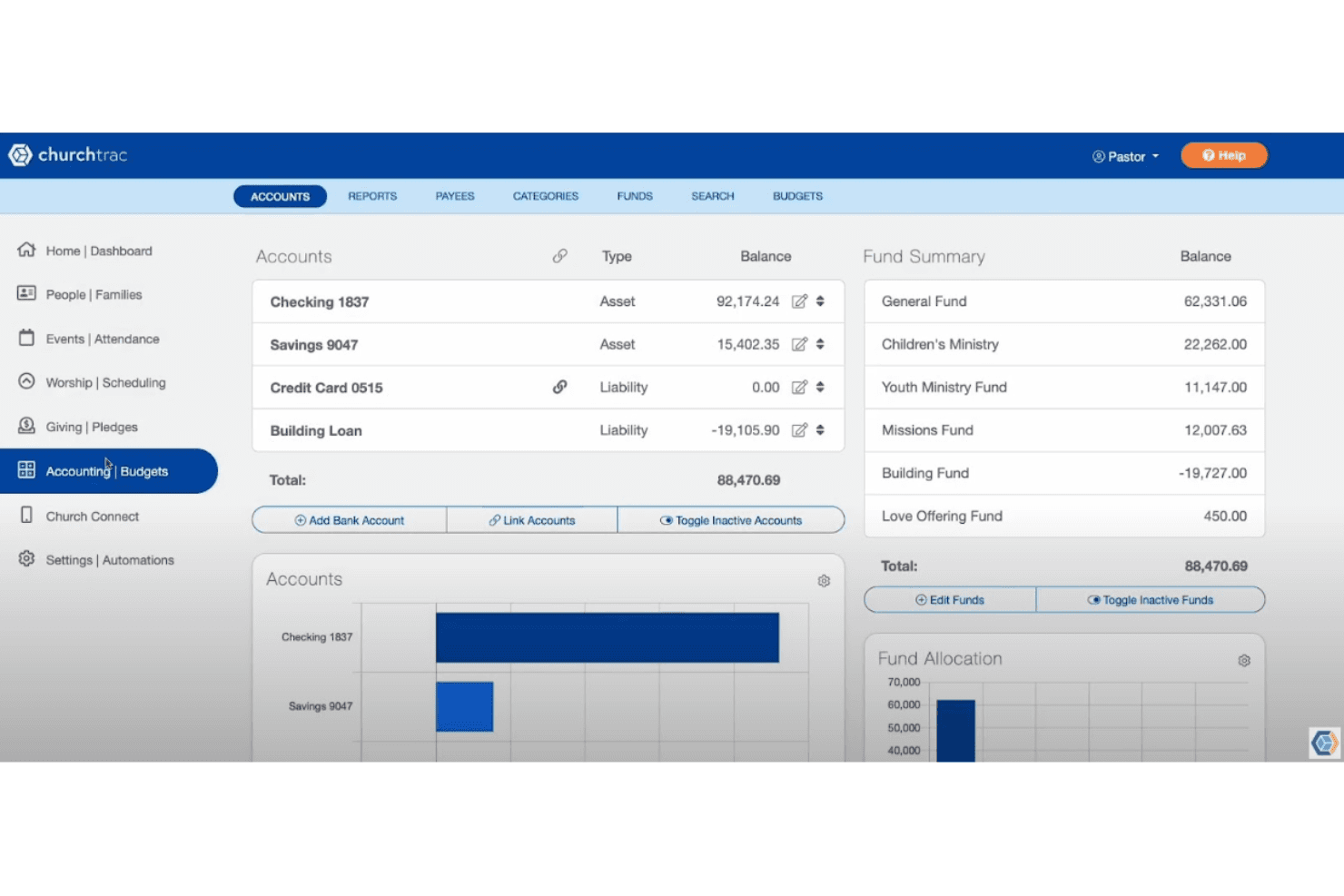
ChurchTrac helps users manage church finances across accounts and funds. ChurchTrac is an all-in-one church management platform that bundles member records, fund accounting, online giving, worship planning, and a member-facing app into a single subscription—making it a practical choice for smaller congregations that want to replace multiple tools without a complicated setup.
Who Is ChurchTrac Best For?
ChurchTrac is a great fit for smaller congregations that want member records, giving, accounting, and a member app bundled into one affordable subscription.
Why I Picked ChurchTrac
I picked ChurchTrac as one of the best because every name-based plan, from $29/month for up to 75 people to $119/month for unlimited names, includes fund accounting, online giving, worship planning, and a member app with no module fees added on top. I appreciate that a congregation of 200 gets the same full feature set as a congregation of 2,000, just at a lower tier price. Things like contribution statements, group attendance, and check-in kiosks aren't gated behind upgrades.
ChurchTrac Key Features
- Worship planning and scheduling: Build service outlines, assign people to service moments, and schedule volunteer teams with side-by-side monthly views.
- Church automations: Create multi-step follow-up workflows triggered by events like a first donation, group assignment, or membership status change.
- Child check-in kiosk: Run staff and parent check-in stations that print security-coded labels and record allergy notes and check-out timestamps.
- Mass voice messaging: Record and send voice messages to the full congregation or targeted segments, with scheduling options for a chosen date and time.
ChurchTrac Integrations
ChurchTrac has documented integrations with Stripe, SongSelect, PraiseCharts, and MinistrySafe. Its API is closed, with no API-level access for custom integrations.
Pros and Cons
Pros:
- Automated workflows assign pastoral-care follow-ups
- Fund accounting and contribution statements are built in
- Member and giving records share one workspace
Cons:
- Financial reports offer limited customization
- Group attendance excludes subgroup tracking
Learn more about ChurchTrac: 10Best for integrated business tools
Bitrix24
- Free plan + 15-day free trial + free demo available
- From $69/month
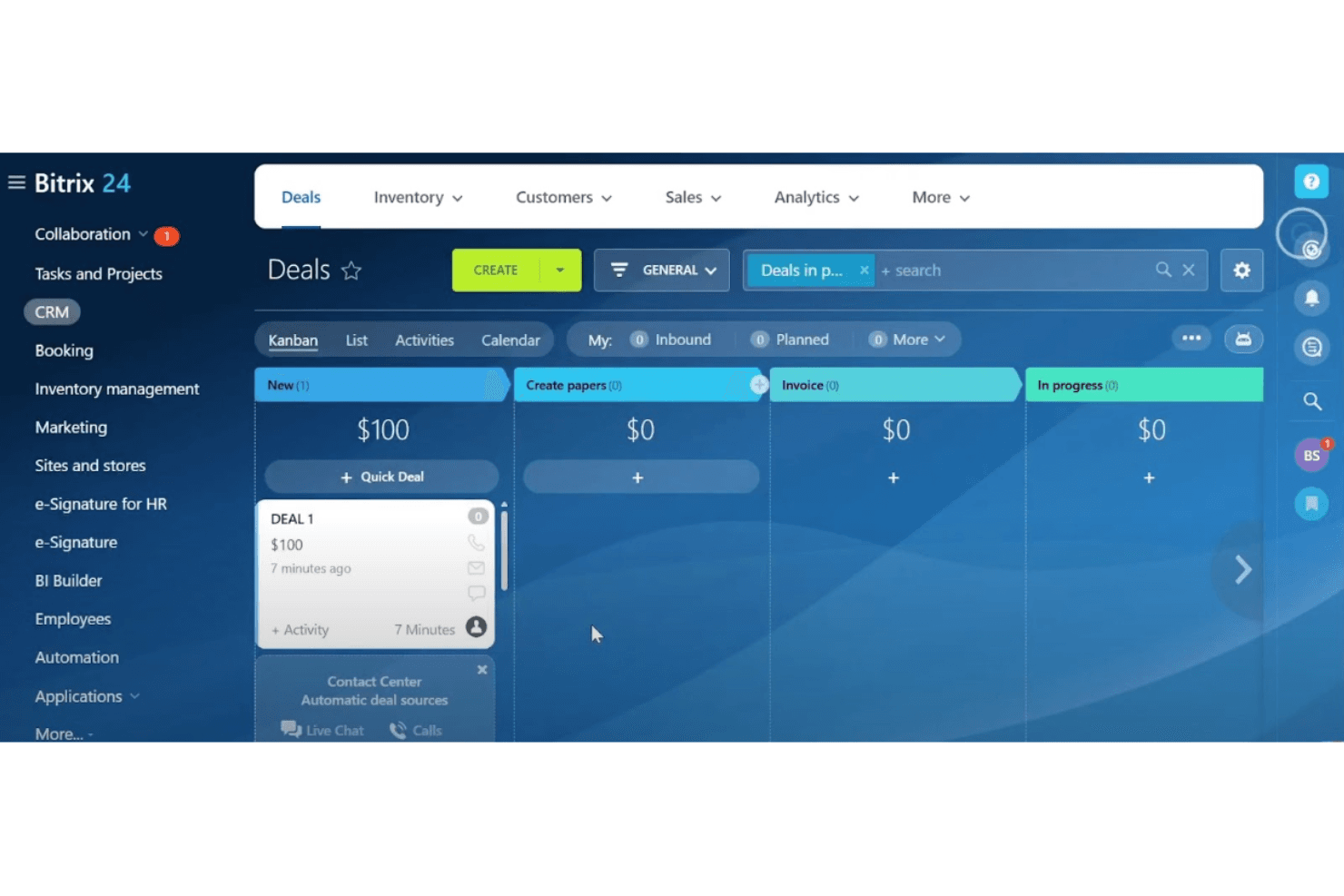
Bitrix24 organizes sales deals in a visual Kanban pipeline view. Bitrix24 is a general-purpose business workspace that bundles CRM, project management, team communication, and workflow automation in one platform—appealing to churches that want to consolidate scattered tools and coordinate staff, volunteers, and donor records without managing multiple subscriptions.
Who Is Bitrix24 Best For?
Bitrix24 suits churches that want to consolidate staff communication, task management, and donor contact records into a single platform instead of juggling separate tools.
Why I Picked Bitrix24
I've included Bitrix24 in my top picks because it's one of the few platforms that genuinely consolidates staff communication, task coordination, and contact records without requiring separate subscriptions for each. I like that workgroups let ministry teams assign roles, coordinate volunteer shifts, and manage event responsibilities all in one place. The CRM also centralizes donor and contact records with segmentation and interaction histories, which works well for tracking congregational outreach.
Bitrix24 Key Features
- Automation rules and triggers: Set up rules that automatically move deals through pipelines, send notifications, or kick off follow-up tasks based on preset conditions.
- Email and SMS campaign tools: Build segmented outreach campaigns using saved contact lists, with support for email, SMS, and messenger channels.
- Knowledge bases: Create and share structured knowledge bases for teams, projects, or the whole organization to centralize important information.
- Role-based access permissions: Assign access rights by role or department so each team member only sees and edits what's relevant to their work.
Bitrix24 Integrations
Bitrix24 Market lists 840+ apps, including QuickBooks, FreshBooks, Stripe, and Squareup. It supports REST API, webhooks, and Zapier for custom integrations.
Pros and Cons
Pros:
- Automates follow-up across outreach campaigns
- Centralizes donor contacts and interaction histories
- Combines staff chat, tasks, and calendars
Cons:
- No native giving statements or attendance logs
- No household relationship mapping for members
Learn more about Bitrix24 :
Outras alternativas ao Realm
Eis algumas alternativas adicionais ao Realm que não entraram na minha lista restrita, mas que vale a pena conhecer:
- 11Continue to GiveBest for integrated donation tools
- 12ChurchCRMBest for open-source flexibility
- 13Fellowship OneBest for large church networks
- 14Neon OneBest for donor management
- 15Planning CenterBest for volunteer scheduling
How I Evaluate Realm Alternatives
I evaluate each tool against two layers: the baseline every church management system must offer—member records, giving, check-in—and the differentiators that separate the right fit for your ministry.
Core Functionality (Table Stakes For This List)
When I'm selecting tools for my list, I rank each one on a scale from 0 (does not offer the functionality) to 5 (excels in this area) for each core functionality listed below. Then, I calculate the tool's total score into a percentage. Each tool needs to achieve a minimum total score of 65% to be considered for inclusion.
- Member & Household Management: I check whether profiles link into household units and support custom fields, life events, and notes—the kind of data pastors rely on for care.
- Online Giving & Contributions: Each tool should handle recurring gifts, pledges, and year-end contribution statements so your finance team isn't cobbling reports together manually.
- Attendance & Check-In Tracking: I look for secure child check-in with printed name tags, plus the ability to log service and event attendance for trend reporting.
- Groups & Ministry Management: Small group rosters, volunteer team signups, and leader-facing tools matter here—platforms like Breeze and Planning Center handle this differently.
- Congregational Communication: I evaluate whether you can send targeted emails, texts, or app notifications to filtered segments rather than blasting your entire directory.
- Church Financial Reporting: Fund-based accounting and budget tracking built for churches get priority, since generic spreadsheet exports don't meet most board reporting needs.
Once I have a list of tools that meet this criteria, I consider what sets each platform apart.
Differentiating Factors (What Sets Vendors Apart)
Here's how I compare and contrast different vendors:
Standout Features
Workflow automation is a major differentiator—tools that trigger follow-up sequences when someone visits for the first time or signs up for baptism save your staff from tracking next steps manually. I also look at multi-campus support, since growing churches need campus-level permissions and consolidated reporting across locations. A branded mobile app matters too, giving members one place to give, check directories, and join groups without bouncing between platforms.
Beyond Features
Data migration is the first thing I evaluate when switching from Realm—can the new platform import your member records, giving history, and group data without starting from scratch? Pricing structure matters just as much, especially for smaller churches where per-member fees can quietly balloon as the congregation grows. I also check each vendor's support availability on weekends, because a check-in kiosk going down on Sunday morning is a problem that can't wait until Monday.
Por que procurar uma alternativa ao Realm?
Embora o Realm seja uma boa opção de software de gestão de igrejas, existem várias razões pelas quais alguns utilizadores procuram soluções alternativas. Pode estar à procura de uma alternativa ao Realm porque…
- Precisa de mais opções de personalização
- A sua igreja necessita de suporte multilingue
- Procura melhores funcionalidades para a aplicação móvel
- Pretende planos de preços mais acessíveis
- A sua equipa necessita de ferramentas avançadas de criação de relatórios
- Procura uma melhor gestão de voluntários
Se alguma destas situações lhe é familiar, veio ao lugar certo. A minha lista inclui várias opções de software de gestão de igrejas mais adequadas para equipas que enfrentam estes desafios com o Realm e procuram soluções alternativas.
Principais funcionalidades do Realm
Eis algumas das principais funcionalidades do Realm, para o ajudar a comparar as soluções alternativas:
- Soluções ministeriais: Fornece ferramentas para o acompanhamento pastoral, o ministério juvenil e o envolvimento da comunidade, ajudando a gerir várias funções da igreja.
- Ferramentas de gestão: Inclui painéis e relatórios para fornecer à sua equipa informações sobre as atividades e a situação da igreja.
- Gestão financeira: Disponibiliza opções para contribuições, contabilidade e processamento salarial, simplificando as operações financeiras da sua igreja.
- Perfis e diretórios: Gere as informações individuais dos membros e o seu envolvimento, permitindo-lhe acompanhar a sua congregação.
- Eventos: Facilita a inscrição autónoma e a coordenação de eventos da igreja, tornando o planeamento de eventos simples.
- Gestão de voluntários: Ajuda a coordenar grupos de serviço e a gerir eficazmente os esforços dos voluntários.
- Verificação de antecedentes: Fornece verificações abrangentes para voluntários, garantindo a segurança e a conformidade.
- Aplicações móveis: Disponibiliza acesso aos diretórios e às atividades da igreja em qualquer lugar, mantendo a sua equipa ligada.
- Comunicações: Envolve a sua congregação através de feeds de notícias, e-mails e conversas, melhorando a comunicação.
- Segurança: Garante o acesso encriptado para funcionários e membros, protegendo informações sensíveis.