

Paylocity-beoordeling: Voordelen, Nadelen, Functies & Prijzen
Wat komt hierna? Abonneer u op onze nieuwsbrief voor de nieuwste bronnen, beste praktijken en inzichten over het leiden van kerken van deskundige voorgangers en kerkleiders, inclusief tips over webinars, sociale media en het gebruik van platforms zoals Paylocity.

We review tools independently, and commissions help fund our testing. See our transparency policy, our methodology, or suggest a tool.
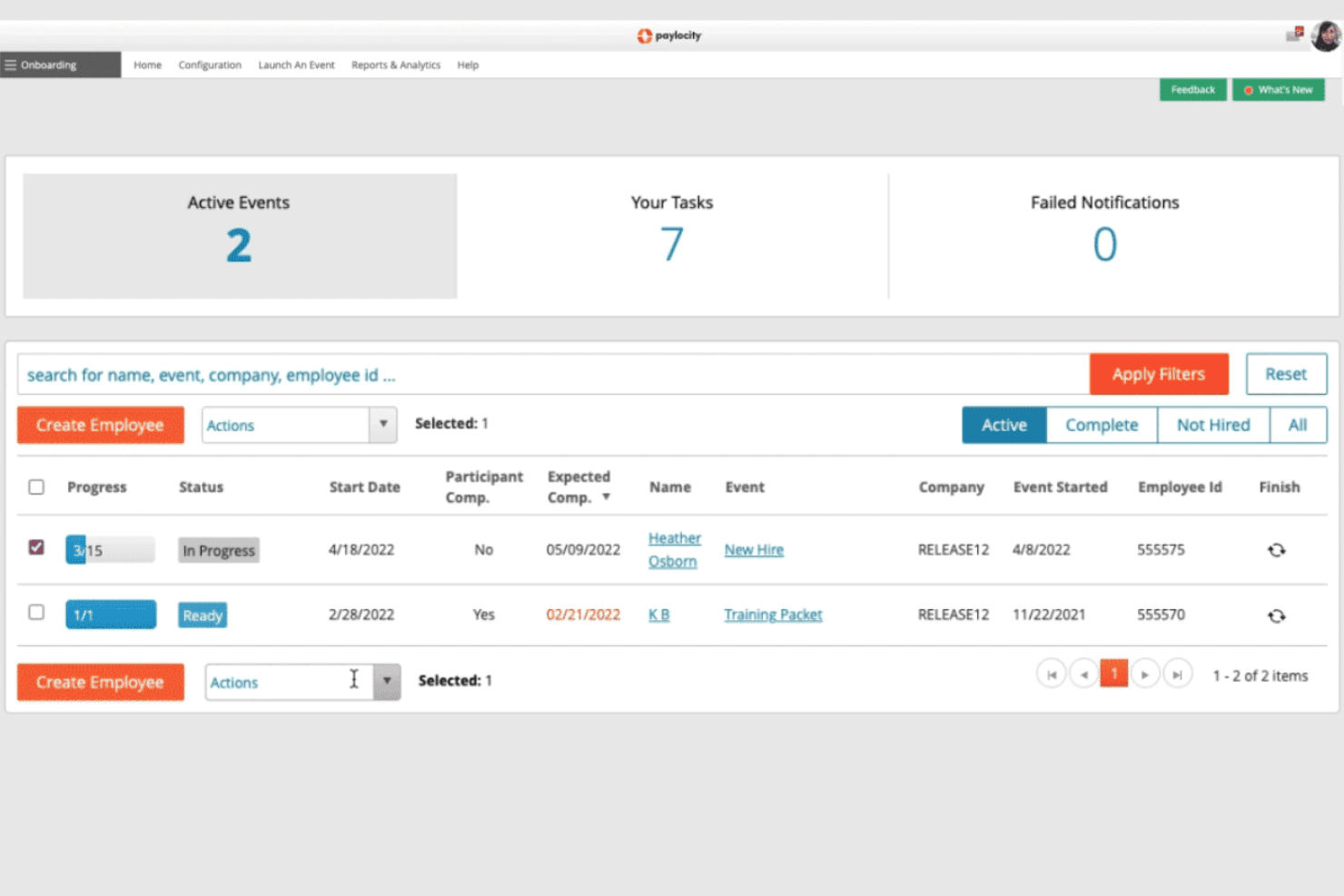
Paylocity is a church payroll software built for churches managing a staff team that needs payroll, benefits, and HR tools in one system. I'd lean toward it over a tool like Gusto if your church employs a sizable staff and needs deeper HR functionality—things like employee self-service, benefits administration, and time tracking—that goes well beyond basic payroll processing.
Paylocity Evaluation Summary
4.3/5
- Pricing upon request
- Free demo available
Waarom u onze softwareaanbevelingen kunt vertrouwen
6,700+
Reviews
20
Industry experts
16+
Evaluation factors
14
Years
Ons team test en beoordeelt software sinds 2012. Als kerkleiders weten we zelf hoe moeilijk — en belangrijk — het is om de juiste software te kiezen.
Voor deze gids hebben we tools geëvalueerd met behulp van praktijktests en onafhankelijk onderzoek, waarbij we tools beoordeelden aan de hand van onze selectiecriteria.
Onze reviews weerspiegelen ons menselijke redactionele oordeel, geen verkooppraatje.
Paylocity Overview
Pros
- Paylocity’s user-friendly interface makes it easy for your team to navigate.
- The payroll automation features save you time on repetitive tasks.
- The customer support team is responsive and helpful with your inquiries.
Cons
- Paylocity’s customization options are limited compared to other hr software.
- Some users find the reporting features too basic for their needs.
- You might experience occasional slowdowns during peak times.
Is Paylocity Right For Your Needs?
Who Would be a Good Fit for Paylocity?
Small to medium-sized churches and religious organizations are a great fit for Paylocity. If your team wants to streamline payroll processing without diving into complex setups, you’ll benefit from its user-friendly interface and efficient automation. Paylocity helps you focus on ministry rather than administrative hassles, making it ideal for churches with limited administrative staff or small business needs. Its responsive customer support ensures that your questions get answered promptly, adding to its appeal for church communities.
- Small ChurchesPaylocity’s straightforward payroll automation helps your small church manage payroll services efficiently without needing a large administrative team.
- Religious OrganizationsReligious organizations benefit from Paylocity’s user-friendly interface, which allows you to streamline workflows easily.
- Administrative TeamsYour HR teams will appreciate Paylocity’s responsive customer support and simple navigation, making payroll processing less stressful.
- Nonprofit OrganizationsNonprofits can leverage Paylocity’s automation features to save time on repetitive payroll processing tasks, allowing you to focus on your mission.
- Volunteer CoordinatorsVolunteer coordinators find Paylocity helpful in managing payroll services for both staff and volunteers with ease.
- Finance DepartmentsFinance departments benefit from Paylocity’s efficient payroll platform, simplifying tasks and improving accuracy in financial management.
Who Would be a Bad Fit for Paylocity?
Large enterprises with complex payroll processing needs might find Paylocity lacking. If your team requires extensive customization or advanced reporting features, Paylocity may not meet your expectations. Its basic reporting and limited customization could hinder your ability to manage intricate workflows. Organizations with highly specialized human resources requirements or those needing extensive integration capabilities might struggle to find Paylocity a suitable fit.
- Large CorporationsPaylocity’s limited customization and basic reporting features may not support your complex human capital management needs.
- Highly Specialized IndustriesIndustries needing specialized payroll processing might find Paylocity’s capabilities too generic for your specific requirements.
- Advanced FinanceTeams Your finance team may need more advanced reporting and analytics than Paylocity offers.
- High-Volume PayrollsOrganizations processing high-volume payroll services might experience slowdowns with Paylocity during peak times.
- Tech-Savvy OrganizationsTech-savvy companies may find Paylocity’s features too basic compared to more advanced hr software solutions.
- Integration-Heavy EnvironmentsIf your environment relies on extensive integrations, Paylocity’s limited apis and integration options could be a drawback for your team.
How We Test & Score Tools
We’ve spent years building, refining, and improving our software testing and scoring system. The rubric is designed to capture the nuances of software selection and what makes a tool effective, focusing on critical aspects of the decision-making process.
Below, you can see exactly how our testing and scoring works across seven criteria. It allows us to provide an unbiased evaluation of the software based on core functionality, standout features, ease of use, onboarding, customer support, integrations, customer reviews, and value for money.
Core Functionality (25% of final scoring)
The starting point of our evaluation is always the core functionality of the tool. Does it have the basic features and functions that a user would expect to see? Are any of those core features locked to higher-tiered pricing plans? At its core, we expect a tool to stand up against the baseline capabilities of its competitors.
Standout Features (25% of final scoring)
Next, we evaluate uncommon standout features that go above and beyond the core functionality typically found in tools of its kind. A high score reflects specialized or unique features that make the product faster, more efficient, or offer additional value to the user.
We also evaluate how easy it is to integrate with other tools typically found in the tech stack to expand the functionality and utility of the software. Tools offering plentiful native integrations, 3rd party connections, and API access to build custom integrations score best.
Ease of Use (10% of final scoring)
We consider how quick and easy it is to execute the tasks defined in the core functionality using the tool. High scoring software is well designed, intuitive to use, offers mobile apps, provides templates, and makes relatively complex tasks seem simple.
Onboarding (10% of final scoring)
We know how important rapid team adoption is for a new platform, so we evaluate how easy it is to learn and use a tool with minimal training. We evaluate how quickly a team member can get set up and start using the tool with no experience. High scoring solutions indicate little or no support is required.
Customer Support (10% of final scoring)
We review how quick and easy it is to get unstuck and find help by phone, live chat, or knowledge base. Tools and companies that provide real-time support score best, while chatbots score worst.
Customer Reviews (10% of final scoring)
Beyond our own testing and evaluation, we consider the net promoter score from current and past customers. We review their likelihood, given the option, to choose the tool again for the core functionality. A high scoring software reflects a high net promoter score from current or past customers.
Value for Money (10% of final scoring)
Lastly, in consideration of all the other criteria, we review the average price of entry level plans against the core features and consider the value of the other evaluation criteria. Software that delivers more, for less, will score higher.
Core Features
Automated Payroll Processing: Paylocity automates payroll processing, saving your team time and reducing errors. It’s reliable for ensuring timely and accurate payroll services.
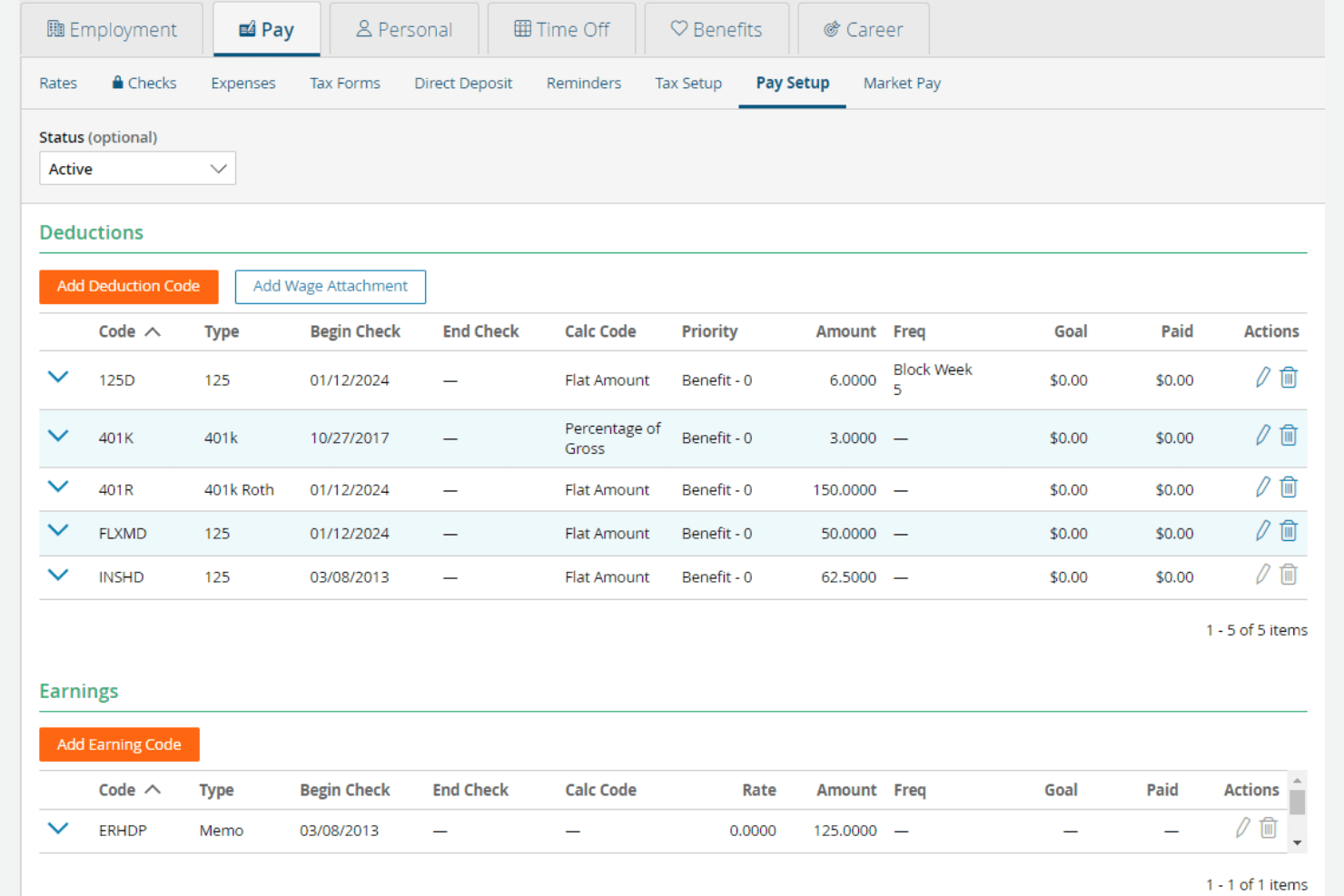
Tax Filing: Paylocity handles tax filing, keeping your church compliant with tax regulations. This feature simplifies tax season for your finance team.
Direct Deposit: Paylocity offers direct deposit, allowing you to pay your staff conveniently and securely. It eliminates the hassle of handling physical checks or bank account management.
Employee Self-Service Portal: Your staff can access their payroll information and update details through Paylocity’s self-service portal. This feature empowers employees and reduces administrative workload, improving the employee experience.
Time and Attendance Tracking: Paylocity tracks employee hours, making it easy for you to manage time tracking and payroll processing. It ensures accurate timekeeping for smooth payroll services.
Benefits Administration: With Paylocity, you can manage benefits administration, streamlining enrollment and tracking. This feature helps you maintain organized records of employee benefits, supporting your talent management efforts.
Ease of Use
Paylocity stands out for its user-friendly design, making it easy for your team to navigate and manage payroll processing tasks. The intuitive interface simplifies payroll processes, reducing the learning curve for new users. Features like automated payroll processing and a self-service portal enhance usability, allowing you to focus on your ministry. Compared to other options, Paylocity’s straightforward setup and responsive customer support make it a reliable choice for church communities seeking efficient HRIS and payroll software.
Paylocity Specs
- API: Yes
- Application Tracking: No
- Approval Workflows: No
- Attendance Tracking: Yes
- Budgeting: Yes
- Calendar Management: Yes
- Compliance Tracking: No
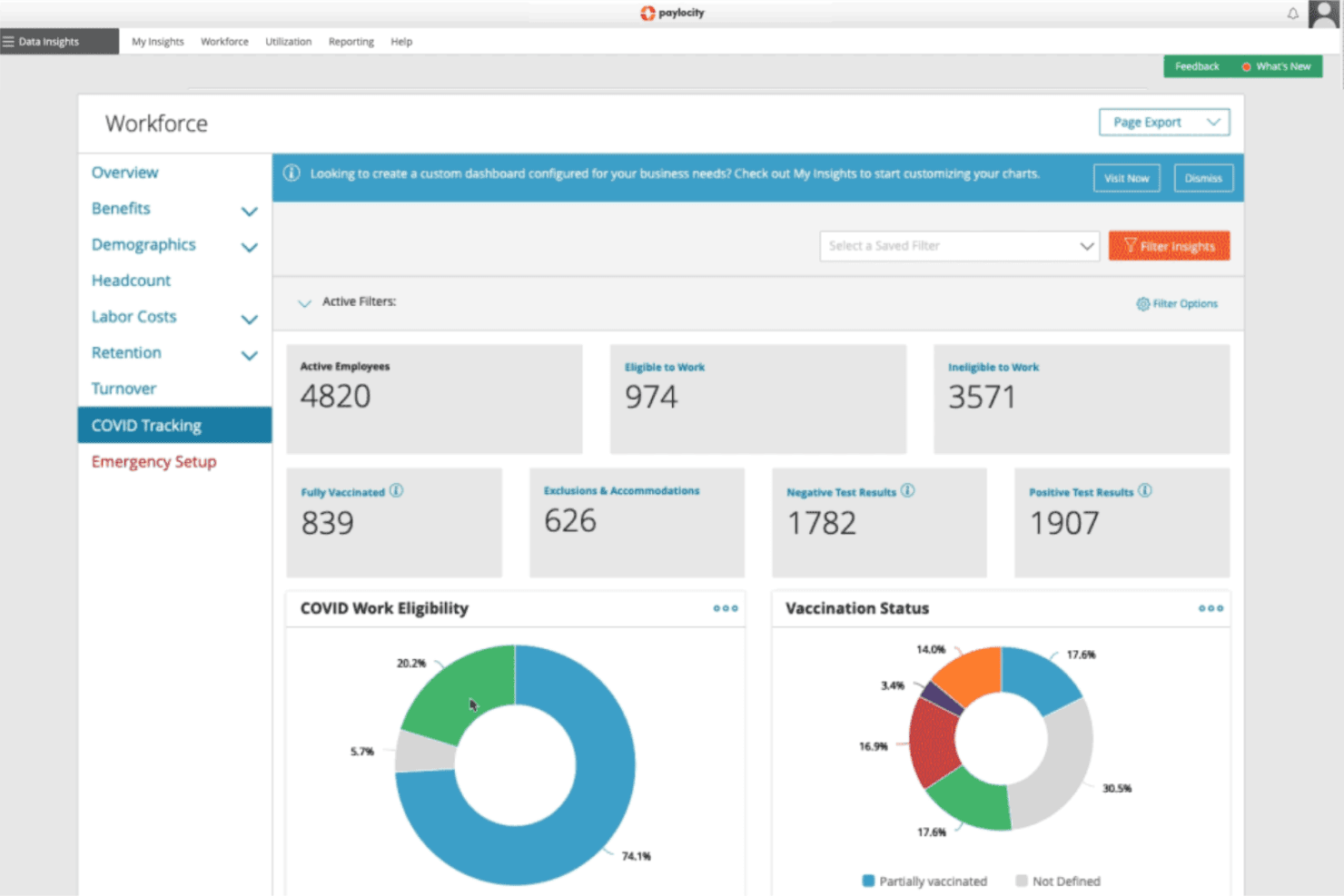
- Dashboard: Yes
- Data Export: Yes
- Data Import: Yes
- Data Visualization: Yes
- Employee Database: Yes
- Employee Incentive Management: Yes
- Employee Onboarding: Yes
- Expense Tracking: Yes
- External Integrations: Yes
- Feedback Management: Yes
- Forecasting: Yes
- Multi-Currency: No
- Multi-User: Yes
- Notifications: Yes
- Payroll: Yes
- Scheduling: Yes
- Tax Management: Yes
- Time Management: No
- Timesheets: Yes
- Travel Management: No
- Vacation & Absence Calendar: Yes
Alternatives to Paylocity


Paylocity FAQs
Wat komt hierna?
Abonneer je op onze nieuwsbrief voor de nieuwste hulpmiddelen, best practices en inzichten over het leiden van kerken van ervaren voorgangers en kerkleiders, waaronder tips over webinars, sociale media en het gebruik van platforms zoals Paylocity.