

Deel-beoordeling: voordelen, nadelen, functies & prijzen
Wat komt hierna? Abonneer je op onze nieuwsbrief en ontvang de nieuwste bronnen, beste praktijken en inzichten van deskundige voorgangers en kerkleiders over het leiden van kerken.

We review tools independently, and commissions help fund our testing. See our transparency policy, our methodology, or suggest a tool.
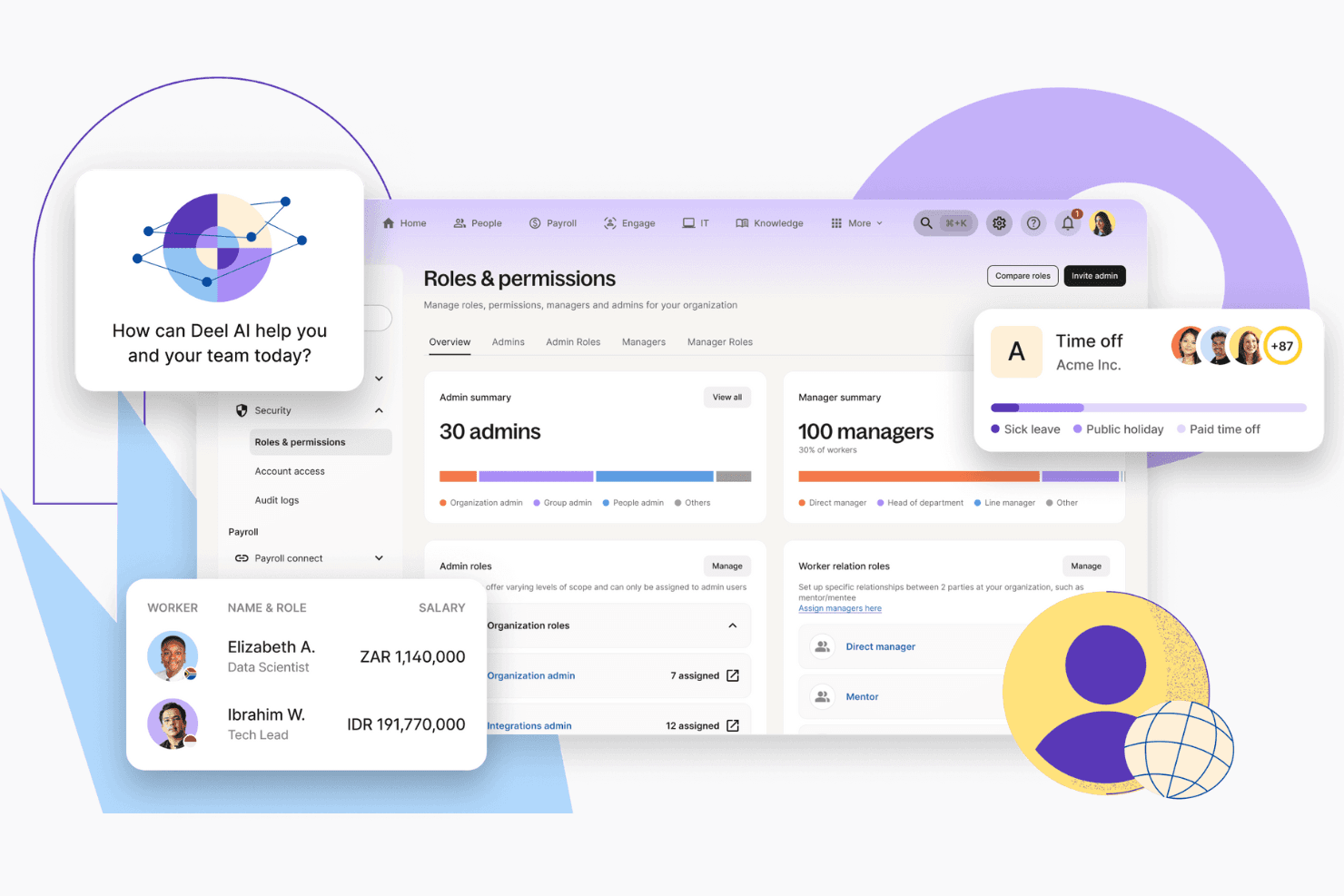
Deel HR is a church payroll software built around global payroll, contractor management, and HR compliance in one platform. It's worth considering if your church employs international missionaries, cross-border contractors, or staff working across multiple countries. That's where Deel HR has a real edge over something like Gusto—Gusto handles domestic payroll well, but Deel HR lets you pay and manage workers across many countries without stitching together separate tools or services.
Deel HR Evaluation Summary
4.8/5
- From $599/user/month
- Free demo available
Deel HR Overview
In my opinion, Deel offers a robust solution for churches seeking to manage payroll and compliance, especially for international teams. Its standout features, like global payroll and compliance tools, set it apart from competitors, making it ideal for churches with international missions or diverse staff.
While Deel excels in cross-border employment and ease of use, it might be less cost-effective for smaller churches with straightforward needs. For larger organizations that value comprehensive compliance solutions and global payroll capabilities, Deel is a worthy consideration.
Pros
- Deel simplifies compliance across different countries, making it great for international teams.
- Its user-friendly interface helps you manage payroll without getting bogged down in details.
- The global payroll feature supports your church's mission work by handling various currencies and regulations.
Cons
- Some users find the customer support response times slower than expected.
- The initial setup can be complex for those not familiar with global payroll systems.
- It may offer more features than needed for smaller churches with simple payroll needs.
Is Deel HR Right For Your Needs?
Voor wie is Deel geschikt?
If your church operates globally or has international staff, Deel's payroll and compliance features make it a strong choice. It's particularly suitable for mission organizations or large congregations with diverse teams, as it handles multiple currencies and international regulations with ease. Deel's user-friendly interface and robust compliance tools ensure your team spends less time on administrative tasks and more on your core mission.
- International MissionsDeel efficiently manages payroll for mission teams spread across different countries, ensuring compliance and smooth operations.
- Large CongregationsFor churches with numerous staff, Deel simplifies payroll management and reduces the administrative burden.
- Non-Profit OrganizationsNon-profits with global outreach benefit from Deel's ability to handle cross-border payroll and compliance.
- Multi-Currency PayrollIf your church deals with various currencies, Deel's global payroll feature supports seamless transactions.
- Remote TeamsDeel is ideal for churches with remote staff, offering tools to manage payroll and compliance without geographical constraints.
- Compliance-Focused TeamsFor teams focused on regulatory compliance, Deel's comprehensive tools ensure your payroll processes meet all legal requirements.
Voor wie is Deel niet geschikt?
Small churches or local congregations without international staff might find Deel's extensive features unnecessary and costly. If your church's payroll needs are simple and localized, Deel's complex global payroll tools and compliance capabilities might not add value. For churches that don't require multi-currency handling or cross-border compliance, simpler and more cost-effective solutions are likely a better fit.
- Small Local ChurchesIf your church operates locally with a small staff, Deel's global capabilities might be overkill.
- Single-Currency PayrollFor churches that only deal with one currency, Deel's multi-currency features are unnecessary.
- Limited Tech ResourcesChurches with limited tech support might struggle with Deel's initial setup and complex features.
- Simple Payroll NeedsIf your payroll processes are straightforward, you might not need Deel's advanced compliance tools.
- Budget-Conscious TeamsTeams focused on minimizing costs might find Deel's pricing higher than needed for their requirements.
- Non-Global OrganizationsOrganizations without international reach won't benefit from Deel's global payroll and compliance features.
How We Test & Score Tools
We’ve spent years building, refining, and improving our software testing and scoring system. The rubric is designed to capture the nuances of software selection and what makes a tool effective, focusing on critical aspects of the decision-making process.
Below, you can see exactly how our testing and scoring works across seven criteria. It allows us to provide an unbiased evaluation of the software based on core functionality, standout features, ease of use, onboarding, customer support, integrations, customer reviews, and value for money.
Core Functionality (25% of final scoring)
The starting point of our evaluation is always the core functionality of the tool. Does it have the basic features and functions that a user would expect to see? Are any of those core features locked to higher-tiered pricing plans? At its core, we expect a tool to stand up against the baseline capabilities of its competitors.
Standout Features (25% of final scoring)
Next, we evaluate uncommon standout features that go above and beyond the core functionality typically found in tools of its kind. A high score reflects specialized or unique features that make the product faster, more efficient, or offer additional value to the user.
We also evaluate how easy it is to integrate with other tools typically found in the tech stack to expand the functionality and utility of the software. Tools offering plentiful native integrations, 3rd party connections, and API access to build custom integrations score best.
Ease of Use (10% of final scoring)
We consider how quick and easy it is to execute the tasks defined in the core functionality using the tool. High scoring software is well designed, intuitive to use, offers mobile apps, provides templates, and makes relatively complex tasks seem simple.
Onboarding (10% of final scoring)
We know how important rapid team adoption is for a new platform, so we evaluate how easy it is to learn and use a tool with minimal training. We evaluate how quickly a team member can get set up and start using the tool with no experience. High scoring solutions indicate little or no support is required.
Customer Support (10% of final scoring)
We review how quick and easy it is to get unstuck and find help by phone, live chat, or knowledge base. Tools and companies that provide real-time support score best, while chatbots score worst.
Customer Reviews (10% of final scoring)
Beyond our own testing and evaluation, we consider the net promoter score from current and past customers. We review their likelihood, given the option, to choose the tool again for the core functionality. A high scoring software reflects a high net promoter score from current or past customers.
Value for Money (10% of final scoring)
Lastly, in consideration of all the other criteria, we review the average price of entry level plans against the core features and consider the value of the other evaluation criteria. Software that delivers more, for less, will score higher.
Core Features
Global Payroll Management: Deel automates payroll for international teams, ensuring compliance with local laws. You save time by handling payments in multiple currencies easily.
Contractor Management: Manage contractors and employees in one platform, simplifying your team's workload. Deel offers contract management tools tailored to local regulations.
Compliance Automation: Deel ensures your team follows local employment laws, reducing the risk of penalties. It updates automatically with new compliance requirements.
Multi-Currency Support: Deel supports payments in various currencies, making global transactions smoother. Your team can pay employees without worrying about currency conversions.
Localized Payment Methods: Deel offers local payment options for employees, improving their payment experience. It ensures your team can use the most convenient payment methods.
Tax Management: Deel handles tax calculations and supports filing for employees hired in supported countries, reducing your team's administrative burden. This feature ensures you meet all tax requirements accurately.
Ease of Use
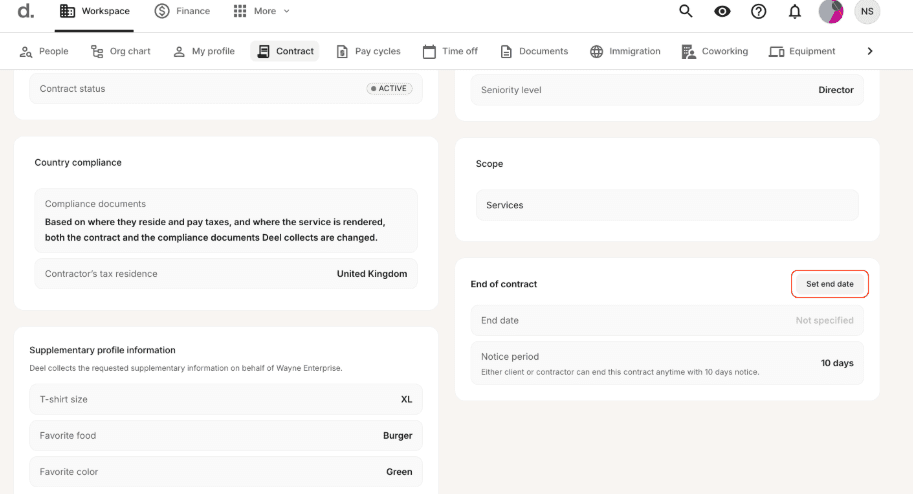
Deel offers a user-friendly interface, but your team might find the onboarding process less intuitive than expected. While it simplifies global payroll and compliance, some users report needing more guidance to fully understand its functionalities. You may appreciate the straightforward navigation once you're familiar with the platform, but initial learning curves can be challenging. Overall, Deel's ease of use aligns with its focus, though it may not be the simplest option for those new to compliance and payroll service solutions.
Integrations
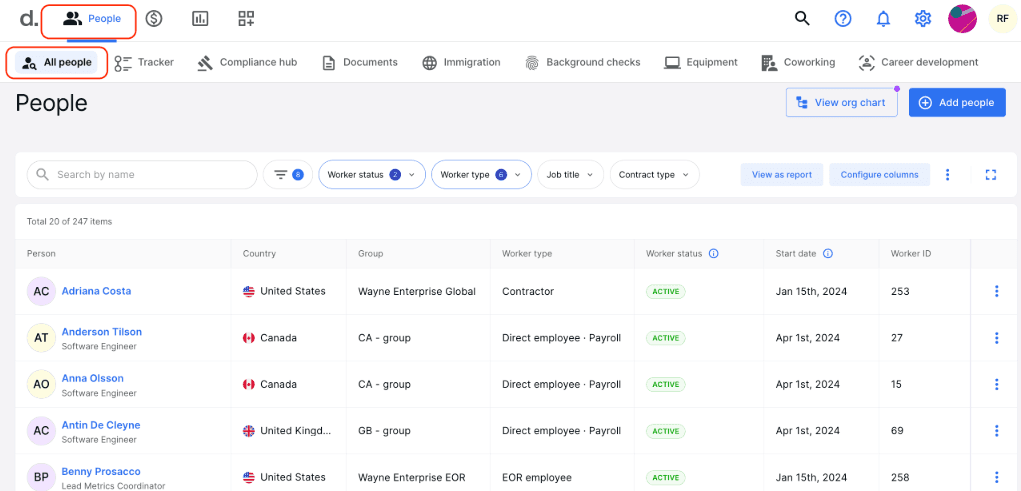
Deel integrates with QuickBooks, Xero, BambooHR, Workable, JIRA, Pangea, Jibble, Tresio, Okta, Zapier, Hubstaff, and more. Deel also provides application programming interface (API) access for custom integrations, allowing you to connect it with your existing tools or build additional functionality.
Deel HR Specs
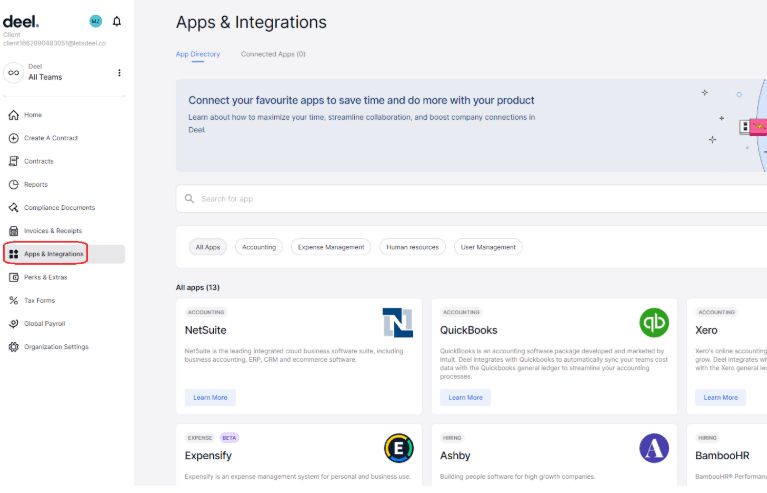
- 2-Factor Authentication: No
- API: Yes
- Application Tracking: No
- Attendance Tracking: Yes
- Batch Permissions & Access: No
- Compliance Tracking: No
- Dashboard: Yes
- Data Export: Yes
- Data Import: Yes
- Data Visualization: Yes
- Employee Database: Yes
- Employee Engagement: Yes
- Employee Incentive Management: No
- Employee Onboarding: Yes
- Employee Training: Yes
- Expense Tracking: No
- External Integrations: Yes
- Feedback Management: Yes
- Multi-User: Yes
- Notifications: No
- Payroll: Yes
- Scheduling: Yes
- Self-service Portal: Yes
- Timesheets: No
- Travel Management: Yes
- Vacation & Absence Calendar: Yes
Deel HR FAQs
Wat komt hierna?
Abonneer je op onze nieuwsbrief voor de nieuwste bronnen, beste praktijken en inzichten van deskundige voorgangers en kerkleiders over het leiden van kerken.