

Bij veilingen voor non-profitorganisaties komen veel taken kijken en fondsenwerving is vaak een van de grootste uitdagingen. Je wilt contact maken met je gemeenschap en efficiënt geld inzamelen, maar traditionele methoden kunnen tijdrovend en stressvol zijn. Daar komt veilingsoftware voor non-profitorganisaties om de hoek kijken.
In mijn ervaring vereenvoudigen deze hulpmiddelen het veilingproces, zodat je je fondsenwervingsdoelen met minder gedoe kunt bereiken. Ze bieden functies die je tijd besparen, zodat je je kunt richten op wat er echt toe doet: je missie.
In dit artikel deel ik mijn beste keuzes voor veilingsoftware voor non-profitorganisaties. Je vindt onbevooroordeelde beoordelingen op basis van grondig onderzoek, bedoeld om je team te helpen weloverwogen beslissingen te nemen. Laten we bekijken hoe deze oplossingen je fondsenwervingsinspanningen kunnen vereenvoudigen.
Waarom u onze softwareaanbevelingen kunt vertrouwen
6,700+
Reviews
20
Industry experts
16+
Evaluation factors
14
Years
Ons team test en beoordeelt software sinds 2012. Als kerkleiders weten we zelf hoe moeilijk — en belangrijk — het is om de juiste software te kiezen.
Voor deze gids hebben we tools geëvalueerd met behulp van praktijktests en onafhankelijk onderzoek, waarbij we tools beoordeelden aan de hand van onze selectiecriteria.
Onze reviews weerspiegelen ons menselijke redactionele oordeel, geen verkooppraatje.
Vergelijkingstabel: veilingsoftware voor non-profitorganisaties
Deze vergelijkingstabel vat de prijsinformatie samen van mijn beste keuzes voor veilingsoftware voor non-profitorganisaties.
| Tool | Best For | Trial Info | Price | ||
|---|---|---|---|---|---|
| 1 | Beste voor non-profitveilingen zonder kosten | Gratis abonnement beschikbaar | Gratis te gebruiken | Website | |
| 2 | Ideaal voor kleine non-profitorganisaties | Gratis proefperiode beschikbaar | Prijzen op aanvraag | Website | |
| 3 | Het beste voor donorbeheer | Gratis demo beschikbaar | Vanaf $40/maand (jaarlijks gefactureerd) | Website | |
| 4 | Beste voor een gebruiksvriendelijke interface | 30 dagen gratis proefperiode + gratis abonnement beschikbaar | Vanaf $29/maand (jaarlijks gefactureerd) | Website | |
| 5 | Beste voor modern ontwerp | Gratis abonnement + gratis demo beschikbaar | Vanaf $99/maand | Website | |
| 6 | Beste voor gratis fondsenwervingstools | Gratis abonnement beschikbaar | Vanaf $0/jaar | Website | |
| 7 | Beste voor integratie van crowdfunding | Gratis demo beschikbaar | Prijs op aanvraag | Website | |
| 8 | Beste voor wereldwijde fondsenwerving | Gratis abonnement + gratis demo beschikbaar | Vanaf 2.9% platformkosten | Website | |
| 9 | Ideaal voor stille veilingen | Gratis abonnement + gratis demo beschikbaar | Prijs op aanvraag | Website | |
| 10 | Beste voor budgetvriendelijke opties | Gratis abonnement beschikbaar | Vanaf $375/jaar | Website |


Beoordelingen van de beste veilingsoftware voor non-profitorganisaties
Hieronder vind je mijn uitgebreide samenvattingen van de beste veilingsoftware voor non-profitorganisaties die op mijn shortlist terechtkwam. In mijn beoordelingen bespreek ik de belangrijkste functies, voor- en nadelen, integraties en ideale gebruikssituaties van elk hulpmiddel, zodat je de beste optie voor jou kunt vinden.
 Beste voor non-profitveilingen zonder kosten
- Gratis abonnement beschikbaar
- Gratis te gebruiken
Visit WebsiteCustomer Rating:4.9/5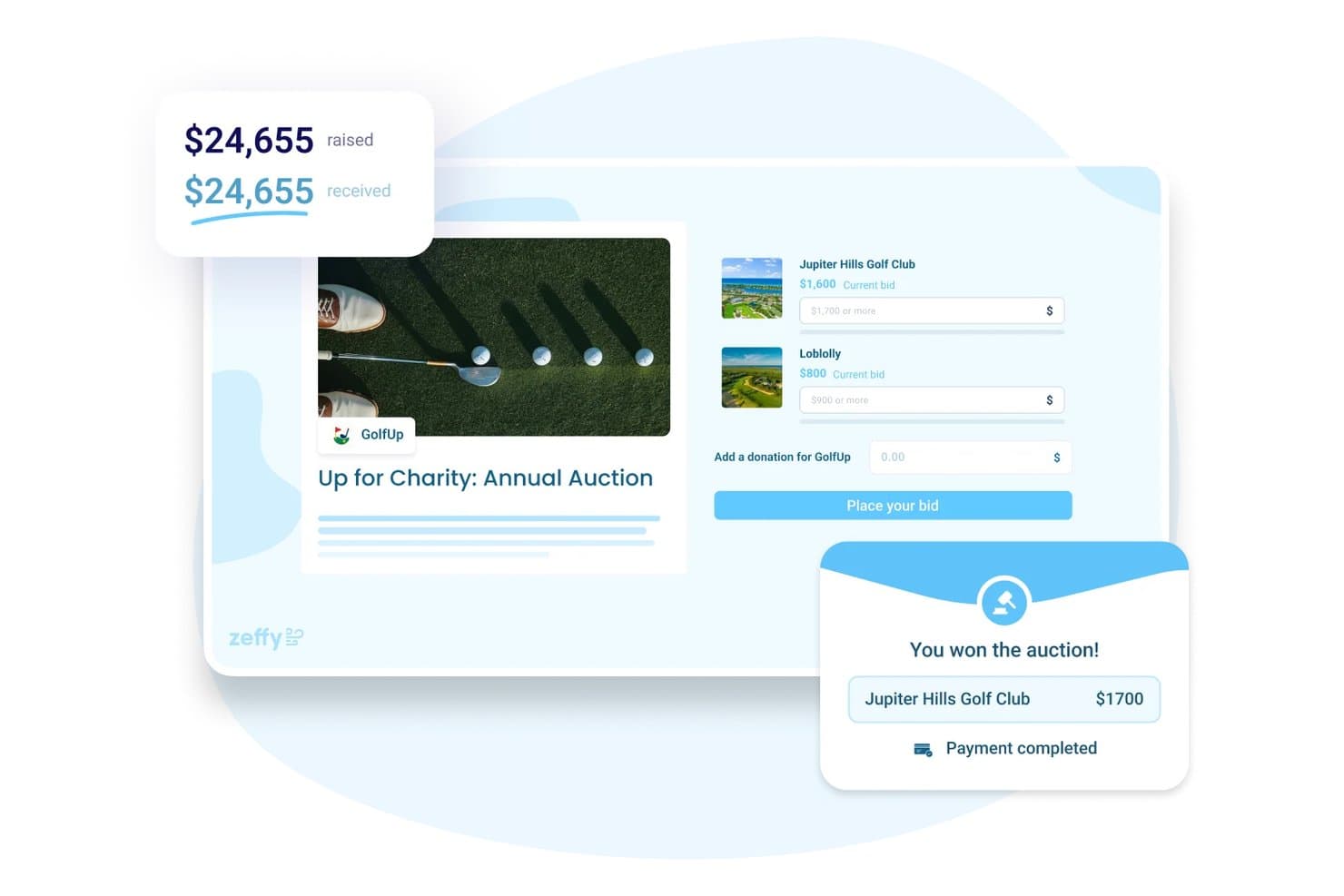
Met Zeffy kunnen gebruikers op veilingitems bieden en wordt het opgehaalde bedrag bijgehouden. Zeffy is een alles-in-één fondsenwervingsplatform voor non-profitorganisaties met online stille veilingen, evenementticketverkoop, donatieformulieren, peer-to-peer-campagnes, verlotingen en ingebouwd donateursbeheer.
Voor wie is Zeffy het meest geschikt?
Zeffy is zeer geschikt voor kleine tot middelgrote non-profitorganisaties die online stille veilingen willen organiseren, evenementtickets willen verkopen en donateurs willen beheren zonder platform- of transactiekosten te betalen.
Waarom ik voor Zeffy heb gekozen
Ik heb Zeffy opgenomen in mijn topkeuzes omdat het het enige platform is dat ik ken waarmee je volledig gratis een stille veiling kunt organiseren, zonder transactiekosten, platformkosten of kosten per item. Ik vind het vooral prettig dat bieders maximumbiedingen kunnen plaatsen met automatische verhogingen en in realtime e-mails ontvangen wanneer ze zijn overboden, zonder dat ze een app hoeven te downloaden. De functie tegen afwachten tot het laatste moment, waarbij de sluitingstijd van een item met drie minuten wordt verlengd wanneer er een bod in de laatste seconden binnenkomt, is een bijzonder slimme toevoeging die de integriteit van je veiling beschermt.
Belangrijkste functies van Zeffy
- Donateurs-CRM: Bouw uniforme contactgegevens op waarin donatiegeschiedenis, aanwezigheid bij evenementen en peer-to-peer-activiteit uit al je Zeffy-campagnes worden samengebracht.
- Evenementticketverkoop en inchecken met QR-code: Maak ticketformulieren in je eigen huisstijl met meerdere tickettypen en check deelnemers in door QR-codes met je telefoon te scannen.
- Automatische afschrijving bij winnaars: Wanneer je veiling sluit, schrijft Zeffy automatisch het bedrag af bij winnende bieders met behulp van de betaalgegevens die ze bij hun biedingen hebben opgegeven.
- Peer-to-peer-fondsenwervingspagina's: Geef supporters de mogelijkheid om individuele of teamgerichte fondsenwervingspagina's te starten binnen één centrale campagne, inclusief voortgangsmeters en ranglijsten.
Zeffy-integraties
Zeffy beschrijft rechtstreekse integraties met QuickBooks en WordPress, plus Mailchimp, Google Sheets en Salesforce via viaSocket en Zapier; de catalogus vermeldt meer dan 1.000 gekoppelde tools. Het biedt ook een openbare API en webhooks voor aangepaste integraties.
Pros and Cons
Pros:
- Maximumbiedingen en bescherming tegen afwachten tot het laatste moment houden de vaart in de veiling
- Mobiel bieden werkt zonder app voor bieders
- Automatische afschrijving bij winnaars vermindert opvolging na de veiling
Cons:
- Geen gedocumenteerde live biedingen onder leiding van een veilingmeester
- Meldingen dat je bent overboden komen per e-mail en niet per sms
Learn more about Zeffy: Ideaal voor kleine non-profitorganisaties
- Gratis proefperiode beschikbaar
- Prijzen op aanvraag
Visit WebsiteCustomer Rating:4.8/5
BiddingOwl ondersteunt virtuele en fysieke fondsenwerving voor non-profitorganisaties BiddingOwl is een onlineveilingplatform dat is afgestemd op kerken en geloofsorganisaties. Het biedt essentiële hulpmiddelen voor het beheren van virtuele en fysieke fondsenwervingsevenementen, met de nadruk op gebruiksgemak en toegankelijkheid binnen een kerkelijke context.
Waarom ik BiddingOwl heb gekozen: BiddingOwl is ideaal voor kerken dankzij de eenvoudige installatie en intuïtieve interface. De klantenservice van het platform reageert zeer snel en biedt rechtstreeks hulp in plaats van geautomatiseerde antwoorden. Deze eigenschappen maken het een perfecte keuze voor gemeenten en kerkelijk personeel die mogelijk niet over speciale IT-middelen beschikken.
Opvallende functies en integraties:
Functies omvatten mobielvriendelijk bieden, hulpmiddelen voor evenementenbeheer en een eenvoudige veilingopzet. Het platform ondersteunt ook inzamelingsrondes met biedbordjes en crowdfunding, die je team vanaf elk apparaat kan beheren, en met de sms-donatiefunctie kunnen donateurs snel via een sms-bericht bijdragen. Daarnaast biedt BiddingOwl transparante prijzen en uitgebreide rapportagemogelijkheden om de voortgang van je fondsenwerving te volgen.
Integraties omvatten PayPal, Stripe, DocHub en meer.
Pros and Cons
Pros:
- Rechtstreekse klantenservice
- Intuïtief ontwerp
- Ondersteunt zowel virtuele als fysieke evenementen
Cons:
- Geen ingebouwde hulpmiddelen voor evenemententicketing
- Houdt 5% van de winnende biedingen in
Learn more about BiddingOwl.com: Het beste voor donorbeheer
- Gratis demo beschikbaar
- Vanaf $40/maand (jaarlijks gefactureerd)
Visit WebsiteCustomer Rating:4.7/5
Bloomerang vergroot donorbetrokkenheid en fondsenwerving met CRM-tools voor non-profitorganisaties Bloomerang is software voor donorbeheer, afgestemd op non-profitorganisaties en ontworpen om hun fondsenwervings- en engagementinspanningen te verbeteren. Het richt zich op het helpen van organisaties bij het behouden van donateurs en het begrijpen van hun geefpatronen.
Waarom ik voor Bloomerang koos: Bloomerang blinkt uit in donorbeheer en biedt functies die helpen bij het volgen van interacties met donateurs en het verbeteren van hun behoud. Dankzij de focus op datagestuurde inzichten biedt Bloomerang je team strategieën om donateurs betrokken te houden.
Opvallende functies en integraties:
Functies omvatten het volgen van donorbetrokkenheid, gepersonaliseerde communicatietools en een gebruiksvriendelijk dashboard. Het platform biedt gedetailleerde rapportages om je te helpen donateursgedrag te analyseren. Het biedt ook tools voor het efficiënt beheren van fondsenwervingscampagnes.
Integraties omvatten QuickBooks, Mailchimp, Zapier, Constant Contact en meer.
Pros and Cons
Pros:
- Sterke mogelijkheden voor het volgen van donateurs
- Datagestuurde inzichten
- Gepersonaliseerde communicatieopties
Cons:
- Rapportagefilters kunnen niet-intuïtief zijn
- E-mailsjablonen hebben beperkte uitgebreide ontwerptools
Learn more about Bloomerang: Beste voor een gebruiksvriendelijke interface
- 30 dagen gratis proefperiode + gratis abonnement beschikbaar
- Vanaf $29/maand (jaarlijks gefactureerd)
Visit WebsiteCustomer Rating:4.7/5
Givebutter stelt non-profitorganisaties in staat veilingen te organiseren, geld in te zamelen en donoren te beheren Givebutter is een uitgebreid fondsenwervings- en veilingplatform voor kerken, ontworpen ter ondersteuning van bedieningen en geloofsgerichte initiatieven. Hiermee kunt u stille veilingen, seizoensgebonden gala's en doorlopende tienden beheren en tegelijkertijd uw relatie met uw gemeente en gemeenschap verdiepen.
Waarom ik voor Givebutter heb gekozen: Dit platform biedt een intuïtieve interface die het veilingproces vereenvoudigt voor zowel kerkmedewerkers als vrijwilligers. De meest opvallende functie is de ingebouwde integratie met moderne betaalplatforms zoals Venmo en PayPal, waardoor leden direct vanaf hun zitplaats via mobiele apparaten kunnen geven of bieden. Deze functies sluiten perfect aan bij de behoefte aan een gebruiksvriendelijke ervaring met weinig drempels, zodat de focus op de missie van uw kerk blijft liggen in plaats van op technische obstakels.
Belangrijkste functies en integraties:
Functies omvatten realtime updates van biedingen, aanpasbare veilingitems en meldingen voor mobiel bieden. De software biedt ook eenvoudig itembeheer en stelt supporters in staat items te bekijken en als favoriet te markeren. Daarnaast biedt het tracking van donorgegevens om uw fondsenwervingsstrategieën te versterken, evenals hulpmiddelen om uw non-profitorganisatie te helpen bedrijfssponsoring te verkrijgen.
Integraties omvatten PayPal, Venmo, QuickBooks, Cash App, Zoom en meer.
Pros and Cons
Pros:
- Eenvoudig mobiel bieden
- Geen platformkosten voor non-profitorganisaties
- Realtime updates
Cons:
- De prompt voor het geven van een fooi kan donoren in verwarring brengen
- Beperkte branding in de basisversie
Learn more about Givebutter: Beste voor modern ontwerp
- Gratis abonnement + gratis demo beschikbaar
- Vanaf $99/maand

Funraise stimuleert technologiegedreven campagnes van non-profitorganisaties met moderne fondsenwervingstools Funraise is een fondsenwervingsplatform dat is ontworpen voor non-profitorganisaties die hun campagnes met een moderne aanpak naar een hoger niveau willen tillen. Het richt zich op kerken en geloofsorganisaties die technologiegedreven oplossingen in hun fondsenwervingsinspanningen willen integreren.
Waarom ik voor Funraise koos: Funraise biedt een visueel aantrekkelijk ontwerp dat de gebruikerservaring voor zowel je team als donateurs verbetert. De combinatie van modern ontwerp en krachtige functionaliteit maakt het een aantrekkelijke keuze voor vooruitstrevende organisaties.
Opvallende functies en integraties:
Functies omvatten aanpasbare donatieformulieren, realtime-analyses en mogelijkheden voor peer-to-peerfondsenwerving. Het platform ondersteunt terugkerende donaties, zodat je team stabiele inkomstenstromen kan opbouwen. Funraise biedt ook hulpmiddelen voor evenementenbeheer om fondsenwervingsevenementen te coördineren en te promoten.
Integraties omvatten Salesforce, QuickBooks, Mailchimp, Facebook, Instagram, Stripe, PayPal, Zapier en meer.
Pros and Cons
Pros:
- Visueel aantrekkelijk ontwerp
- Aanpasbare donatieformulieren
- Peer-to-peerfondsenwerving
Cons:
- Basisplan biedt geen peer-to-peerfondsenwerving
- Handmatige belastingkwitanties aan het einde van het jaar
Learn more about Funraise: Beste voor gratis fondsenwervingstools
- Gratis abonnement beschikbaar
- Vanaf $0/jaar

BetterWorld biedt gratis tools voor veiling- en evenementenfondsenwerving aan non-profitorganisaties BetterWorld is een fondsenwervingsplatform voor non-profitorganisaties die veilingen en evenementen willen organiseren zonder platformkosten. Het ondersteunt organisaties van elke omvang en richt zich op kosteneffectieve oplossingen voor fondsenwerving.
Waarom ik voor BetterWorld heb gekozen: BetterWorld biedt gratis fondsenwervingstools zonder kosten, waardoor het toegankelijk is voor non-profitorganisaties met beperkte budgetten. Het platform ondersteunt verschillende fondsenwervingsactiviteiten, waaronder veilingen en loterijen. De inzet van BetterWorld voor nul platformkosten is een belangrijk voordeel om de impact van je fondsenwerving te maximaliseren.
Opvallende functies en integraties:
Functies omvatten een eenvoudige installatie van veilingen, de verkoop van loten en aanpasbare evenementpagina's. Het platform biedt tools voor het beheren van donateursgegevens en het volgen van de voortgang van campagnes. BetterWorld ondersteunt ook virtuele evenementen, zodat je team een breder publiek kan bereiken.
Integraties omvatten Salesforce, Stripe, PayPal, Facebook, X, HubSpot, Blackbaud, Zapier en meer.
Pros and Cons
Pros:
- Eenvoudige installatie van veilingen
- Geen platformkosten
- Ondersteunt virtuele evenementen
Cons:
- Bekende storingen tijdens liveveilingen
- Is afhankelijk van donateurstips om gratis te blijven
Learn more about BetterWorld: Beste voor integratie van crowdfunding
- Gratis demo beschikbaar
- Prijs op aanvraag

GoFundMe Pro stimuleert crowdfunding voor non-profitorganisaties om het bereik uit te breiden en meer donaties te genereren GoFundMe Pro is een crowdfundingplatform op maat voor non-profitorganisaties die hun fondsenwervingsmogelijkheden willen verbeteren. Het is gericht op organisaties die crowdfunding willen inzetten om een breder publiek te bereiken en donaties te maximaliseren.
Waarom ik voor GoFundMe Pro koos: GoFundMe Pro blinkt uit in het integreren van crowdfunding met traditionele fondsenwervingsmethoden.
Opvallende functies en integraties:
Functies omvatten aanpasbare campagnepagina's, realtime donatietracking en tools voor het delen op sociale media. Het platform biedt ook gedetailleerde analyses om je te helpen het gedrag van donateurs te begrijpen. Dankzij de gebruiksvriendelijke interface wordt het beheren van campagnes eenvoudig voor je team.
Integraties omvatten Salesforce, Mailchimp, QuickBooks Online, Zapier, Facebook en meer.
Pros and Cons
Pros:
- Sterke focus op crowdfunding
- Aanpasbare campagnepagina's
- Gedetailleerde analyses beschikbaar
Cons:
- Jaarcontracten vormen een grote verplichting
- Het aanpassen van rapporten kan omslachtig zijn
Learn more about GoFundMe Pro: Beste voor wereldwijde fondsenwerving
- Gratis abonnement + gratis demo beschikbaar
- Vanaf 2.9% platformkosten

RallyUp voert wereldwijde campagnes voor non-profitorganisaties uit met veelzijdige fondsenwervingsformats RallyUp is een fondsenwervingsplatform voor non-profitorganisaties die wereldwijde campagnes en evenementen willen uitvoeren. Het ondersteunt een breed scala aan fondsenwervingsactiviteiten en is daardoor ideaal voor kerken en geloofsorganisaties die een internationaal publiek willen bereiken.
Waarom ik voor RallyUp koos: RallyUp biedt uitgebreide functies voor wereldwijde fondsenwerving, waaronder internationale betalingsverwerking. De rapportagetools van RallyUp bieden inzicht in campagneprestaties, zodat je effectief strategieën kunt ontwikkelen.
Opvallende functies en integraties:
Functies omvatten aanpasbare donatieformulieren, ondersteuning voor meerdere valuta's en diverse fondsenwervingsmogelijkheden. Het platform ondersteunt loterijen, winacties en veilingen, waardoor je team flexibel campagnes kan vormgeven. RallyUp biedt ook gedetailleerde controlefuncties om je te helpen je fondsenwervingsinspanningen te volgen en te optimaliseren.
Integraties omvatten Salesforce, Mailchimp, Zapier, Facebook, X, Instagram, Google Analytics, Stripe, PayPal en meer.
Pros and Cons
Pros:
- Ondersteuning voor meerdere valuta's
- Geschikt voor wereldwijde campagnes
- Aanpasbare donatieformulieren
Cons:
- Geen ingebouwde CRM voor het volgen van donoren
- Het afrekenproces kan traag aanvoelen
Learn more about RallyUp: Ideaal voor stille veilingen
- Gratis abonnement + gratis demo beschikbaar
- Prijs op aanvraag

32auctions beheert stille veilingen voor non-profitorganisaties met de nadruk op eenvoud 32auctions is een platform voor stille veilingen dat zeer geschikt is voor kerken en geloofsgebonden organisaties die fondsenwervingsinspanningen willen ondersteunen. Het biedt eenvoudige hulpmiddelen om veilingen te creëren en te beheren, waardoor kerkmedewerkers en vrijwilligers gemakkelijk evenementen kunnen organiseren ter ondersteuning van bedieningen, missies en gemeenschapsprogramma's, zonder technische complexiteit.
Waarom ik voor 32auctions koos: 32auctions werkt bijzonder goed voor kerken omdat het speciaal is ontwikkeld voor stille veilingen, een veelgebruikte en effectieve vorm van fondsenwerving voor kerken. Dankzij de eenvoudige installatie kunnen kerkleiders en vrijwilligers snel een veiling opzetten, zelfs met beperkte technische ervaring. Zo kunnen gemeenten zich meer richten op betrokkenheid en goed rentmeesterschap en minder op softwarebeheer.
Opvallende functies en integraties:
Functies omvatten aanpasbare veilingpagina's, realtime updates van biedingen en een eenvoudige installatie van veilingen. Met het platform kunt u biedingen volgen en items voor stille veilingen zonder problemen beheren. Het biedt ook proxybiedingen, wat de veilingervaring voor uw deelnemers kan verbeteren.
Integraties worden momenteel niet vermeld door 32auctions.
Pros and Cons
Pros:
- Eenvoudig installatieproces
- Proxybiedingen beschikbaar
- Geschikt voor kleine evenementen
Cons:
- Geen app voor mobiele apparaten
- Beperkte functies voor liveveilingen
Learn more about 32auctions:

Auctria organiseert non-profitveilingen met tools voor zowel online als fysieke evenementen Auctria is een veilingbeheertool die zeer geschikt is voor kerken en geloofsgebonden organisaties die eenvoudig inzamelingsacties willen organiseren. Het biedt tools voor het beheren van zowel online als fysieke veilingen, waarmee kerken geld kunnen inzamelen voor bedieningen, outreachprogramma's en gemeenschapsinitiatieven, terwijl de administratie eenvoudig blijft.
Waarom ik voor Auctria heb gekozen: Auctria biedt betaalbare prijsplannen die goed aansluiten bij kerkelijke budgetten en rentmeesterschapsdoelen. Het intuïtieve dashboard maakt het kerkmedewerkers of vrijwilligers eenvoudig om liefdadigheidsveilingen op te zetten en te beheren zonder uitgebreide training. Daarnaast is de responsieve klantenondersteuning van Auctria bijzonder waardevol voor kerken met kleine administratieve teams die tijdens drukke inzamelingsseizoenen of live-evenementen mogelijk snel hulp nodig hebben.
Opvallende functies en integraties:
Functies omvatten realtime donatietracking, aanpasbare biedformulieren en een intuïtief dashboard. Met de software kunt u zowel online als live veilingevenementen beheren. Daarnaast biedt Auctria gedetailleerde rapporten waarmee u uw inzamelingsactiviteiten effectief kunt analyseren.
Integraties omvatten Stripe, Authorize.Net, Little Green Light en meer.
Pros and Cons
Pros:
- Budgetvriendelijke prijzen
- Responsieve klantenondersteuning
- Eenvoudige veilingopzet
Cons:
- Editors voor websites en e-mails zijn onhandig
- Beperkte aangepaste velden voor registratie
Learn more about Auctria:
Andere veilingsoftware voor non-profitorganisaties
Hier zijn enkele aanvullende opties voor veilingsoftware voor non-profitorganisaties die mijn shortlist niet hebben gehaald, maar toch het bekijken waard zijn:
- 11GiveSmartIdeaal voor mobiel bieden
- 12GiveffectBeste voor alles-in-éénoplossingen
- 13CharityAuctionsTodayHet beste voor flexibele betalingsopties
- 14GivergyHet beste voor ondersteuning bij live-evenementen
Hoe ik software voor veilingen voor non-profitorganisaties beoordeel
Wanneer een kerk tegelijkertijd het inchecken van bieders, mobiele biedingen en live biedingen met biedbordjes beheert, beoordeel ik tools op twee niveaus: de essentiële veilingfuncties die ze moeten hebben en de aspecten waarmee ze zich onderscheiden.
Essentiële functionaliteit (basisvereisten voor deze lijst)
Wanneer ik tools voor mijn lijst selecteer, beoordeel ik elke tool op een schaal van 0 (biedt de functionaliteit niet) tot 5 (blink uit op dit gebied) voor elke hieronder genoemde essentiële functionaliteit. Vervolgens zet ik de totaalscore van de tool om in een percentage. Elke tool moet een minimale totaalscore van 65% behalen om in aanmerking te komen voor opname.
- Beheer van veilingbiedingen: Ik controleer of een platform stille, live en online veilingformats ondersteunt, inclusief realtime bijhouden van biedingen en automatische meldingen aan bieders wanneer ze zijn overboden.
- Mobiel bieden: Gemeenteleden verwachten tijdens een gala vanaf hun telefoon te kunnen bieden. Daarom beoordeel ik hoe elke tool omgaat met mobiel browsen, het plaatsen van biedingen en meldingen.
- Beheer van donateurs & items: Ik zoek naar tools waarmee je gedoneerde items kunt catalogiseren, inkoopbronnen kunt bijhouden en biedersprofielen met contactgegevens en donatiegeschiedenis kunt onderhouden.
- Geïntegreerde betalingsverwerking: Winnende bieders moeten in één stap kunnen afrekenen en een donatie kunnen toevoegen. Daarom beoordeel ik hoe elk platform omgaat met opgeslagen kaartgegevens en afrekenen in groepen.
- Evenement- & ticketingtools: Een benefietdiner omvat registratie, verschillende ticketcategorieën en het inchecken van gasten voordat het bieden begint. Ik kijk hoe goed elke tool deze volledige procedure ondersteunt.
- Rapportage over fondsenwerving & ontvangstbewijzen: Nadat het evenement is afgelopen, heeft je team duidelijke omzetrapporten en fiscaal conforme ontvangstbewijzen voor donateurs nodig. Ik beoordeel de uitvoer van elke tool na het evenement.
Zodra ik een lijst heb met tools die aan deze criteria voldoen, bekijk ik wat elk platform onderscheidt.
Onderscheidende factoren (waarmee leveranciers zich onderscheiden)
Zo vergelijk ik verschillende leveranciers:
Opvallende functies
Ik zoek naar tools voor een specifiek fondsenwervingsdoel en gamificatiefuncties, zoals live voortgangsmeters en aanmoedigingen voor biedingen met biedbordjes, omdat deze de geefdynamiek tijdens het live beroep op donaties bij een kerkelijk gala stimuleren. Integratie met livestreams is ook belangrijk, vooral voor kerken met meerdere locaties waar leden op afstand in realtime willen bieden en doneren. Tekst-om-te-geven is een andere functie die ik beoordeel, omdat gemeenteleden zo kunnen deelnemen zonder een app te downloaden. Dat verlaagt de drempel tijdens een evenement met een hoog tempo.
Meer dan functies
De prijsstructuur is belangrijk voor kerken die slechts één of twee fondsenwervende evenementen per jaar organiseren. Daarom beoordeel ik of een platform prijzen per evenement aanbiedt of een jaarabonnement vereist. Ik kijk ook hoe snel een team dat uit vrijwilligers bestaat zijn eerste veiling kan opzetten, aangezien de meeste kerkevenementen geen speciaal personeel hebben dat de organisatie leidt. Integratie met kerkbeheersystemen zoals Planning Center of Breeze is een andere factor die ik controleer, omdat het synchroniseren van donateursgegevens na het evenement uren aan handmatige gegevensinvoer bespaart.
Hoe kies je veilingsoftware voor non-profitorganisaties?
Je kunt gemakkelijk verstrikt raken in lange lijsten met functies en complexe prijsstructuren. Om je te helpen gefocust te blijven terwijl je je unieke selectieproces voor software doorloopt, is hier een checklist met factoren om rekening mee te houden:
| Factor | Waar u rekening mee moet houden |
|---|---|
| FactorSchaalbaarheid | Waar u rekening mee moet houdenKan de software meegroeien met uw organisatie? Houd rekening met toekomstige behoeften en ga na of de tool een groter veilingvolume of grotere evenementen aankan zonder extra kosten. |
| FactorIntegraties | Waar u rekening mee moet houdenKan de software worden gekoppeld aan uw bestaande tools? Zorg ervoor dat de software naadloos integreert met uw CRM, betalingsverwerkers en marketingplatforms om datasilo's te voorkomen. |
| FactorAanpasbaarheid | Waar u rekening mee moet houdenHoe flexibel is de tool? Controleer of u de software kunt aanpassen aan uw huisstijl en unieke veilingprocessen zonder technische vaardigheden nodig te hebben. |
| FactorGebruiksgemak | Waar u rekening mee moet houdenIs de interface intuïtief voor uw team en donateurs? Een ingewikkeld systeem kan het gebruik ontmoedigen, dus geef prioriteit aan eenvoud en duidelijkheid in het ontwerp. |
| FactorImplementatie en introductie | Waar u rekening mee moet houdenHoe snel kunt u aan de slag? Zoek naar platforms die ondersteuning bieden bij de introductie, zoals handleidingen of vaste accountmanagers, om de overgang te vergemakkelijken. |
| FactorKosten | Waar u rekening mee moet houdenZijn er verborgen kosten? Vergelijk prijsmodellen, waaronder transactiekosten, om transparantie en aansluiting bij uw budget te garanderen. Let op onverwachte kosten. |
| FactorBeveiligingsmaatregelen | Waar u rekening mee moet houdenHoe worden donateursgegevens beschermd? Controleer op versleuteling, naleving van privacywetgeving en regelmatige beveiligingsaudits om informatie veilig te houden. |
| FactorBeschikbaarheid van ondersteuning | Waar u rekening mee moet houdenWelke hulp is beschikbaar wanneer er problemen ontstaan? Geef prioriteit aan aanbieders die 24/7 ondersteuning via verschillende kanalen bieden, zodat u op kritieke momenten tijdig hulp krijgt. |
Wat is veilingsoftware voor non-profitorganisaties?
Veilingsoftware voor non-profitorganisaties is een hulpmiddel dat organisaties helpt bij het beheren en organiseren van veilingen om geld in te zamelen. Deze tools worden doorgaans gebruikt door professionals van non-profitorganisaties, evenementencoördinatoren en fondsenwervingsteams om hun fondsenwervingsinspanningen te versterken.
Functies zoals online bieden, betalingsverwerking en donateursbeheer helpen bij het efficiënt organiseren van evenementen en het bereiken van een breder publiek. Over het geheel genomen bieden deze tools waardevolle ondersteuning om het fondsenwervingspotentieel te maximaliseren en het veilingproces te vereenvoudigen.
Functies
Let bij het kiezen van veilingsoftware voor non-profitorganisaties op de volgende belangrijke functies:
- Online bieden: Hiermee kunnen deelnemers op afstand biedingen uitbrengen, waardoor de toegankelijkheid en deelname aan uw veilingen toenemen.
- Betalingsverwerking: Maakt veilige transacties mogelijk, zodat donateurs eenvoudig kunnen betalen voor hun winnende biedingen.
- Donateursbeheer: Helpt bij het organiseren en bijhouden van donateursgegevens om de betrokkenheid en het behoud van donateurs te verbeteren.
- Aanpasbare veilingpagina's: Hiermee kunt u de veilingervaring aanpassen aan de huisstijl en boodschap van uw non-profitorganisatie.
- Realtime updates: Houdt bieders op de hoogte van de status van hun biedingen en de actuele tussenstand van de veiling.
- Rapportagetools: Bieden inzicht in de prestaties van veilingen om toekomstige fondsenwervingsstrategieën verder te verfijnen.
- Compatibiliteit met mobiele apparaten: Zorgt ervoor dat gebruikers vanaf hun smartphone of tablet aan veilingen kunnen deelnemen, waardoor het bereik wordt vergroot.
- Ondersteuning voor meerdere valuta: Hiermee kunnen organisaties donaties in verschillende valuta accepteren, wat wereldwijde fondsenwervingsinspanningen vergemakkelijkt.
- Evenementbeheer: Biedt tools voor het plannen en uitvoeren van zowel virtuele als fysieke fondsenwervingsevenementen.
- Beveiligingsmaatregelen: Zorgen ervoor dat donateursgegevens worden beschermd door versleuteling en naleving van privacynormen.
Voordelen
Het implementeren van veilingsoftware voor non-profitorganisaties biedt verschillende voordelen voor uw team en uw organisatie. Hier zijn enkele voordelen waar u naar kunt uitkijken:
- Meer deelname: Online bieden en compatibiliteit met mobiele apparaten maken het eenvoudiger voor meer mensen om overal aan uw veilingen deel te nemen.
- Efficiënte fondsenwerving: Betalingsverwerking en realtime updates helpen transacties te versnellen en donateurs betrokken te houden.
- Verbeterde relaties met donateurs: Met functies voor donateursbeheer kunt u supporters effectief volgen en met hen communiceren.
- Betere evenementplanning: Tools voor evenementbeheer vereenvoudigen het organiseren van zowel virtuele als fysieke fondsenwervingsevenementen.
- Betere besluitvorming: Rapportagetools bieden waardevolle inzichten in de prestaties van veilingen en helpen bij toekomstige planning.
- Besparingen: Functies zoals aanpasbare veilingpagina's en beveiligingsmaatregelen verminderen de behoefte aan extra middelen en beschermen waardevolle gegevens.
- Wereldwijd bereik: Ondersteuning voor meerdere valuta stelt u in staat internationale donateurs aan te trekken, waardoor uw fondsenwervingspotentieel wordt vergroot.
Kosten en prijzen
Bij het selecteren van veilingsoftware voor non-profitorganisaties is inzicht in de verschillende beschikbare prijsmodellen en abonnementen vereist. De kosten variëren afhankelijk van functies, teamgrootte, uitbreidingen en meer. In de onderstaande tabel worden veelvoorkomende abonnementen, hun gemiddelde prijzen en de typische functies die in oplossingen voor veilingsoftware voor non-profitorganisaties zijn inbegrepen, samengevat:
Vergelijkingstabel van abonnementen voor veilingsoftware voor non-profitorganisaties
| Type abonnement | Gemiddelde prijs | Veelvoorkomende functies |
|---|---|---|
| Type abonnementGratis abonnement | Gemiddelde prijs$0 | Veelvoorkomende functiesBasisinstellingen voor veilingen, beperkte ondersteuning en standaardrapportages. |
| Type abonnementPersoonlijk abonnement | Gemiddelde prijs$29-$90/gebruiker/maand | Veelvoorkomende functiesOnline bieden, betalingsverwerking, donateurs bijhouden en e-mailmeldingen. |
| Type abonnementZakelijk abonnement | Gemiddelde prijs$50-$129/gebruiker/maand | Veelvoorkomende functiesGeavanceerde rapportages, compatibiliteit met mobiele apparaten, aanpasbare veilingpagina's en uitgebreide beveiligingsfuncties. |
| Type abonnementOndernemingsabonnement | Gemiddelde prijs$150-$300/gebruiker/maand | Veelvoorkomende functiesOndersteuning voor meerdere valuta, uitgebreide integraties, speciaal accountbeheer en hulpmiddelen voor evenementenbeheer. |
Veelgestelde vragen over veilingsoftware voor non-profitorganisaties
Hier vindt u antwoorden op enkele veelgestelde vragen over veilingsoftware voor non-profitorganisaties:
Hoe zien de implementatie en ondersteuning op de dag van het evenement eruit?
Sommige leveranciers bieden begeleiding bij de ingebruikname, sjablonen en trainingen, terwijl andere tijdens het evenement ondersteuning door medewerkers aanbieden tegen een meerprijs. Controleer welke ondersteuningskanalen op de dag van het evenement beschikbaar zijn (chat/telefoon) en of ze helpen met een generale repetitie of een testevenement.
Kan ik veilingsoftware voor non-profitorganisaties gebruiken voor virtuele evenementen?
Ja, veel oplossingen voor veilingsoftware voor non-profitorganisaties ondersteunen virtuele evenementen. Ze bieden functies zoals online bieden, livestreams en updates in realtime om deelname op afstand mogelijk te maken. Hierdoor kunt u een groter bereik realiseren en supporters betrekken die niet persoonlijk aanwezig kunnen zijn.
Wat als mijn team niet technisch onderlegd is?
Maak u geen zorgen; veel hulpmiddelen voor veilingsoftware voor non-profitorganisaties zijn ontworpen met gebruiksvriendelijke interfaces. Zoek naar software met uitstekende ondersteuning bij de ingebruikname, waaronder handleidingen en klantenservice. Sommige platforms bieden begeleide rondleidingen en trainingsvideo’s om uw team snel op weg te helpen.
Is gegevensbeveiliging een aandachtspunt bij veilingsoftware voor non-profitorganisaties?
Ja, gegevensbeveiliging is essentieel. Zorg ervoor dat de software die u kiest voldoet aan de regelgeving inzake gegevensbescherming en versleuteling biedt voor gevoelige informatie. Controleer of de provider regelmatig beveiligingsaudits uitvoert en maatregelen heeft getroffen om donateursgegevens tegen datalekken te beschermen.