

Anmeldelse af Continue To Give: Fordele, ulemper, funktioner & priser
Continue To Give udmærker sig med sin brugervenlige grænseflade og alsidige funktioner, hvilket gør det til et oplagt valg for kirker, der søger pålidelige løsninger til indsamling af donationer.

We review tools independently, and commissions help fund our testing. See our transparency policy, our methodology, or suggest a tool.
Continue to Give is a church giving software for congregations that need to collect donations across multiple channels—online, text, and kiosk—without overcomplicating the donor experience. I'd consider it if you want the donation management depth you'd find in a platform like Pushpay, but with pricing that makes sense for smaller or mid-sized churches rather than large, well-resourced ministries with a dedicated tech team.
Continue to Give Evaluation Summary
.png&w=1920&q=75)
0/5
- From $29/month
- Free plan available
Why Trust Our Software Recommendations
6,700+
Reviews
20
Industry experts
16+
Evaluation factors
14
Years
Our team has been testing and reviewing software since 2012. As church leaders ourselves, we know how difficult—and important—it is to choose the right software.
For this guide, we evaluated tools using hands-on testing and independent research, scoring tools using our selection criteria.
Our reviews reflect our human editorial judgment, not a sales pitch.
Continue to Give Overview
In my opinion, Continue To Give is a solid choice for churches seeking a versatile giving platform. It offers a good balance of features and value, though its onboarding and customer support could improve compared to competitors. It's best suited for small to mid-sized churches that prioritize ease of use and cost-effectiveness.
Pros
- You can easily manage donations with its user-friendly interface.
- It offers flexible fundraising options for your church’s needs.
- You'll appreciate its reliable tracking and reporting features.
Cons
- Your team might find the onboarding process a bit challenging.
- Customer support could be more responsive to your needs.
- The interface might lack some advanced customization options you want.
Is Continue to Give Right For Your Needs?
Hvem passer Continue To Give godt til?
Small to mid-sized churches and non-profit organizations would find Continue To Give ideal for managing donations and fundraising. If your church has a team that values ease of use and reliable reporting, this tool suits you well. Its user-friendly interface helps you manage donations efficiently, and flexible fundraising options cater to various needs. Churches with limited tech resources will appreciate the simplicity and effectiveness of Continue To Give's functionalities.
- Small ChurchesContinue To Give offers easy setup and straightforward donation management for your small congregation.
- Non-ProfitsYour organization can benefit from its flexible fundraising features to support diverse causes.
- Church AdministratorsIt simplifies donation tracking and reporting, making your administrative tasks more manageable.
- Finance TeamsYou'll find its reliable reporting tools helpful for maintaining accurate financial records.
- Community EventsIts fundraising options support various campaigns, enhancing your community outreach efforts.
- Youth ProgramsYou can easily set up and manage fundraising initiatives to support your youth activities.
Hvem passer Continue To Give ikke godt til?
Large organizations or churches needing advanced customization and extensive support might find Continue To Give lacking. If your team requires highly tailored features or rapid customer service, this software may not meet your needs. Its onboarding process could be challenging for teams looking for quick implementation without a learning curve. Large-scale operations needing robust integration capabilities might need a more comprehensive solution.
- Large CorporationsYour complex needs might not be met due to limited customization and support.
- Tech-Savvy TeamsYou might find the lack of advanced features limiting for your innovative projects.
- Mega ChurchesIts standard functionalities might not support the scale of your large congregation.
- Advanced FundraisersYour need for detailed customization could be unmet with its basic fundraising tools.
- Fast-Paced TeamsYou might struggle with its slower onboarding process and need for immediate implementation.
- Highly Customizable NeedsIf your operations demand extensive customization, you might find it insufficient.
How We Test & Score Tools
We’ve spent years building, refining, and improving our software testing and scoring system. The rubric is designed to capture the nuances of software selection and what makes a tool effective, focusing on critical aspects of the decision-making process.
Below, you can see exactly how our testing and scoring works across seven criteria. It allows us to provide an unbiased evaluation of the software based on core functionality, standout features, ease of use, onboarding, customer support, integrations, customer reviews, and value for money.
Core Functionality (25% of final scoring)
The starting point of our evaluation is always the core functionality of the tool. Does it have the basic features and functions that a user would expect to see? Are any of those core features locked to higher-tiered pricing plans? At its core, we expect a tool to stand up against the baseline capabilities of its competitors.
Standout Features (25% of final scoring)
Next, we evaluate uncommon standout features that go above and beyond the core functionality typically found in tools of its kind. A high score reflects specialized or unique features that make the product faster, more efficient, or offer additional value to the user.
We also evaluate how easy it is to integrate with other tools typically found in the tech stack to expand the functionality and utility of the software. Tools offering plentiful native integrations, 3rd party connections, and API access to build custom integrations score best.
Ease of Use (10% of final scoring)
We consider how quick and easy it is to execute the tasks defined in the core functionality using the tool. High scoring software is well designed, intuitive to use, offers mobile apps, provides templates, and makes relatively complex tasks seem simple.
Onboarding (10% of final scoring)
We know how important rapid team adoption is for a new platform, so we evaluate how easy it is to learn and use a tool with minimal training. We evaluate how quickly a team member can get set up and start using the tool with no experience. High scoring solutions indicate little or no support is required.
Customer Support (10% of final scoring)
We review how quick and easy it is to get unstuck and find help by phone, live chat, or knowledge base. Tools and companies that provide real-time support score best, while chatbots score worst.
Customer Reviews (10% of final scoring)
Beyond our own testing and evaluation, we consider the net promoter score from current and past customers. We review their likelihood, given the option, to choose the tool again for the core functionality. A high scoring software reflects a high net promoter score from current or past customers.
Value for Money (10% of final scoring)
Lastly, in consideration of all the other criteria, we review the average price of entry level plans against the core features and consider the value of the other evaluation criteria. Software that delivers more, for less, will score higher.
Core Features
Donation Management:
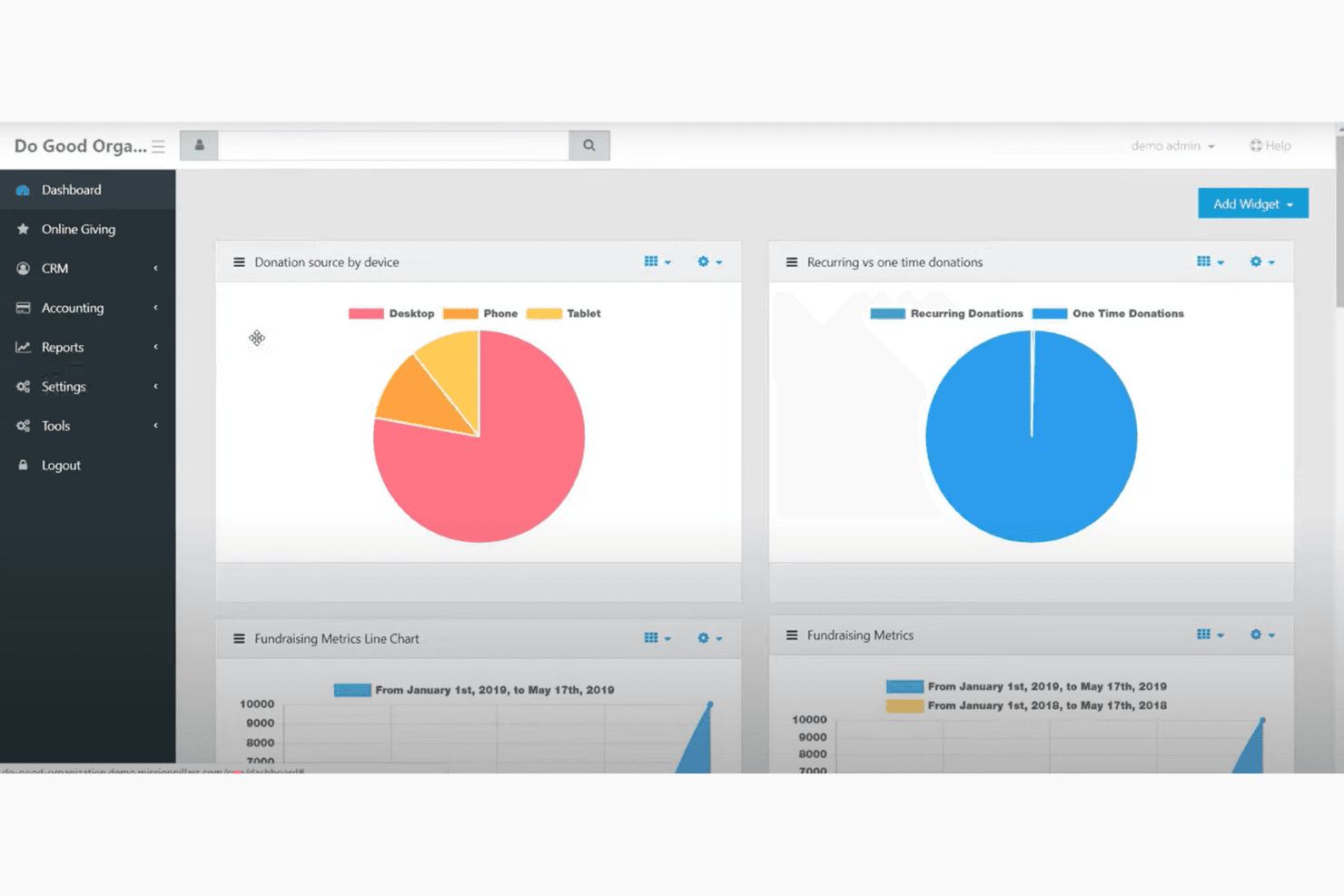
You can easily track and manage donations through a straightforward dashboard. It simplifies your work with easy-to-read reports and summaries.
Fundraising Campaigns:
Set up and manage fundraising campaigns to support your church's initiatives. The feature helps you engage your community and reach your goals.
Recurring Giving:
Encourage consistent support with recurring donation options. Your donors can set up automatic contributions, ensuring steady funding.
Mobile Giving:
Enable donations through mobile devices, making it convenient for your community to give anytime. It enhances accessibility and participation.
Text-to-Give:
Allow your congregation to donate via text message for quick and easy contributions. It simplifies the giving process for tech-savvy members.
Reporting and Analytics:
Access detailed reports to track your church's financial health. You'll gain insights into donation trends and areas for improvement.
Ease of Use
Continue To Give is user-friendly with its intuitive interface that makes donation management a breeze for your team. You’ll find setting up campaigns straightforward, though some users mention a learning curve initially. The clean dashboard and helpful reporting tools let you access vital information quickly. Compared to other platforms, it offers a balance of simplicity and functionality, allowing even those with limited tech experience to navigate it effectively.
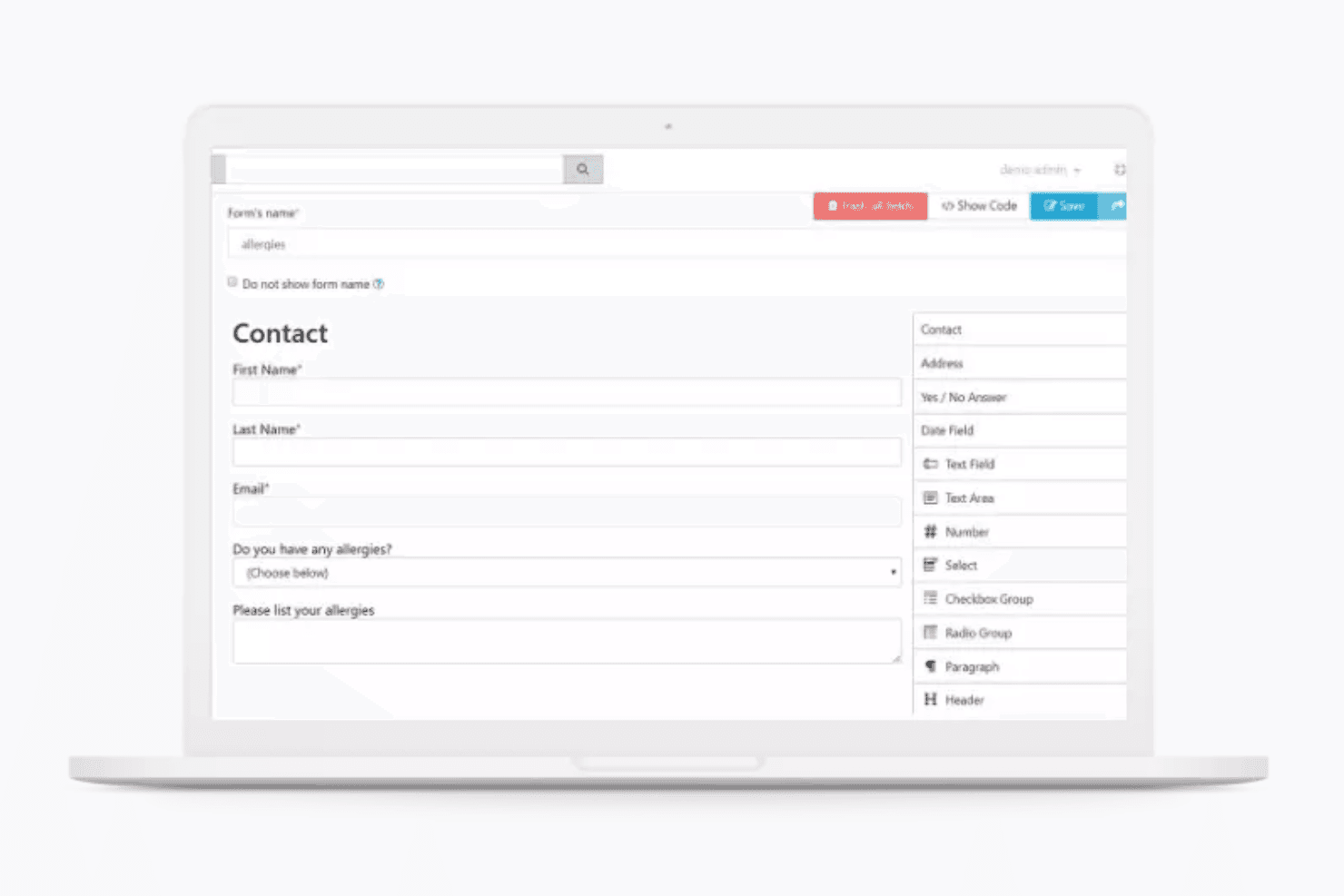
Continue to Give Specs
- API: No
- Calendar Management: No
- Contact Management: No
- Dashboards: No
- Data Export: No
- Data Import: No
- Document Management: No
- External Integrations: No
- Multi-User: No
- Notifications: No
- Payment Gateway Integration: No
- Scheduling: No
- Workflow Management: No
Alternatives to Continue to Give


Continue to Give FAQs
Hvad sker der nu?
Tilmeld dig vores nyhedsbrev for at få de nyeste ressourcer, bedste praksis og indsigt i ledelse af kirker fra erfarne præster og kirkeledere.