

Circle Bewertung: Vorteile, Nachteile, Funktionen und Preise erklärt
Circle überzeugt durch seine intuitiven Community-Aufbau-Tools und flexiblen Integrationen und ist somit ideal für Kreative, die eine anpassbare All-in-One-Mitgliedschaftsplattform suchen.

Wir bewerten Tools unabhängig, und Provisionen tragen zur Finanzierung unserer Tests bei. Lesen Sie unsere transparente Richtlinie, unsere Methodik oder schlagen Sie ein Tool vor.
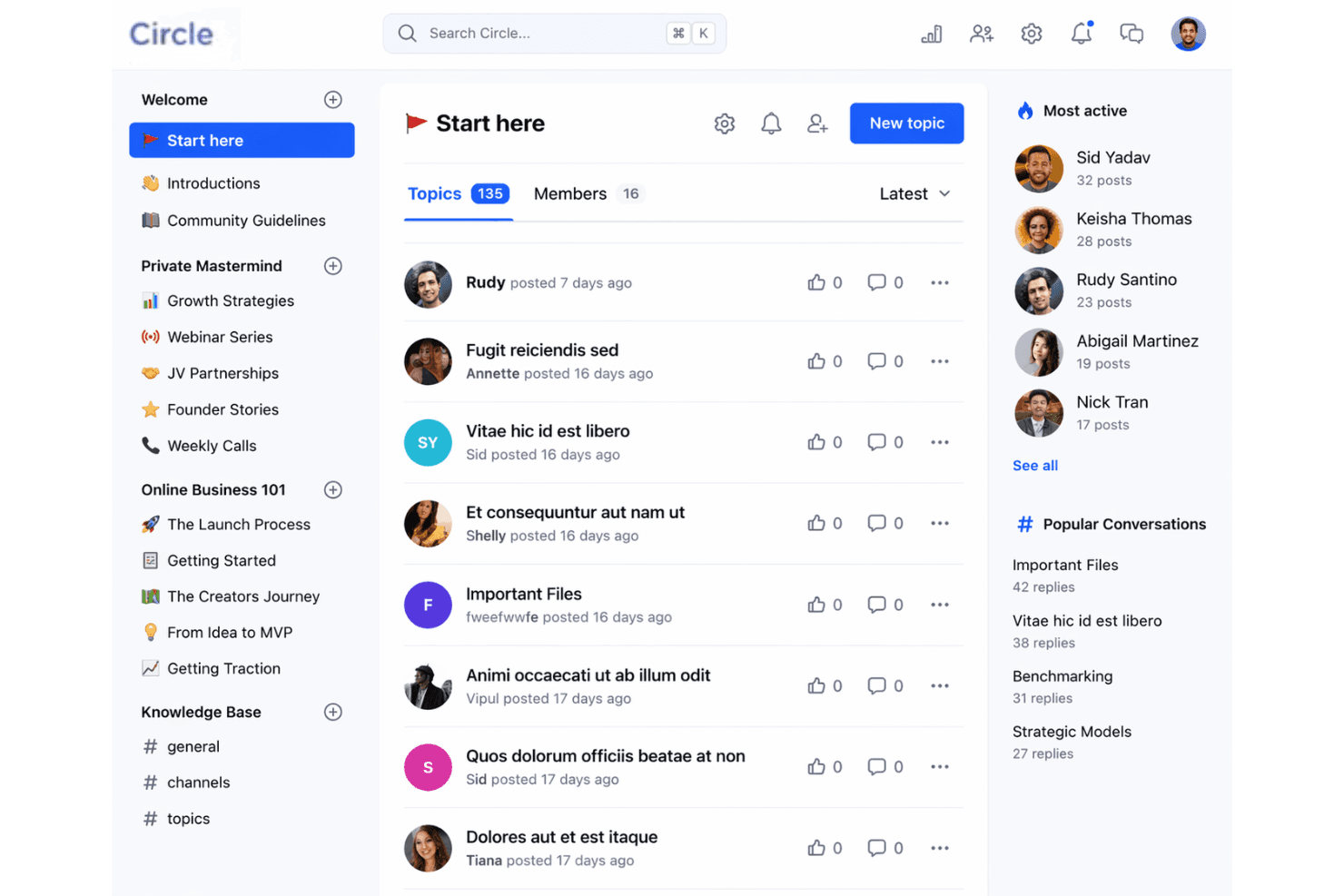
Circle is an online membership software designed to help you build, manage, and engage your community in one place. As a community builder, you know how challenging it can be to keep members connected, organize groups, and communicate updates without juggling multiple tools. The Circle platform brings your people together with discussion forums, live streams, event management, and resource sharing—all within a single, easy-to-use platform.
In this review, you'll find a clear breakdown of Circle's features, use cases, pros and cons, and pricing, so you can decide if it's the right fit for your needs.
Circle Evaluation Summary
4.5/5
- From $89/month
- 14-day free trial + free demo available
Warum Sie unseren Software-Empfehlungen vertrauen können
6,700+
Reviews
20
Industry experts
16+
Evaluation factors
14
Years
Unser Team testet und bewertet Software seit 2012. Als Kirchenleiter wissen wir selbst, wie schwierig – und wichtig – es ist, die richtige Software auszuwählen.
Für diesen Leitfaden haben wir Tools mithilfe von praktischen Tests und unabhängiger Recherche bewertet und dabei unsere Bewertungskriterien angewendet.
Unsere Bewertungen spiegeln unser menschliches redaktionelles Urteilsvermögen wider, keine Verkaufsstrategie.
Circle Overview
When judging Circle as an online membership software, its clean interface, flexible integrations, and strong community features set it apart from many alternatives. Pricing is mid-range, and onboarding is straightforward, making it accessible for teams with limited tech support. While its event tools and resource management are solid, some advanced reporting and automation options are less developed than others. If you're selecting software for building active, connected communities, then you might want to use Circle.
Pros
- Offers structured community spaces for group discussions and resources
- Built-in event management supports recurring and one-time live streams and events
- Active community support and regular feature updates
Cons
- Limited advanced reporting and analytics options
- No built-in donation or giving management tools
- Some users report slow response times from customer support
Is Circle Right For Your Needs?
Who Would be a Good Fit for Circle?
Circle works best for organizations and teams that need to foster ongoing engagement, resource sharing, and group interaction in a digital space. Its structured forums, event management, and content hosting make it a strong choice for communities, creators, and learning environments that value connection and collaboration. Whether you're an entrepreneur building a paid community or an educator launching online courses, Circle's feature set aligns well with the demands of modern community building. If your work depends on building relationships and facilitating real-time communication, the platform is well worth your attention.
- Small ChurchesCircle's group spaces and event tools help manage member engagement.
- Online Course CreatorsCourse modules and community features support interactive learning environments.
- Nonprofit NetworksResource libraries and discussion forums enable knowledge sharing and support.
- Volunteer TeamsTask coordination and group messaging keep volunteers connected and informed.
- Faith-Based GroupsPrivate spaces and event scheduling suit ongoing ministry activities.
- Coaching CommunitiesLive events and member directories help coaches connect with clients.
Who Would be a Bad Fit for Circle?
Circle is less suited for organizations that require complex administrative tools, advanced analytics, or integrated financial management. If your team needs deep reporting, built-in giving, or highly specialized workflows, Circle's focus on community engagement may not meet your operational demands. Consider other options if your primary needs go beyond communication and group management.
- Large EnterprisesCircle lacks advanced analytics and enterprise-level administrative controls.
- Financial ServicesNo built-in payment processing or compliance management features.
- HR DepartmentsDoes not offer onboarding, payroll, or employee record management.
- Event PlannersLimited ticketing, registration, and attendee tracking capabilities.
- Healthcare ProvidersNo HIPAA compliance or patient data management tools.
- Fundraising TeamsMissing integrated donation and fundraising management features.
Wie wir Tools testen & bewerten
Wir haben jahrelang unser System zur Softwarebewertung entwickelt, verfeinert und verbessert. Der Bewertungsmaßstab erfasst die Feinheiten bei der Softwareauswahl und was ein Tool effektiv macht, mit Fokus auf die wichtigsten Entscheidungsaspekte. Nachfolgend sehen Sie genau, wie unsere Tests und Bewertungen in sieben Kategorien funktionieren. So können wir eine objektive Bewertung der Software anhand von Kernfunktionen, herausragenden Merkmalen, Benutzerfreundlichkeit, Onboarding, Kundensupport, Integrationen, Kundenbewertungen und Preis-Leistungs-Verhältnis liefern.
Kernfunktionalität (25% der Gesamtbewertung)
Der Ausgangspunkt unserer Bewertung ist immer die Basisfunktionalität des Tools. Verfügt es über die grundlegenden Funktionen und Merkmale, die ein Nutzer erwarten würde? Sind einige dieser Kernfunktionen auf höherpreisige Tarife beschränkt? Im Kern erwarten wir, dass ein Tool den Grundfunktionen seiner Mitbewerber standhält.
Herausragende Funktionen (25% der Gesamtbewertung)
Als Nächstes bewerten wir ungewöhnliche, herausragende Funktionen, die über die übliche Kernfunktionalität hinausgehen. Eine hohe Punktzahl spiegelt spezialisierte oder einzigartige Funktionen wider, die das Produkt schneller, effizienter oder für den Nutzer wertvoller machen. Wir bewerten außerdem, wie einfach sich das Tool mit anderen, typischerweise in der technologischen Infrastruktur verwendeten Tools integrieren lässt, um die Funktionalität und den Nutzen der Software zu erweitern. Tools mit vielen nativen Integrationen, Verbindungen zu Drittanbietern und API-Zugängen für maßgeschneiderte Integrationen schneiden am besten ab.
Benutzerfreundlichkeit (10% der Gesamtbewertung)
Wir betrachten, wie schnell und einfach sich die Kernfunktionen mit dem Tool ausführen lassen. Hoch bewertete Software ist gut gestaltet, intuitiv zu bedienen, bietet mobile Apps, stellt Vorlagen bereit und macht selbst komplexere Aufgaben einfach.
Onboarding (10% der Gesamtbewertung)
Wir wissen, wie wichtig eine schnelle Akzeptanz im Team für eine neue Plattform ist, daher bewerten wir, wie leicht ein Tool mit minimaler Schulung zu erlernen und zu nutzen ist. Entscheidend ist, wie schnell ein Teammitglied ohne Vorkenntnisse das Tool einrichten und verwenden kann. Lösungen mit hoher Bewertung erfordern wenig bis keine Unterstützung.
Kundensupport (10% der Gesamtbewertung)
Wir prüfen, wie schnell und unkompliziert Hilfe per Telefon, Live-Chat oder Wissensdatenbank erreichbar ist. Tools und Unternehmen, die Echtzeit-Support bieten, erzielen die besten Ergebnisse, während Chatbots am schlechtesten abschneiden.
Kundenbewertungen (10% der Gesamtbewertung)
Zusätzlich zu unseren eigenen Tests berücksichtigen wir auch den Net Promoter Score aktueller und ehemaliger Kunden. Wir analysieren, wie wahrscheinlich diese Kunden das Tool erneut für die Kernfunktionen wählen würden. Eine hohe Bewertung spiegelt einen hohen Net Promoter Score wider.
Preis-Leistungs-Verhältnis (10% der Gesamtbewertung)
Abschließend vergleichen wir den durchschnittlichen Preis der Einstiegstarife angesichts der Kernfunktionen und der anderen Bewertungskriterien. Software, die mehr für weniger bietet, erhält eine bessere Bewertung.
Core Features
Spaces
Organize discussions, resources, and events into dedicated community spaces. Set permissions to make spaces public or private.
Events and Live Streams
Host live streams, webinars, or recurring meetings directly within your community. Members can RSVP, add events to calendars, and get reminders.
Member Directory
A searchable directory helps community members find and connect with each other. Profiles include bios, interests, and contact info.
Content Library
Upload and organize files, videos, and resources for easy member access. Control who sees what content in each space.
Posts and Announcements
Share updates or news with targeted groups or your entire community. Posts support rich media and comments for real-time interaction.
Moderation Tools
Assign moderators, set posting guidelines, and manage member activity. Automated tools help flag inappropriate content and maintain a safe environment.
Ease of Use
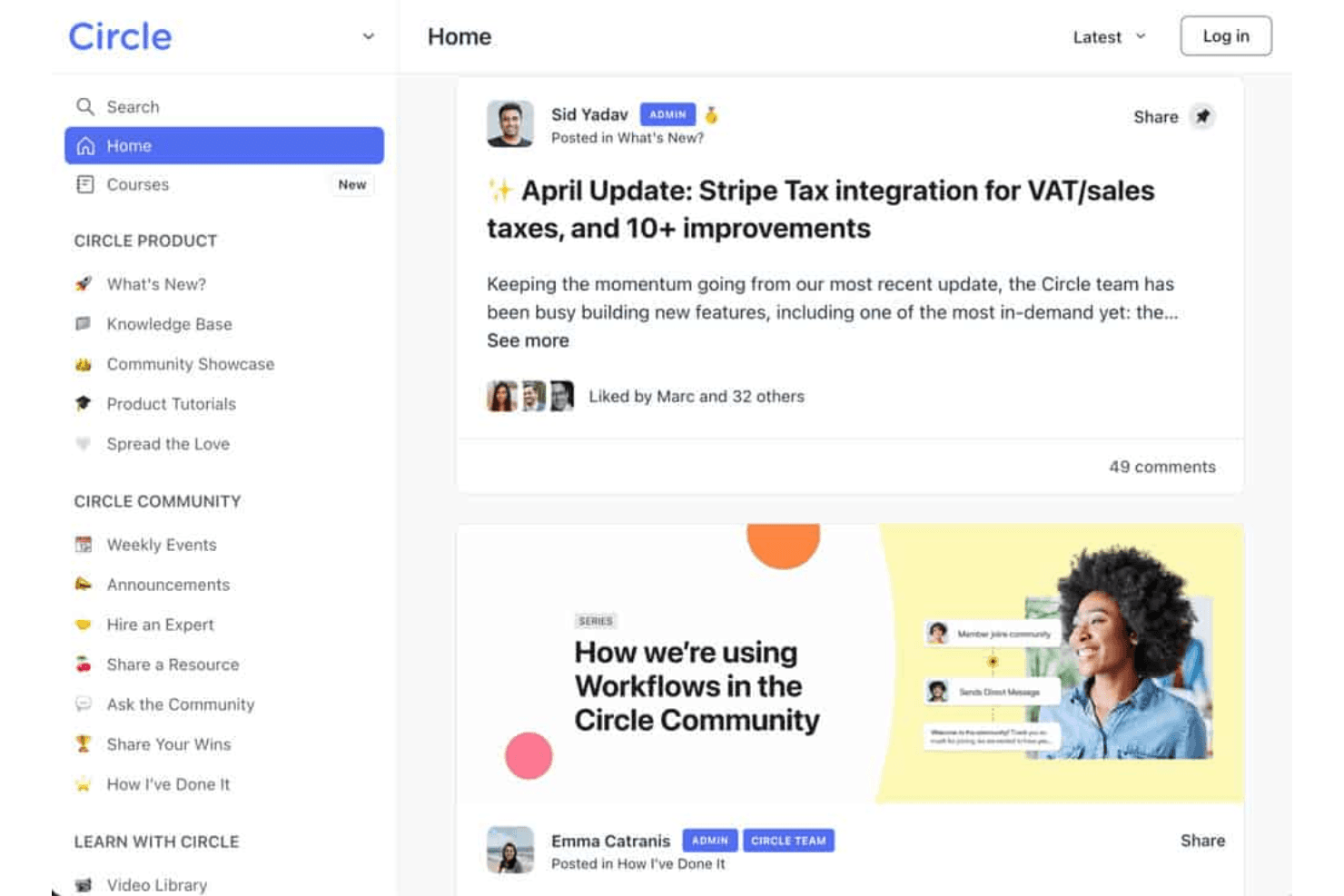
Circle is widely recognized for its clean, intuitive interface and straightforward navigation, making it easy for both admins and members to get started. Users often highlight the drag-and-drop space organization and simple event setup as especially user-friendly. The onboarding process is guided and clear, with helpful tutorials and community support available. While some advanced features require exploration, most users find Circle's usability a strong advantage over more complex or cluttered platforms like alternatives such as those positioned against kajabi, mighty networks, skool, or teachable.

Integrations
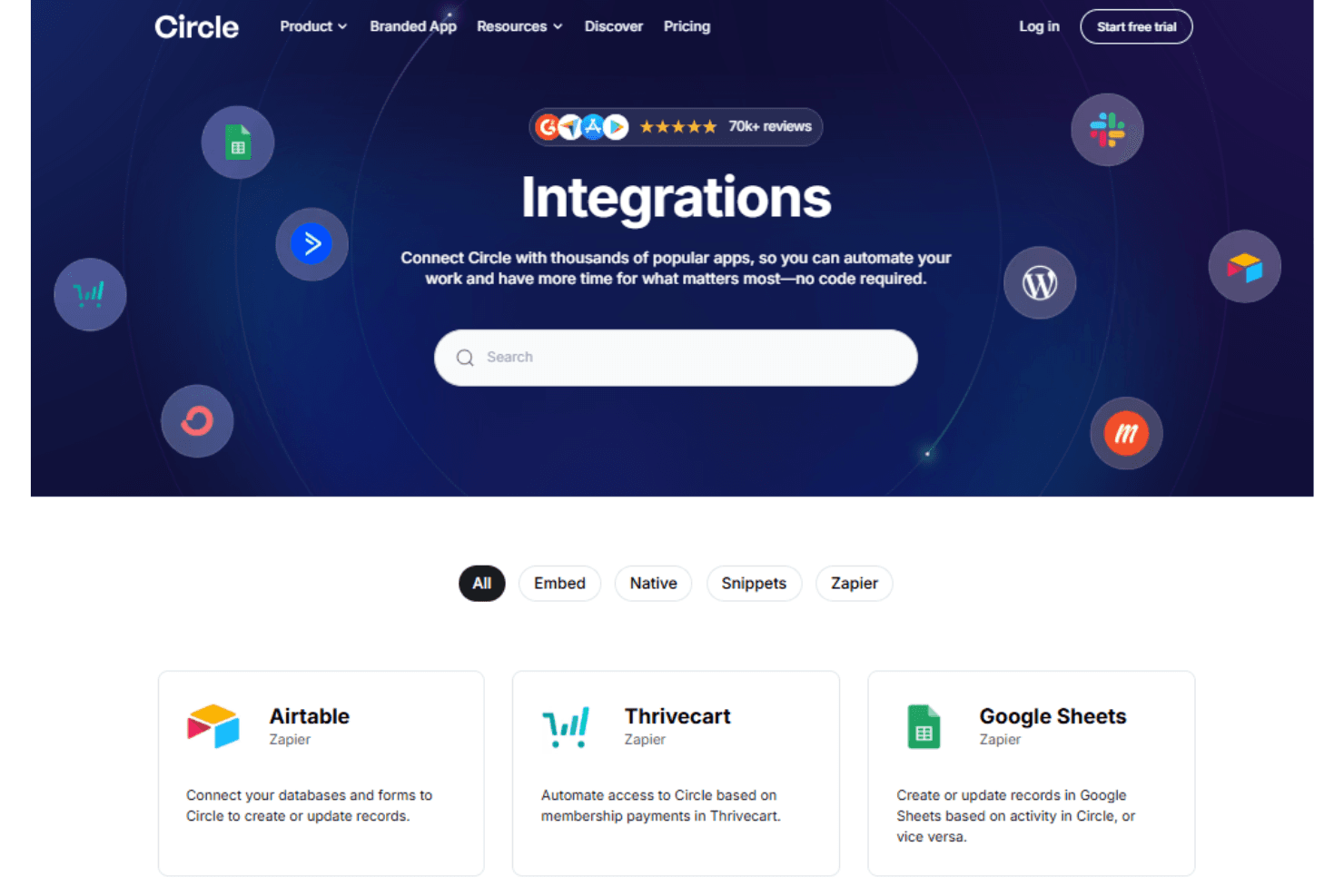
Circle integrates with Zapier, Memberful, Stripe, Google Analytics, Youtube, and WordPress, among others.
Circle also offers an API and connects with third-party integration tools for expanded functionality.
Circle Specs
- API: Yes
- Calendar Management: Yes
- Call Integration: Yes
- Chat: Yes
- Click-to-Dial: Yes
- Contact Management: Yes
- CRM Integration: Yes
- Customer Management: Yes
- Dashboard: Yes
- Data Export: Yes
- Data Import: Yes
- Data Visualization: Yes
- Email Integration: Yes
- Escalation Management: Yes
- External Integrations: Yes
- Google Apps Integration: Yes
- Inventory Tracking: Yes
- Knowledge Base: Yes
- Lead Management: Yes
- Lead Scoring: Yes
- Marketing Automation: Yes
- Multi-User: Yes
- Net Promoter Score: Yes
- Notifications: Yes
- Online Surveys: Yes
- SAP Integration: Yes
- Scheduling: Yes
- Self-service Portal: Yes
- Supplier Management: Yes
- Support Forum: Yes
- Ticket Management: Yes

